4 PredatorSense - 43
4 PREDATORSENSE
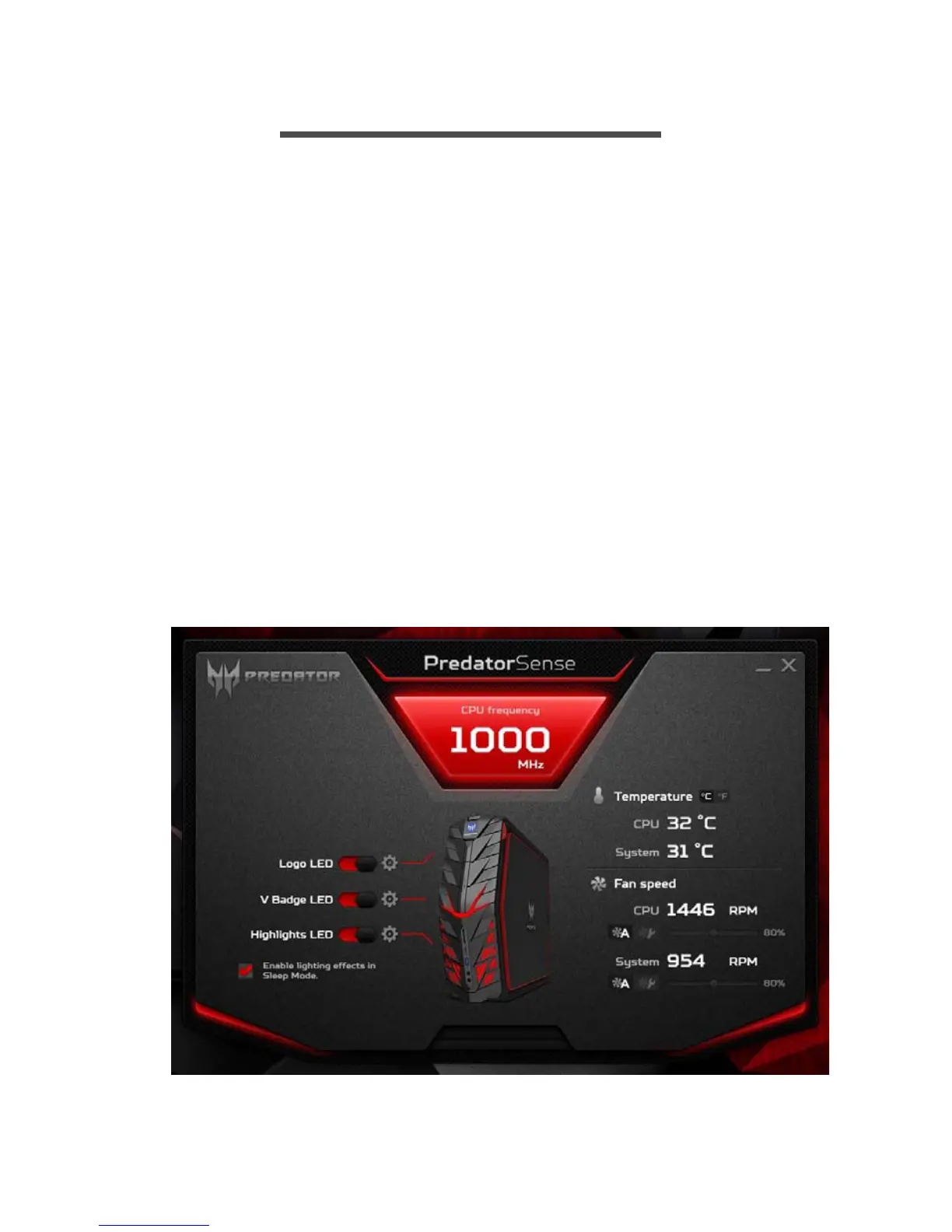
PredatorSense (DT) V1.0 is an Acer proprietary utility to enhance the
user experience of Gaming products on Microsoft Windows 10.
The central idea of this utility is to provide a user interface to easily
control fan speed, RGB chassis and also display system information.
PredatorSense features
• Fan speed control
• System information dashboard
• RGB chassis
To set up the PredatorSense application (Windows 10):
1.From the Start menu, select All apps.
2.Select Acer.
3.Select PredatorSense.
Alternatively, you can double-click the PredatorSense desktop
shortcut to run the application.



 To Next Page