6 Upgrading your computer - 73
Memory
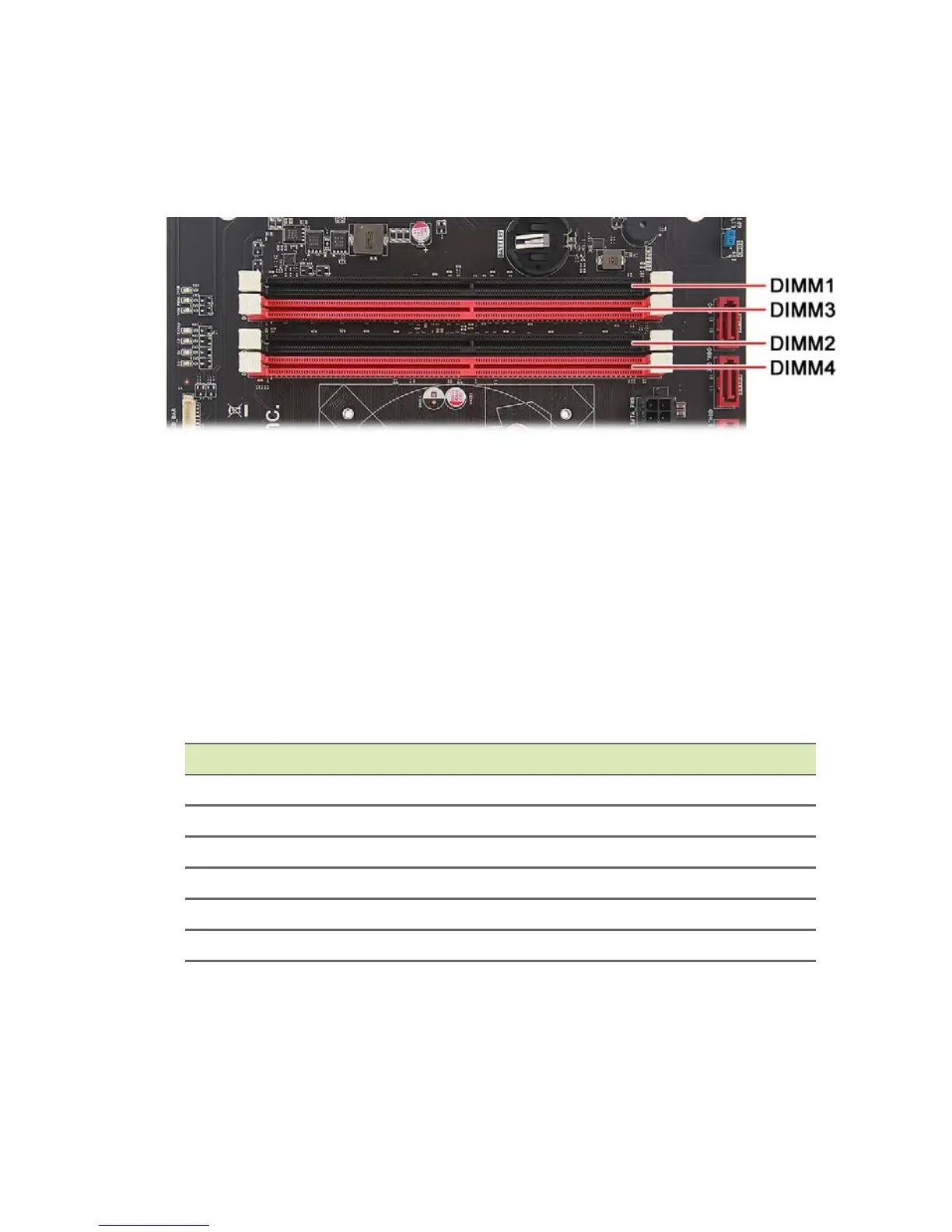
The computer has four DDR4 U-DIMM slots that support up to 64 GB
maximum system memory.
Memory configuration guidelines
• To ensure data integrity, use only Acer-approved DDR4 2133 MHz
type memory modules.
• Memory modules must be installed starting with DIMM1 slot.
• Always handle memory modules by its edges.
• When installing memory modules, populate the DIMM slots
according to the table below.
Size DIMM1 DIMM2 DIMM3 DIMM4
8GB 4GB 4GB N/A N/A
16GB 4GB 4GB 4GB 4GB
16GB 8GB 8GB N/A N/A
32GB 8GB 8GB 8GB 8GB
32GB 16GB 16GB N/A N/A
64GB 16GB 16GB 16GB 16GB


 To Next Page