76 - 6 Upgrading your computer
Graphics board
The computer contains one graphics board installed in the PCIe x16
slot.
Removing the graphics board
1.Perform Pre-installation instructions on page 58.
2.Remove the right side system cover. See Removing the right side
system cover on page 61.
3.Remove the rear I/O bezel. See Removing the rear input/output
(I/O) bezel on page 63.
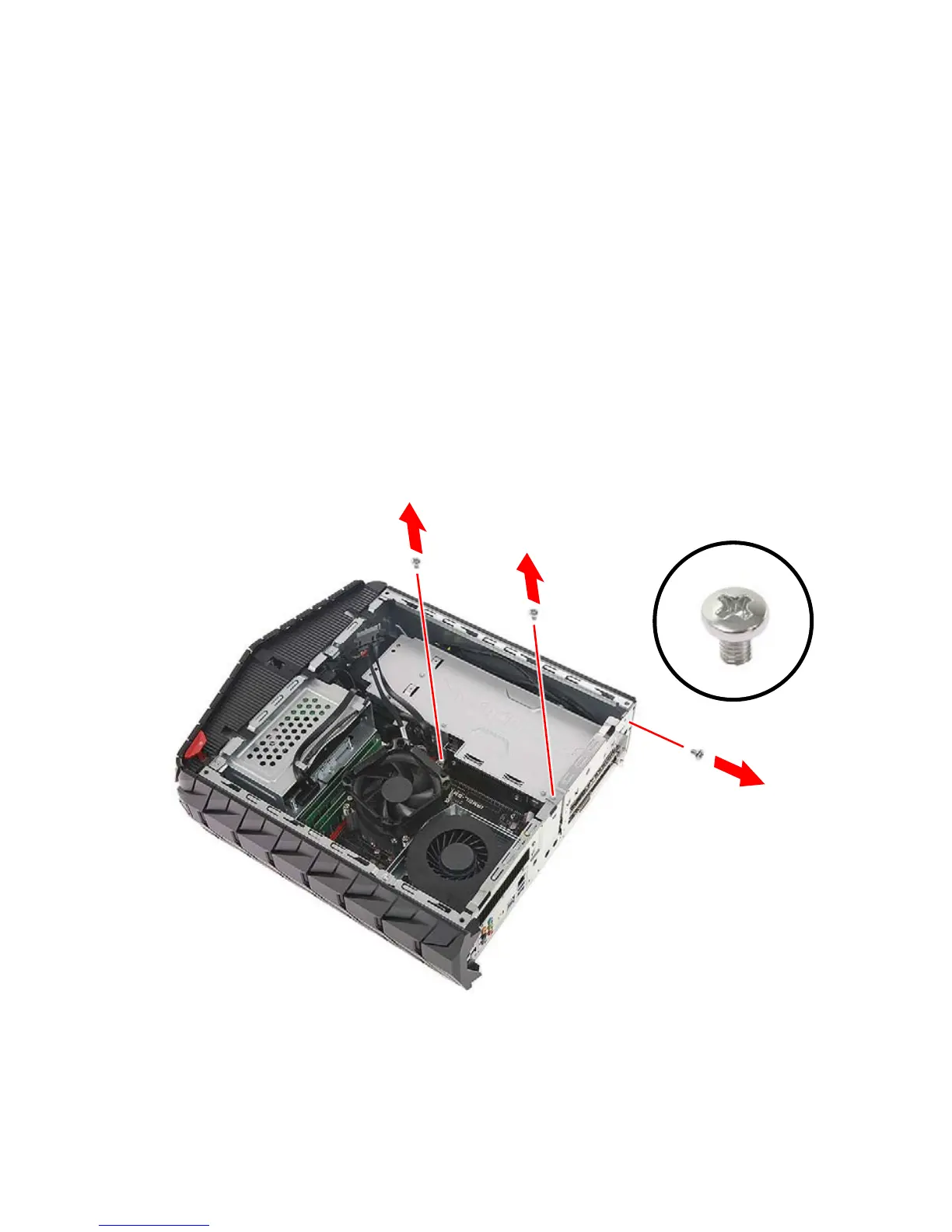
4.Remove the three screws that secure the graphics board to the
chassis.



 To Next Page