74 - 6 Upgrading your computer
Removing a memory
1.Perform Pre-installation instructions on page 58.
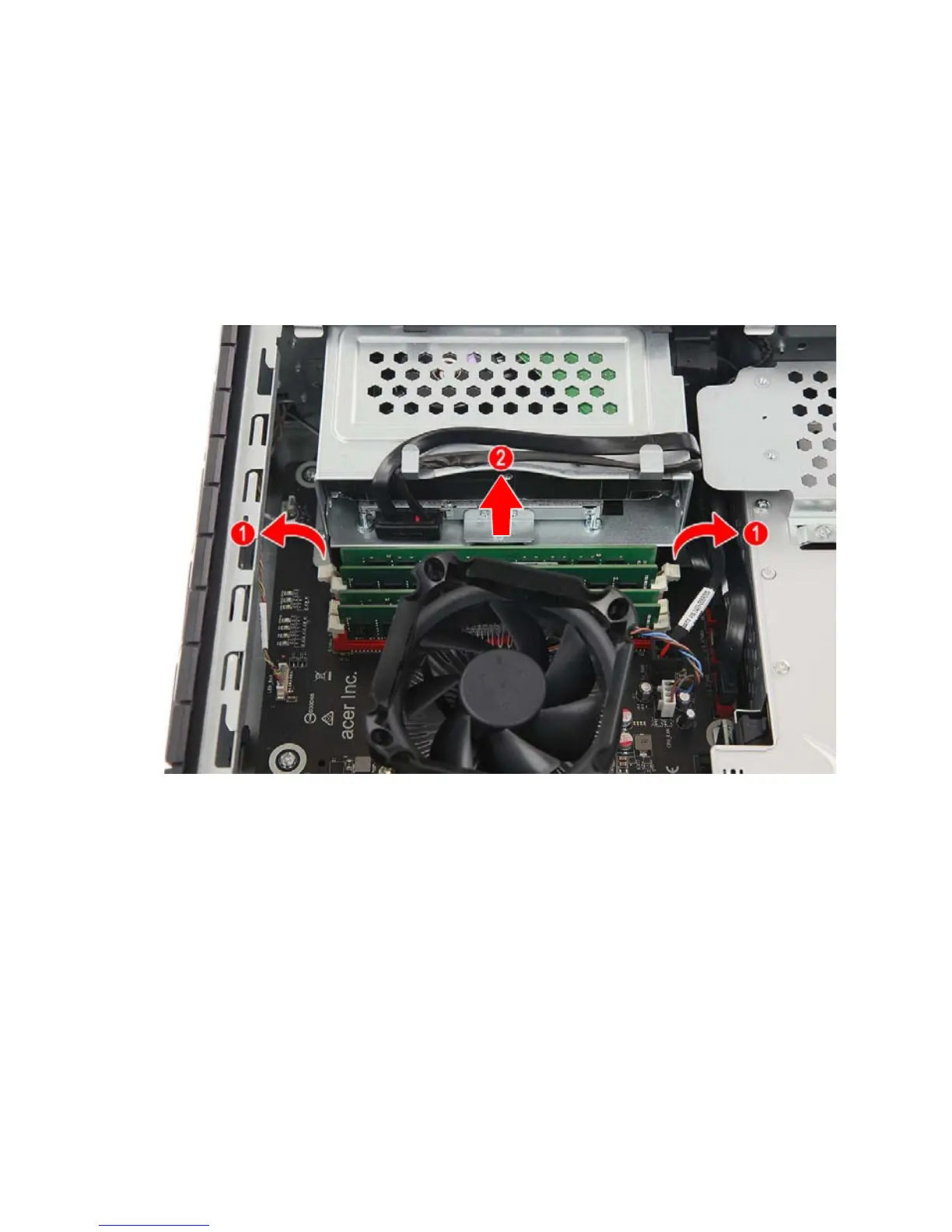
2.Press outward the holding clips on both sides of the DIMM slot
outward to release the memory module (1).
3.Gently pull the memory module upward to remove it from the DIMM
slot (2).
4.If you intend to install a new memory module, proceed to the next
section for related procedure, then observe the Post-installation
instructions on page 58.



 To Next Page