6 Upgrading your computer - 63
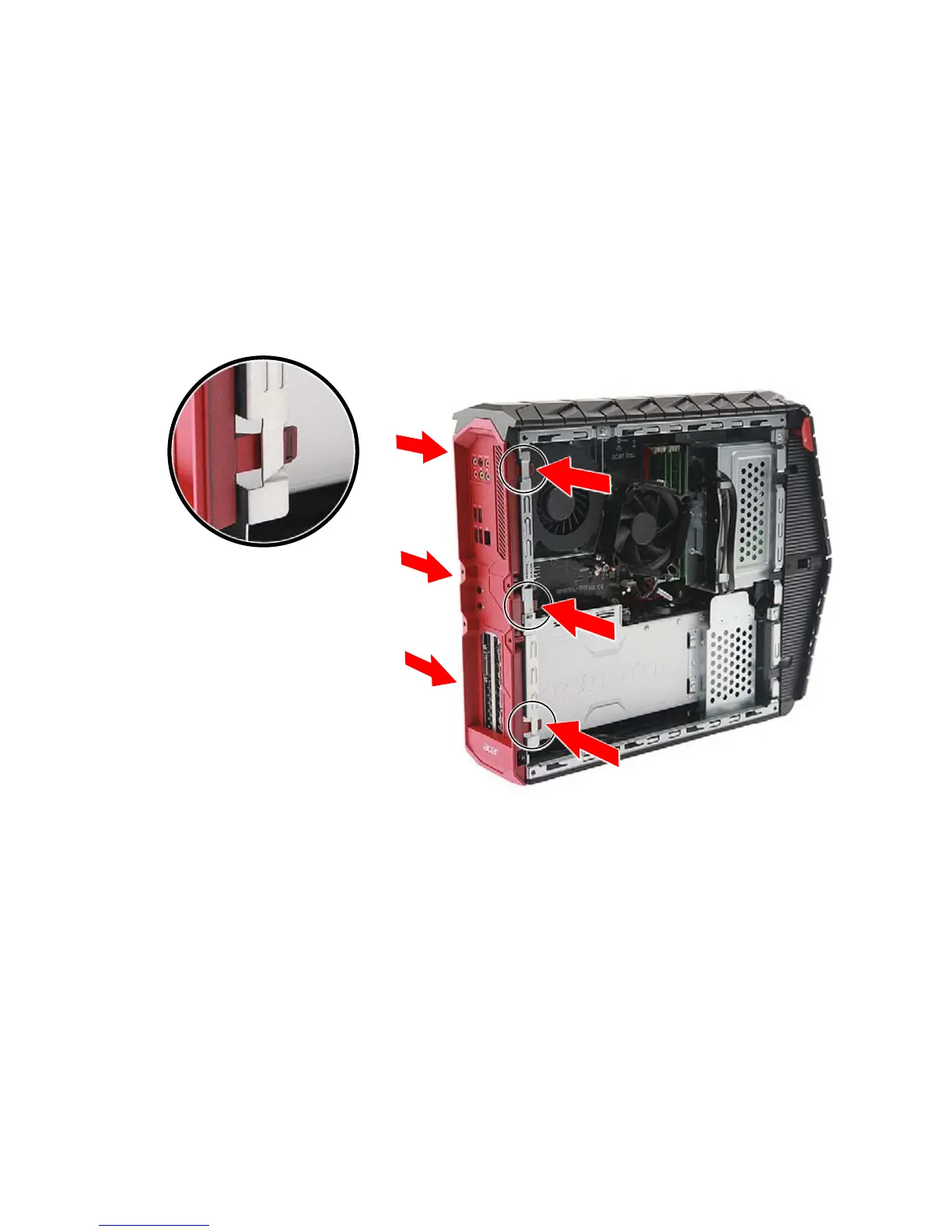
Removing the rear input/output (I/O) bezel
1.Before you proceed, make sure that you have turned off your
computer and all peripherals connected to it. Read the Pre-
installation instructions on page 58.
2.Remove the right side system cover. See Removing the right side
system cover on page 61.
3.Disengage the latches that secure the rear I/O bezel to the chassis.



 To Next Page