Studio One Profesional Quick Start
Creating a New Song
Quantum 4848
Owner’sManual
Setting up an external MIDI keyboard controller from the Start page.
A MIDI keyboard controller is a hardware device that is generally used for
playing and controlling other MIDI devices, virtual instruments, and software
parameters. In Studio One, these devices are referred to as Keyboards, and
they must be configured before they are available for use. In some cases, your
MIDI keyboard controller is also used as a tone generator. Studio One views
the controller and tone-generation functions as two different devices; a MIDI
keyboard controller and a sound module. The MIDI controls (keyboard, knobs,
faders, etc.) will be set up as a Keyboard. The sound modules will be set up as an
Instrument.
MIDI
键盘控制器是一种硬件设备,一般用于演奏和控制其他
MIDI
设备、虚
拟乐器和软件参数。在
Studio One
中,这些设备被称为键盘,在使用前,必
须对其进行配置。在某些情况下,你的
MIDI
键盘控制器也被用作音色发生
器。
Studio One
把控制器和音调发生器的功能看作是两个不同的设备:一个
MIDI
键盘控制器和一个声音模块。
MIDI
控制器(键盘、旋钮、音量推子
等)将被设置为键盘。声音模块将被设置为一个乐器。
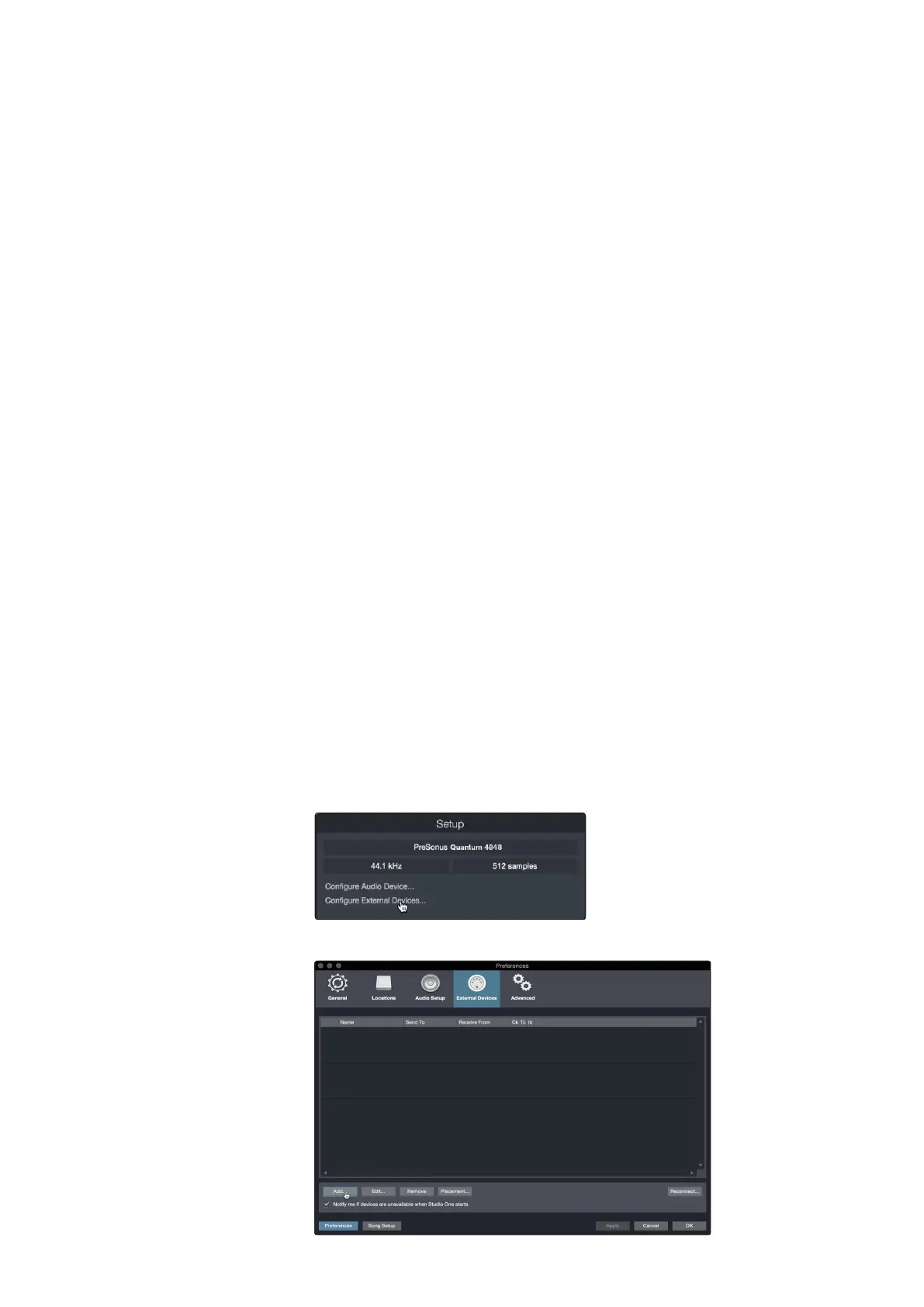
You can set up your external MIDI devices from the Setup area in the Start page.
Before setting up a new Song for recording, take a moment to configure external
devices.
你可以在
"Start"
页面的
"Setup"
区域设置你的外部
MIDI
设备。设置新的歌曲
进行录音之前,需要花点时间配置一下外部设备。
Make sure you have connected the MIDI Out of your external MIDI controller to
a MIDI In on your MIDI interface. If you are using a USB MIDI controller, connect
it to your computer and power it on.
确保你已经把外部
MIDI
控制器的
MIDI
输出,连接到你的
MIDI
接口的
MIDI
输
入上。如果你使用的是 USB MIDI 控制器,请将它连接到你的电脑上并接通
电源。
1.
Click on the Configure External Devices link in the Setup area on
the Start page to launch the External Devices window.
点击
"Start"
页面设置区的
"Configure External Devices "
链
接,启动 ”External Devices” 窗口。
2.
Click the Add button. This will launch the Add Device window.



 To Next Page