Studio One Profesional Quick Start
Creating a New Song
Quantum 4848
Owner’sManual
9.
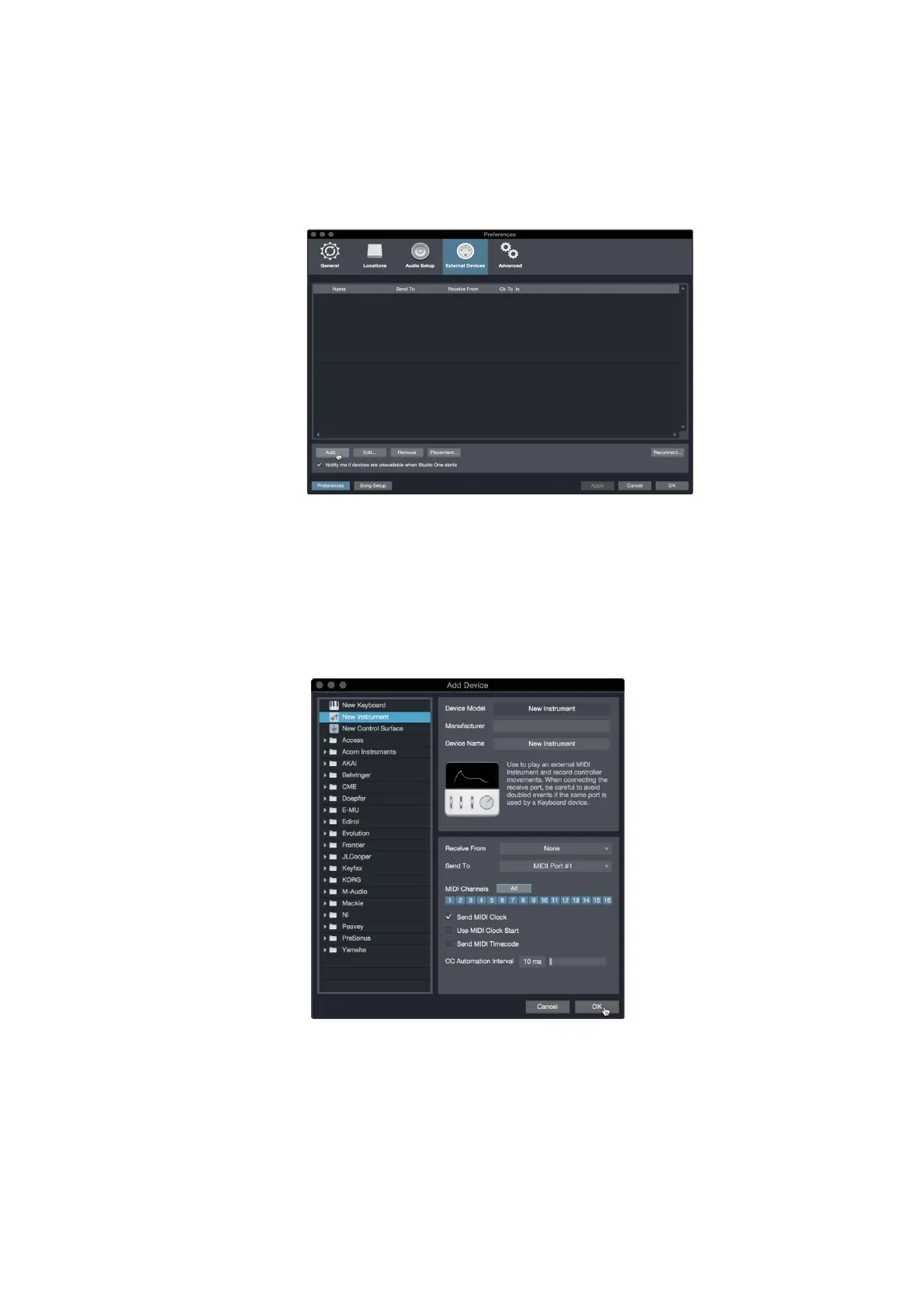
In the External Devices window, click the Add button.
在 "External Devices" 窗口,单击 "Add" 按钮。
10.
Select your device in the menu on the left. If your device is not
listed, select New Instrument. At this point you can customize the
name of your keyboard by entering the manufacturer and device
names.
在左边的菜单中选择你的仪器。如果你的设备没有被列出,请
选择 "New Instrument"。这时,你可以通过输入制造商和设备
名称来定制你的键盘名称。
11.
Specify which MIDI channels will be used to communicate with this sound
module. For most purposes, you should select all MIDI channels. If you
are unsure of which MIDI channels to select, we suggest you select all 16.
指定哪些 MIDI 通道将被用来与这个声音模块。在大多数情况下,你应
该选择所有的MIDI通道相连。如果你不确定要选择哪些MIDI通道,我
们建议你选择全部
16
个。



 To Next Page