Studio One Profesional Quick Start
Monitor Mixing in Studio One
Quantum 4848
Owner’sManual
6.5.1
Cue Mix Functions
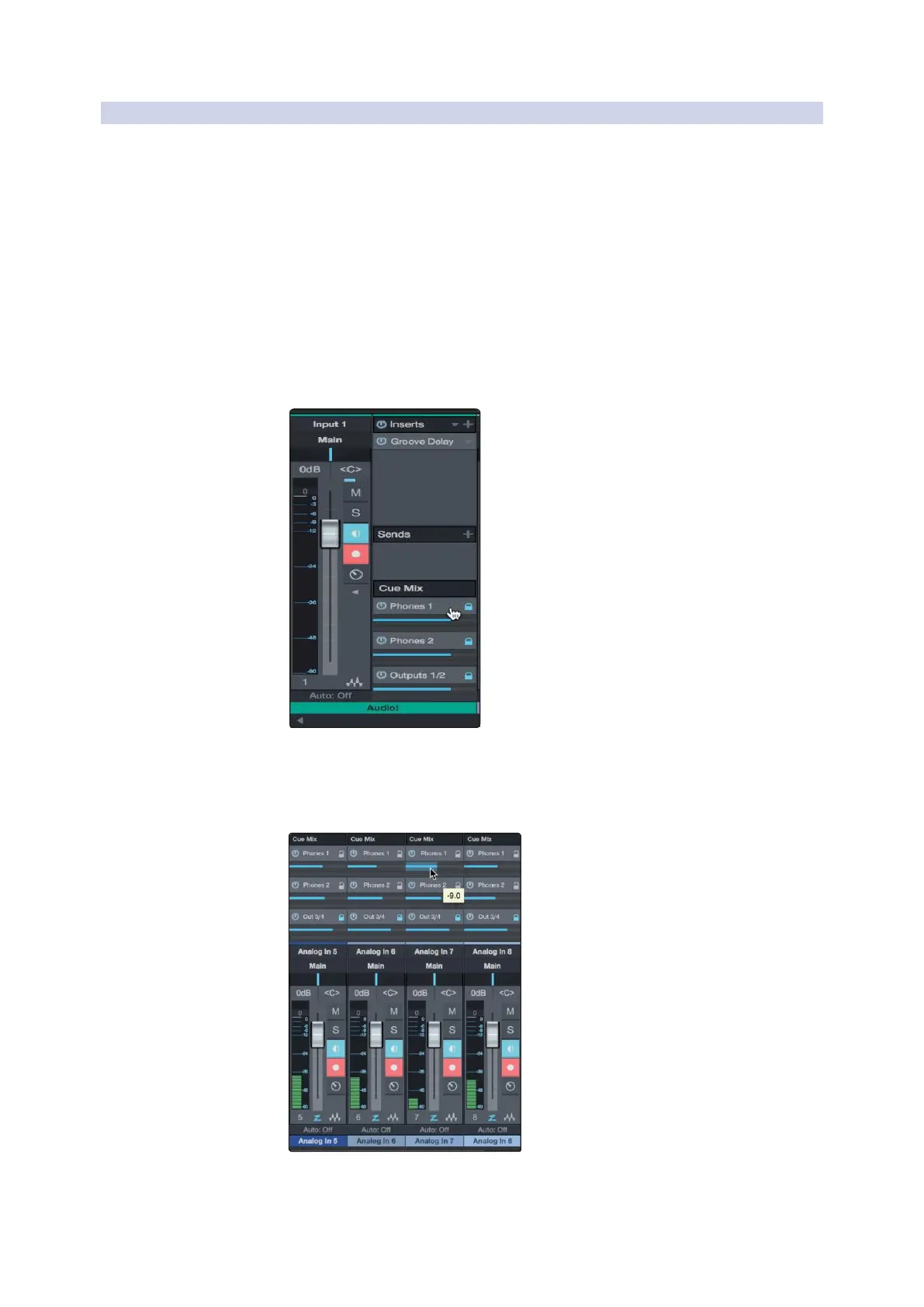
Once you have created a cue mix output, you will notice a special Send
object in the channels of the Console. This Send object is called a Cue
Mix object.
一旦你创建了一个监听混音输出,你会注意到
”Console”
控制台的通
道中有一个特殊的
” Send ”
发送对象。这个
” Send ”
对象被称为
Cue
Mix object
。
In the Small Console view, Cue Mix objects appear in the far left column
of the extended channel.
在” Small Console” 视图中,Cue Mix对象出现在扩展通道的最左边一
栏。
In the Large Console view, Cue Mix objects appear below the Send
device rack on each channel.
在
Large Console
视图中,
Cue Mix objects
出现在每个通道的
Send
设
备架下面。



 To Next Page