107
12 Home
12.1 System Screen
StudioLive™ Series III
Owner’s Manual
12.1 System Screen
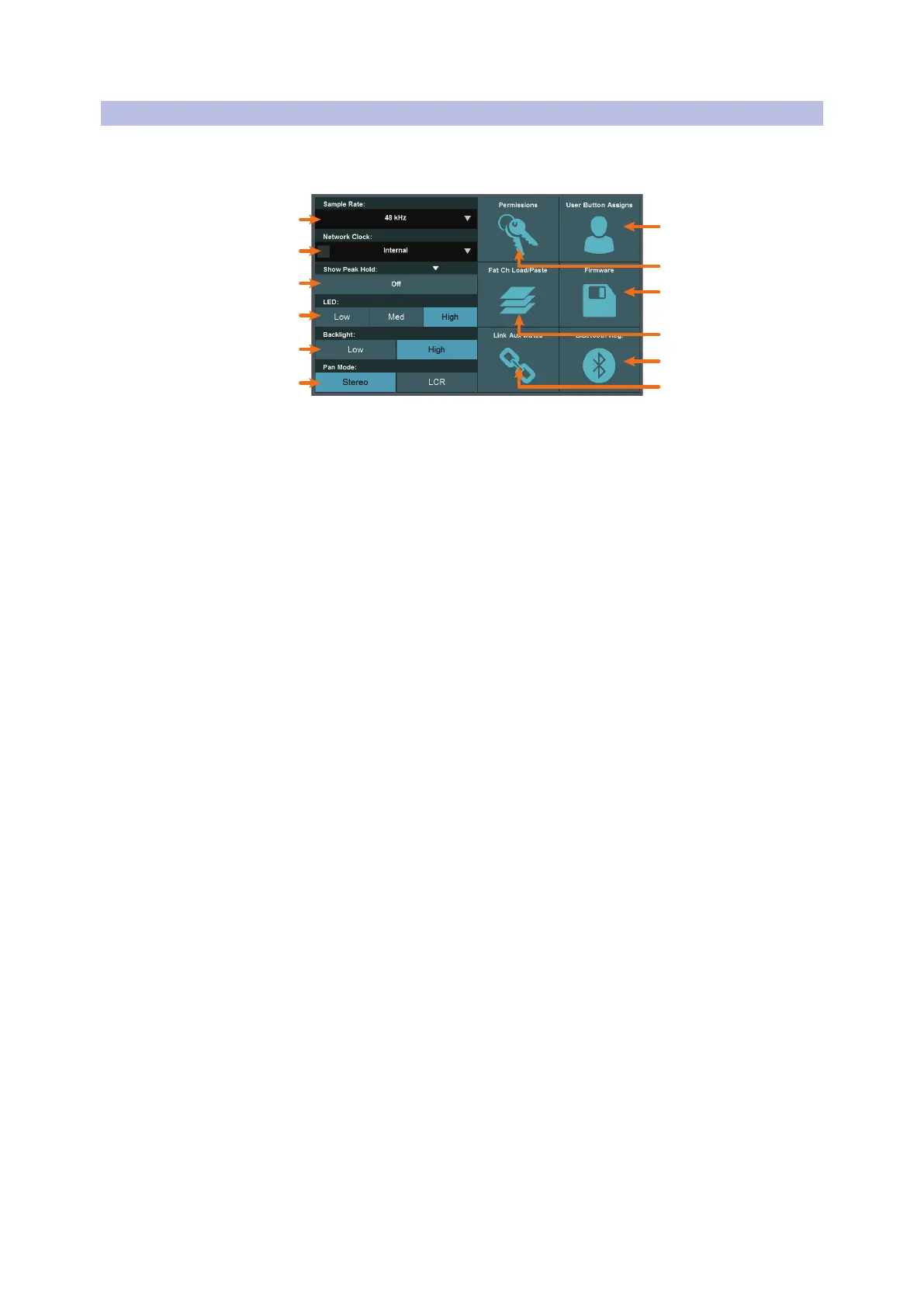
The System screen gives you access to many useful settings and functions that let
you choose how your StudioLive looks and operates. The following functions are
available:
9
7
8
11
12
1
2
3
4
5
6
1. Sample Rate. Sets the mixer’s sample rate. StudioLive Series III mixers can
operate at 48 kHz or 44.1 kHz.
2. Network Clock. Allows you to select the clock master when configuring
complex AVB networks. For most applications, this can be set to Internal. For
more information, please review the StudioLive Series III AVB Networking Guide.
3. Show Peak Hold. Toggle this option on to enable peak hold mode for the
various meters throughout StudioLive. When enabled, an indicator segment is lit
on each meter, showing the highest point in the amplitude scale that the related
signal has reached.
4. LED Brightness. Gives you a range of brightness settings for the LEDs. Choose
Low, Mid, or High brightness for each.
5. Backlight Brightness. Sets the brightness for the displays on your StudioLive
(scribble-strip and touch). Choose between Low of High.
6. Pan Mode. Sets the mode of operation for the Mono bus. For more information,
see Section 5.6.
7. Link Aux Mutes. Lets you select a mode of operation for linking mute buttons
between channels and aux sends. For more information, see Section 12.1.5.
8. Bluetooth Registration. Click to view important regulatory information
regarding your StudioLive’s Bluetooth module.
9. Fat Channel Load/Paste Filters. Lets you choose which parameters are
included when you load a Fat Channel preset or copy/paste Fat Channel settings
between channels. For more information, see Section 12.1.3.
10. Firmware. Shows the currently installed version of the StudioLive firmware,
and offers functions for installing firmware updates. For more information, see
Section 12.1.4.
11. Permissions. Lets you configure StudioLive control permissions for any
connected compatible controllers. For more information, see Section 12.1.1.
12. User Button Assigns. Lets you set the functions of the User Buttons. For more
information, see Section 12.1.2. Note: This feature is not available on the StudioLive
32SC and StudioLive 16.











 To Next Page