88
9 Master Control
9.4 UCNET
StudioLive™ Series III
Owner’s Manual
9.4.4 Control Network IP Address Settings
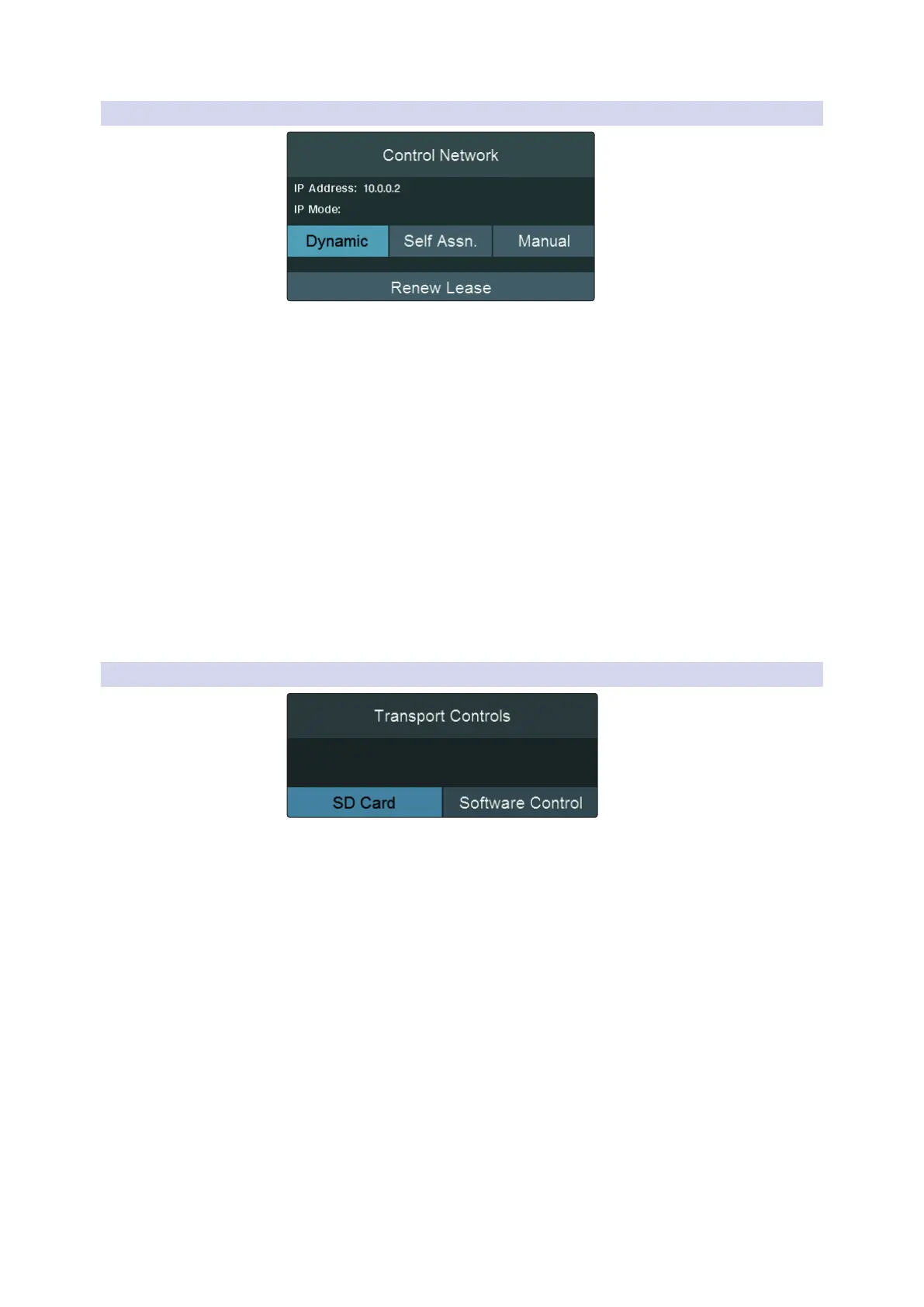
In the Control Network area of the UCNET screen, you’ll see the current IP address
of your StudioLive. This IP address can be assigned in one of three ways. Select the
necessary IP assignment mode by touching one of the following buttons:
• Dynamic. The IP address is assigned automatically upon connection to the
network, and can shift to a new address when necessary due to changes in
network availability. In this mode, a Renew button is shown onscreen. Touch this
button to renew the DHCP lease for your StudioLive.
• Static Self (Self-Assigned). The IP address is assigned automatically, but stays
the same thereafter until you need to change it. In this mode, an Apply button is
shown. Touch this button to auto-assign a new static IP address to your StudioLive.
• Static Manual. The IP address can be set manually, and remains the same until it
is changed. In this mode, an Edit button is shown. Touch this button to open the
Static Manual Edit screen, where you can specify IP address, subnet mask, and
gateway settings for your StudioLive as needed for your network configuration.
Touch each field in the form to bring up an onscreen keyboard for entry. When
you’re finished entering the settings, press Apply to establish the new settings. To
exit without re-setting IP settings, touch the Cancel button.
9.4.5 Transport Controls
While your StudioLive Series III mixer is controlling a DAW, you can chose to have the
Transport section control the SD recorder when DAW mode is disabled, or continue
to control the Transport in your DAW whether or not DAW mode is active.
For more information on using your StudioLive mixer as a controller for your DAW
application please review the following addendums:
• StudioLive Series III Studio One DAW Control Addendum
• StudioLive Series III MCU for Logic DAW Control Addendum
• StudioLive Series III HUI Emulation for ProTools DAW Control Addendum











 To Next Page