24
4 Basic Mix Functions Overview
4.2 Fader Layers and Banks
StudioLive™ Series III
Owner’s Manual
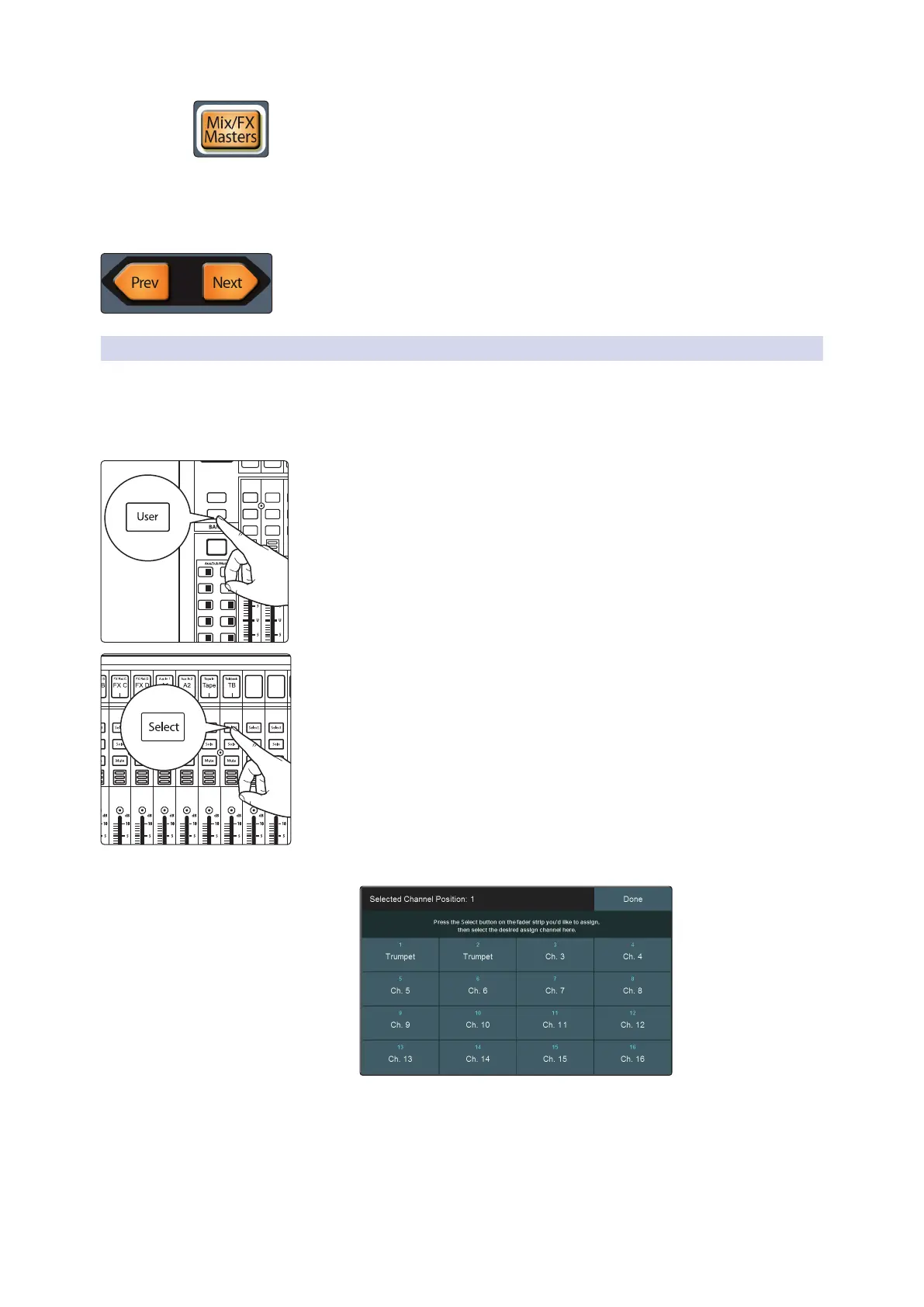
Mix/FX Masters. When enabled, the master level for Subgroups, FlexMixes, and FX
buses are available from your StudioLive control surface as follows:
• StudioLive 64S, StudioLive 32S, StudioLive 32SX, StudioLive 32, and
StudioLive 24. The 8 channel strips to the right of the Master fader control the
bus masters.
• StudioLive 32SC and StudioLive 16. The bus masters will be available on the
channel faders.
Press the Prev and Next buttons to scroll through the other available input channels
and output buses.
4.2.1 User Fader Layer
The User layer lets you choose a selection of channels that are visible when you press
the User button. This can be useful to access crucial channels quickly, especially in
mixes with high channel counts.
To assign channels to the User layer, do the following.
1. Navigate to the User layer by pressing the User button.
2. Press Select on a channel strip to which you wish to assign a mixer channel
or any unused channel in the user layer.
3. The User Layer Assignment screen will be displayed on the Touch Display.
4. Select the channel of your choice on the Touch Display to assign it to the
channel strip of your choice.
5. Repeat steps 2-4 as necessary to populate the User layer with your most
needed channels.
6. Press Done when finished.
Inputs
User
Main
Mix
Solo
Mute
Select
Solo
Mute
Select
11 27 12 28
1
17 18
19 20
21 22
3
5
2
4
6
23 247 8
25 269 10











 To Next Page