85
9 Master Control
9.1 StudioLive Series III FLEX DSP Rack Effects
StudioLive™ Series III
Owner’s Manual
9.1.3 Effects Presets
From the Effects Presets screen, you can load factory and custom presets for each
Effect Type as well as store your own custom presets.
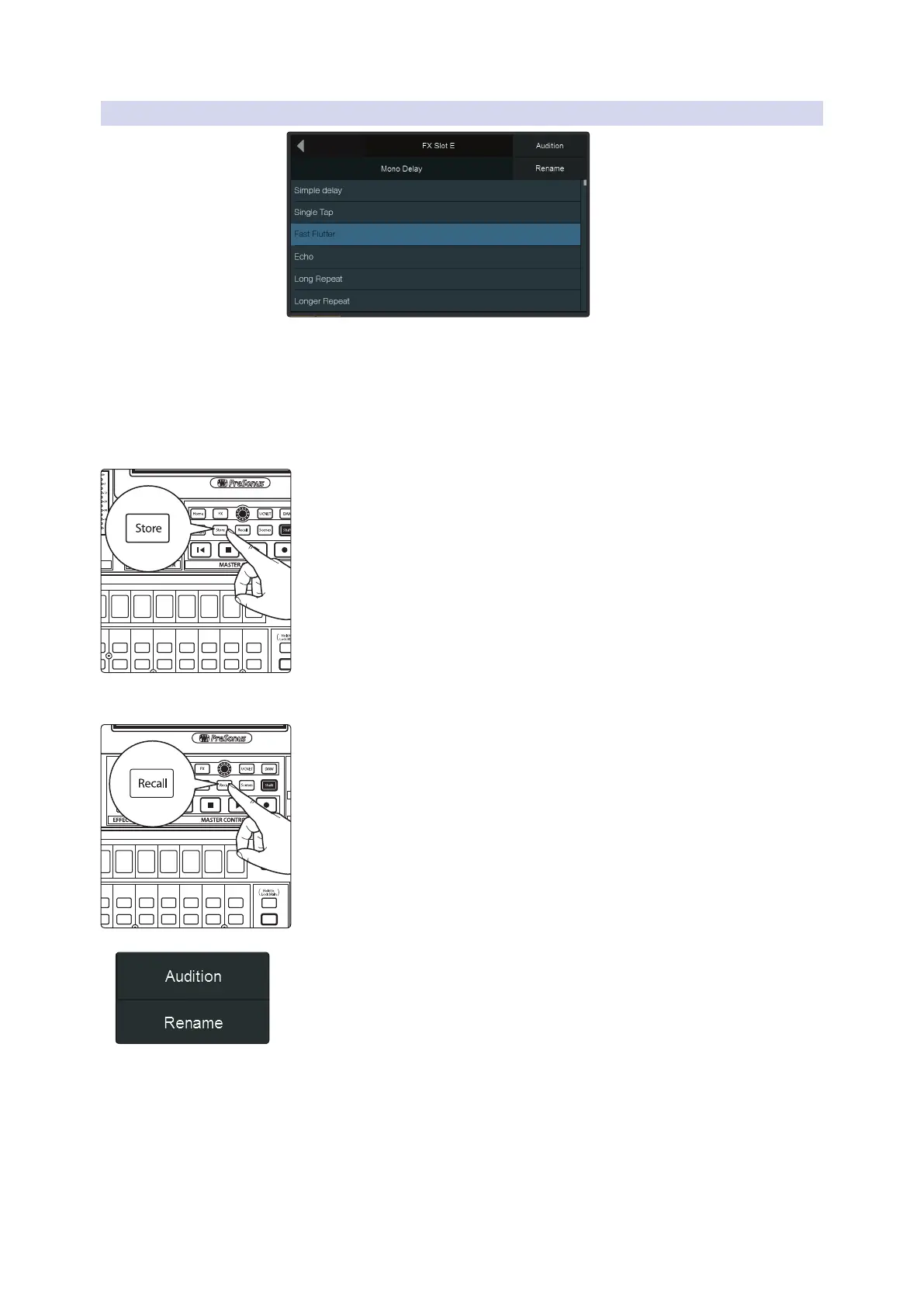
To save an Effects Preset:
1. Tap the desired location for your new preset. You can select an Empty
Location or a previously used location. Selecting a previously stored preset
will overwrite the stored settings with the current settings.
2. Press the Store button in the Master Control area to bring up the onscreen
keyboard. Enter your preset name with the keyboard.
3. Press the Store button again to save your preset, or press the Cancel button
on the screen to cancel and return to the Preset Library screen.
To load an Effects Preset:
Tap the desired preset on the screen and press the Recall button in the
Master Control area to load it.
You can also momentarily audition the effects of a preset by selecting a preset and
pressing the Audition button on the Touch Display, or rename it by pressing
Rename and entering a new name with the onscreen keyboard.
Select
GEQ
Talk
Solo
Select
Solo
Select
Solo
Select
Solo
Select
Solo
Select
Solo
Select
Solo
Select
Solo
Select
Select
GEQ
Select
GEQ
Talk
Solo
Select
Solo
Select
Solo
Select
Solo
Select
Solo
Select
Solo
Select
Solo
Select











 To Next Page