Hardware and Software Set-Up and Testing 17
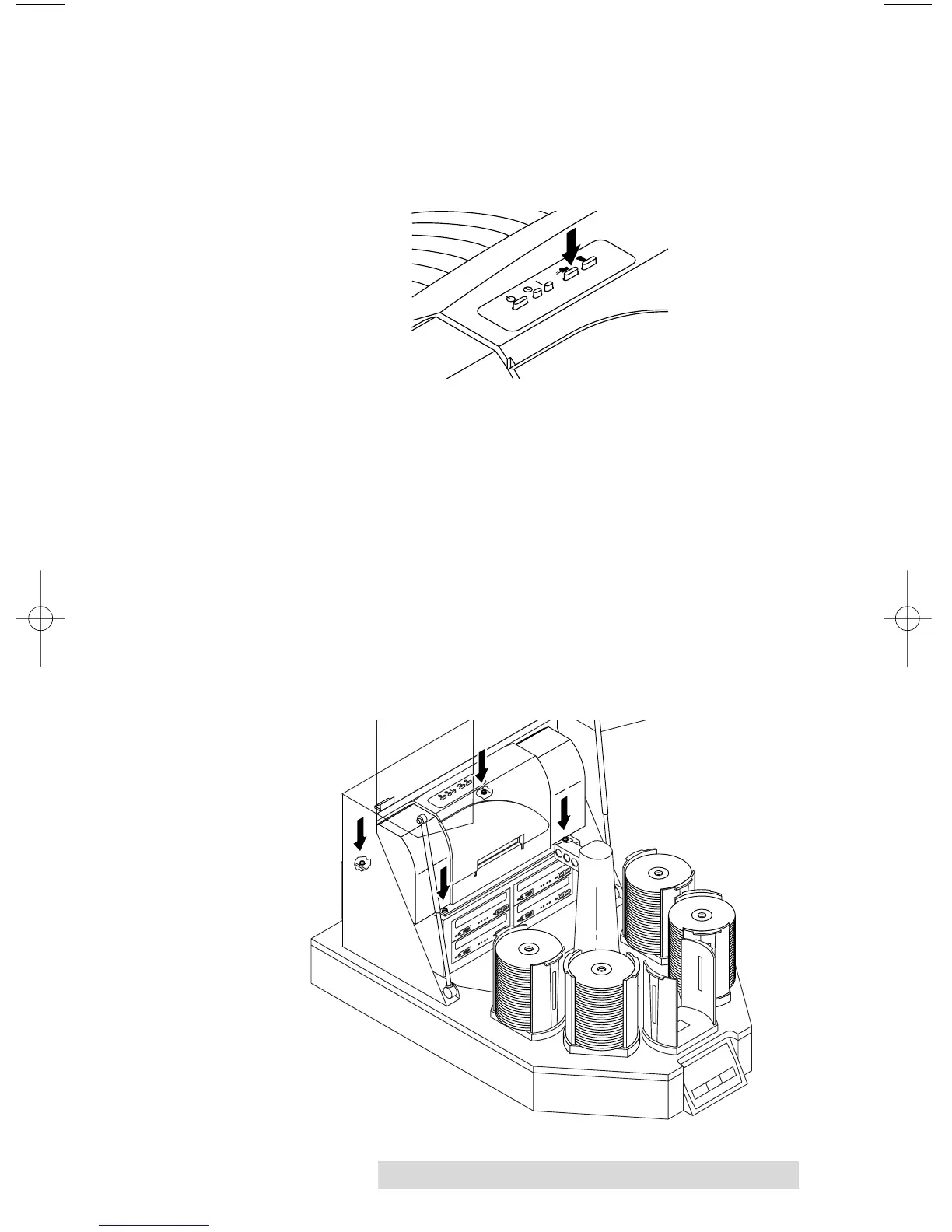
j. Open the printer tray with the disc in/out button. On
the Ink-Jet CD Printer, this is the button with the two
arrows pointing different directions. On the Thermal
CD Printer, this is the button on the lower right side of
the front panel.
k. Press the Sequence button repeatedly until the arm is
aligned over the Printer Tray.
l. Press and hold the Pick button. After 5 seconds, the
Robotic Arm will lower the disc to the printer's tray.
The disc should align properly with the tray.
If it does not align properly, you will need to adjust the
printer stand's Mounting Plate. This is accomplished
by loosening the four Phillips-head adjusting screws
and moving the printer slightly in one direction or
another until the disc is dropped perfectly into the
printer's tray. You can repeatedly press the Pick button
to test your alignment. When the alignment is correct,
tighten down the screws securely.



 To Next Page