Hardware and Software Set-Up and Testing 11
5. Install the Black Plastic Hinge Covers by sliding them in place
over the Top Cover Mounting Screws.
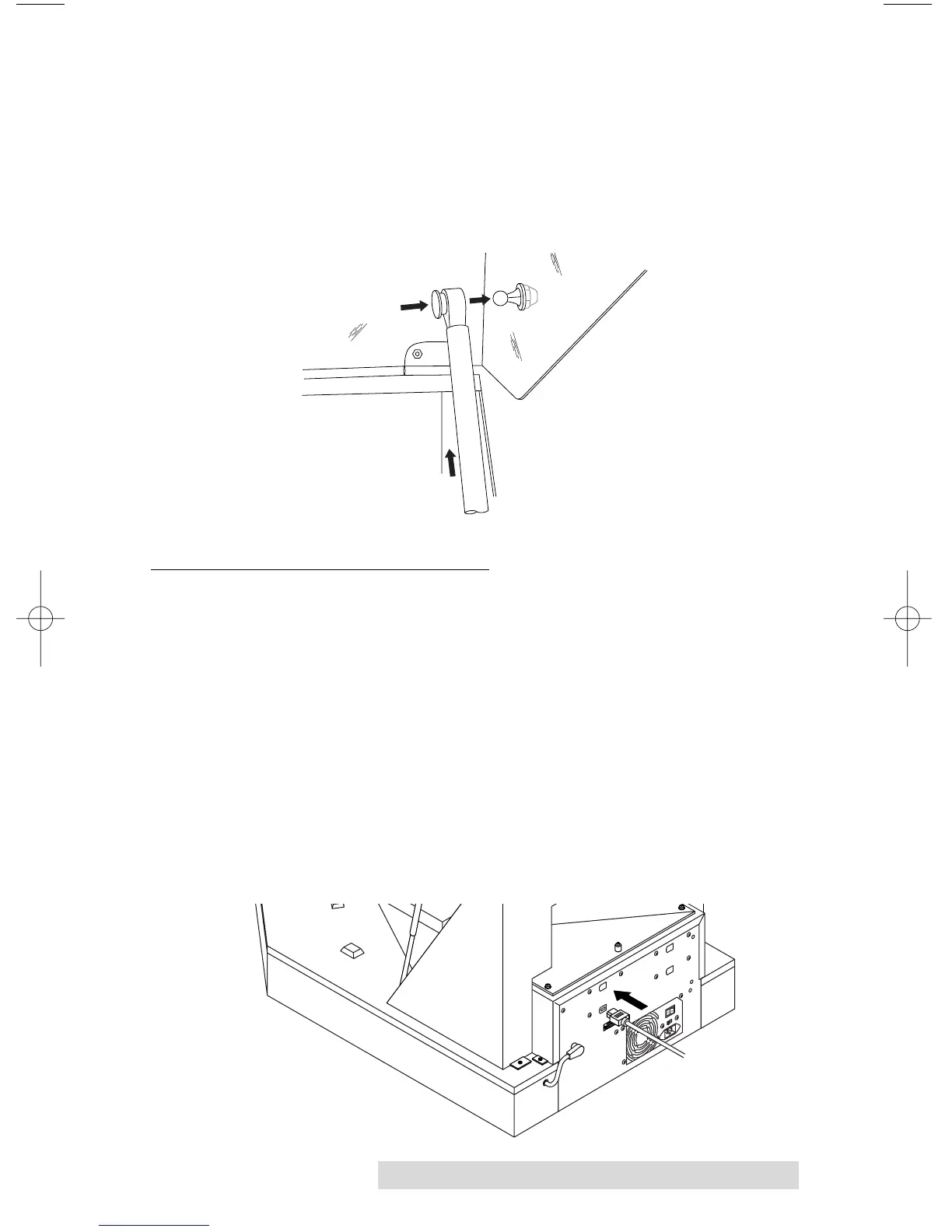
6. Once the top cover is secured to the Duplicator Shell Assembly,
attach Struts by snapping them in place over the Ball Joints on
the inside of the Top Cover and press the Black Plastic Joint
Cover in on the strut to lock it in place.
C. CONNECTING THE CABLES
1. Make sure that your PC is turned off and that it is
disconnected from its power source. Leave the PC turned
off until you are requested to turn it on later in this set-up
procedure.
2. If necessary, install a compatible FireWire (IEEE 1394)
board inside your PC. Please refer to the board
manufacturer's instructions for the proper installation
procedure.
3. Connect the included 6 Pin FireWire cable. One end is
connected to the FireWire port on the rear panel of the
Duplicator. The other end is connected to the FireWire
board's output port on your PC.



 To Next Page