12 Hardware and Software Set-Up and Testing
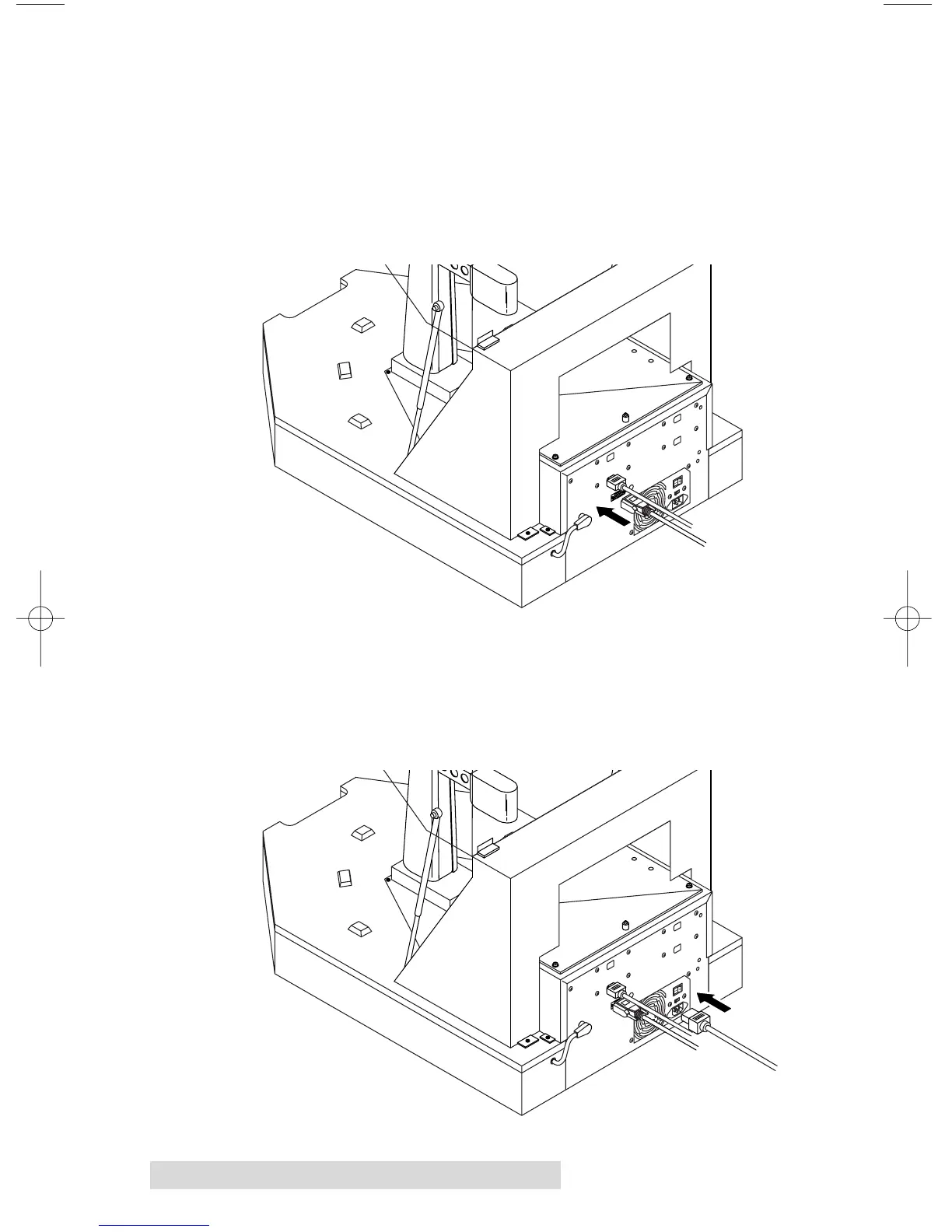
4. Connect the Serial Interface cable. One end is connected to
the DB9 connector on the rear panel of the Duplicator. The
other end is connected to your PC's DB9 COM1 port. If
COM1 is already used for another device, you can use
COM2 or COM3 and follow on-screen instructions later in
the set-up procedure for changing the default serial port
for the Duplicator.
5. Apply power to the Duplicator. One end of the power
cord is attached to the Power Input Port on the rear panel
of the Duplicator. The other end is connected to a suitable
wall outlet. Use of a high quality, commercially available
surge suppressor is highly recommended.



 To Next Page