30
Chapter1 Overview
1.4 Standard Operations
This section explains such standard operations as turning the server on/off and
inserting/ejecting CD-ROMs.
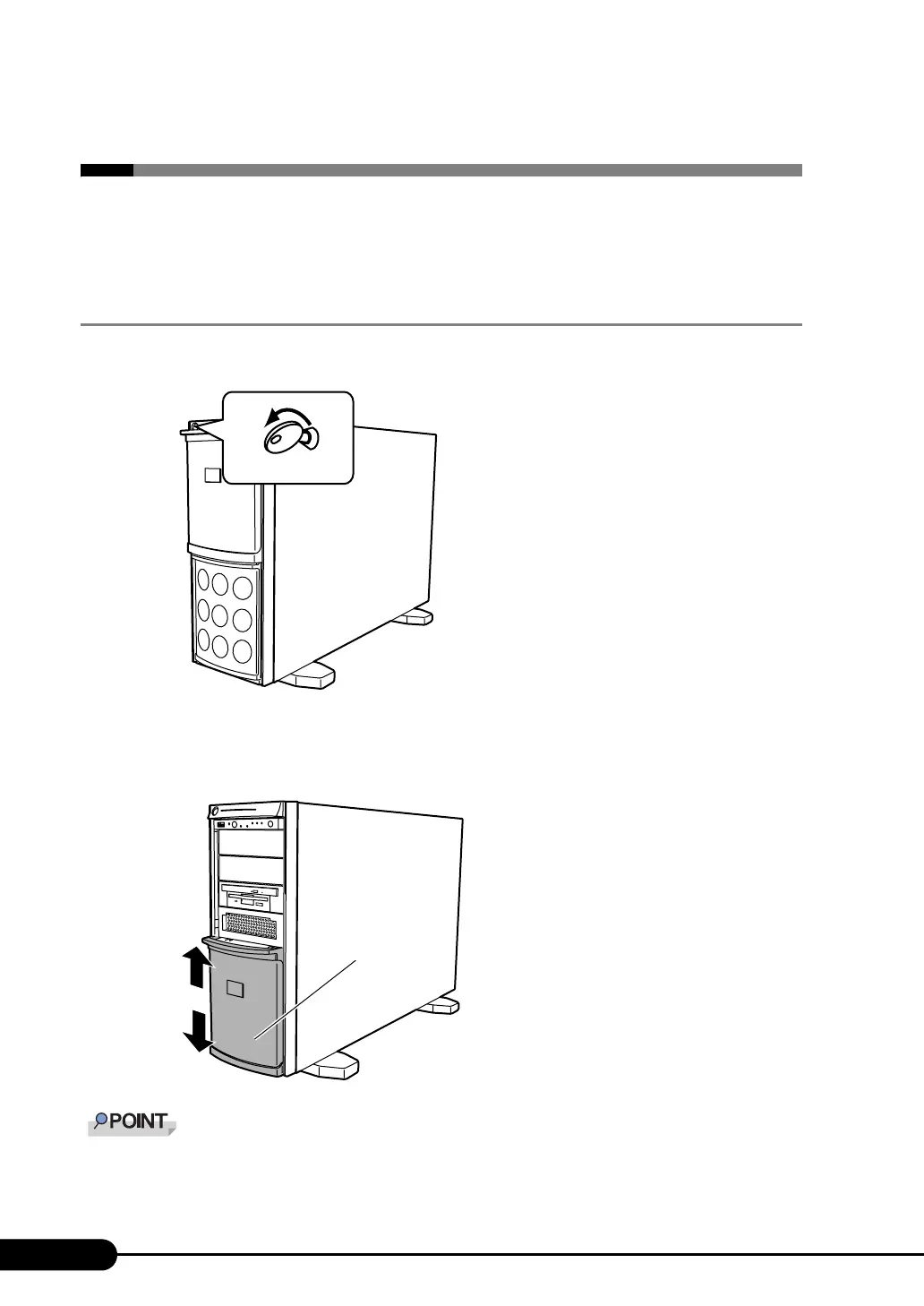
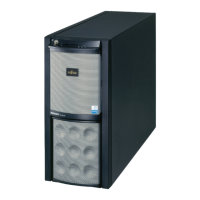
1.4.1 Sliding the Drive Cover
1 Turn the drive cover key counterclockwise to unlock the cover.
2 Slide the drive cover.
Slide the drive cover down to use the floppy disk drive, CD-ROM drive, or a 5-inch internal
option device.
` The driver cover key is unique to each device. Do not lose the key. If the key is lost, the lock must be
broken and replaced on a paid basis. Manage the drive cover key very carefully. Contact an office
listed in the "Contact Information" of "Start Guide" if you lose it.
Drive cover key
Drive cover



 To Next Page