63
PRIMERGY TX200 S3 User’s Guide
3
OS Installation Using ServerStart
Configuring RAID
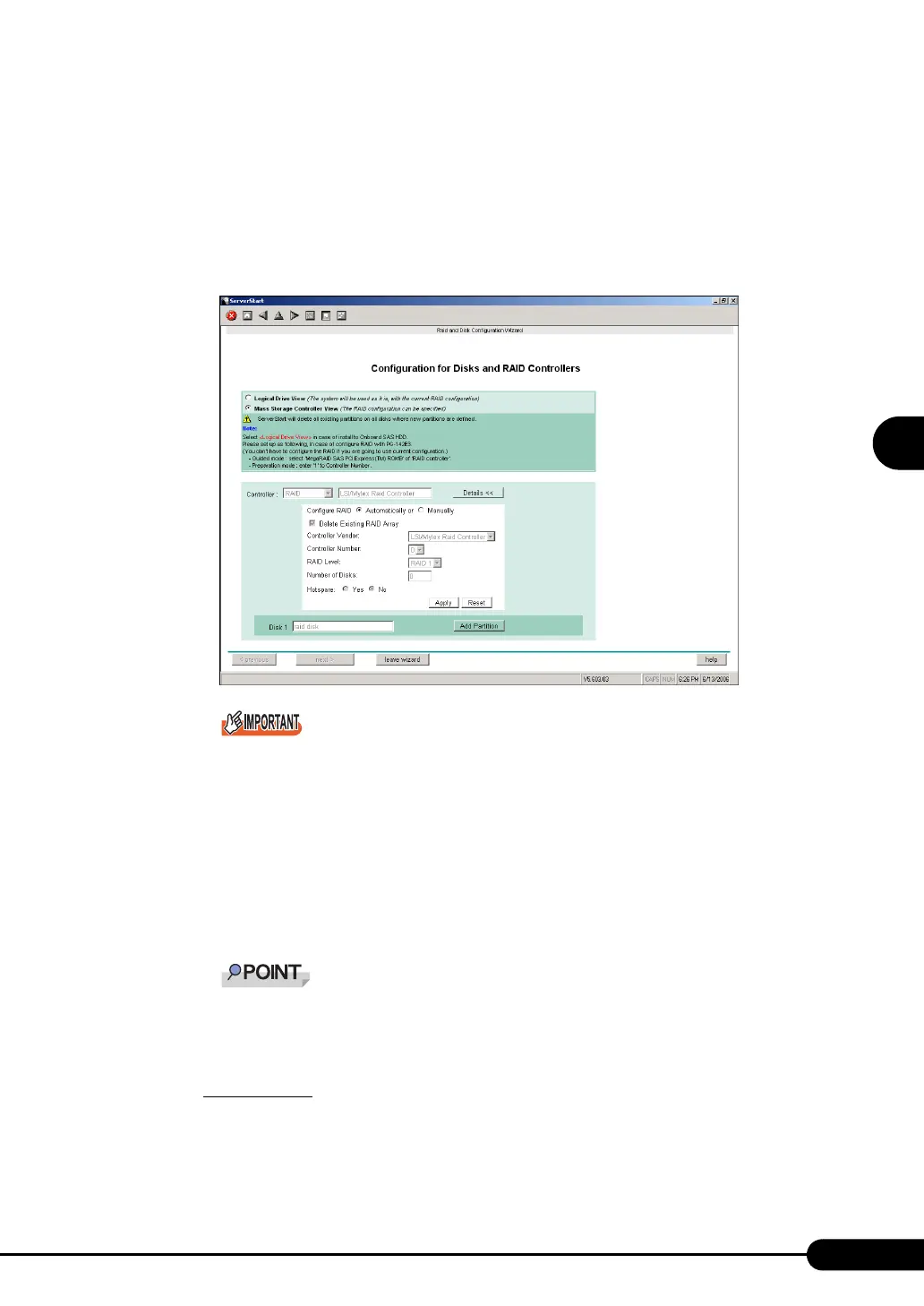
1 Select [Mass Storage Controller View] on the [Configuration for Disks and RAID
Controllers] window.
Click [Details]. As the default values are configured, confirm the settings and modify them as
necessary.
Add partitions as necessary.
` Configure the setting as follows to configure RAID with the PG-142E3 card.
•For guided mode
If RAID is configured with the onboard array controller, select [LSI/Mylex Raid Controller -
1068SASIME-2300] for [Controller].
If RAID is configured with the PG-140FL card, select [LSI/Mylex Raid Controller - MegaRAID
SAS 8300XLP] for [Controller].
•For preparation mode
Select [1] for [Controller Number] in details settings.
` When [Automatically] is specified for [Configure RAID], the RAID level is set automatically as
to the number of connected hard disks. The setting of [RAID Level] becomes effective only
when [Manually] is specified. Set the RAID level individually.
` One hot spare (standby disk) can be configured. When the hot spare disk is set to "Yes", set
the number of disk units to the number of installed disk units minus 1.
E.g.: When four hard disk units are installed, set the RAID level to "RAID 5", and when the hot
spare disk is set to "Yes", set the number of disk units to "3".
Add a partition
1. Click [Add Partition].
A partition is added.
Add required partitions.



 To Next Page