52
Chapter 2 Checking before OS Installation
2.4 Preparation for Using ServerStart
on a Client Computer
When using the preparation mode for setting installation information in advance or
when creating a driver disk using the FloppyBuilder function, install ServerStart on
the client computer.
Using ServerStart on the server
` ServerStart can be installed to the server where Windows 2000 Server or Windows Server 2003 is
installed. Perform the procedure in "2.4.1 Installing ServerStart" (Jpg.52) to install ServerStart.
Note that ServerStart cannot be installed to the server where Windows Server 2003 x64 is installed.
z System Requirements for Client Computers
Client computers must satisfy the following requirements.
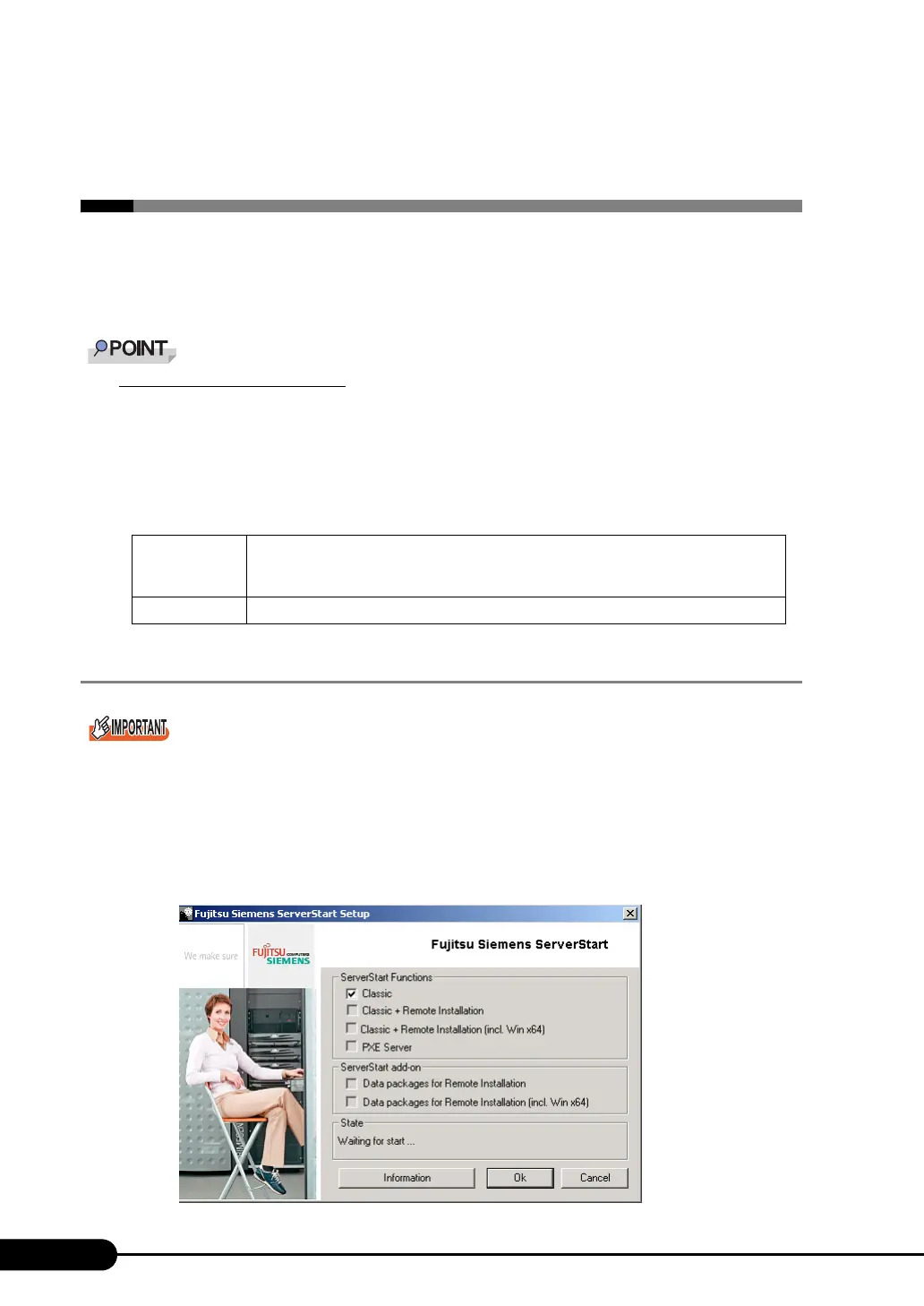
2.4.1 Installing ServerStart
` If a different version of ServerStart has been installed, uninstall it. The FloppyBuilder function or
installation wizard may not operate properly on a different version.
For details on how to uninstall ServerStart, refer to "2.4.2 Uninstalling ServerStart" (Jpg.54).
1 Insert the ServerStart CD-ROM Disc 1 into the client computer.
The [ServerStart Launcher] window appears. When the [ServerStart Launcher] window does not
appear, execute "SeStSetup.exe" in the CD-ROM.
Hardware Personal computers operated with Windows XP Professional, or Windows 2000
Professional
(A CD-ROM drive and 10MB or more of free space are required.)
Software Microsoft® Internet Explorer 5.5 or later



 To Next Page