50
Chapter 2 Checking before OS Installation
Installing Windows 2000 Server
To install Windows 2000 Server, you have to use Service Pack 4 integrated OS media or select
"Windows 2000 Server Service Pack 4" at the "Application Wizard" menu.
Exiting ServerStart
After operation in guided or expert mode, exiting ServerStart restarts the system. Remove disks from the
floppy disk and CD-ROM drives and click [OK]. When the display on the screen disappears, turn off the
system.
License for Use of System for ServerStart
"License for Use of System for ServerStart" linked from the ServerStart startup window is a license for
use of Windows PE contained in the ServerStart CD-ROM. Windows PE for starting up ServerStart can
be only used for installing Windows Server 2003 or Windows 2000 Server provided under a separate
legal license.
Setting Up the Printer
ServerStart does not support setup of printers. Perform installation after setup is completed.
2.3.5 Expansion Cards Supported by ServerStart
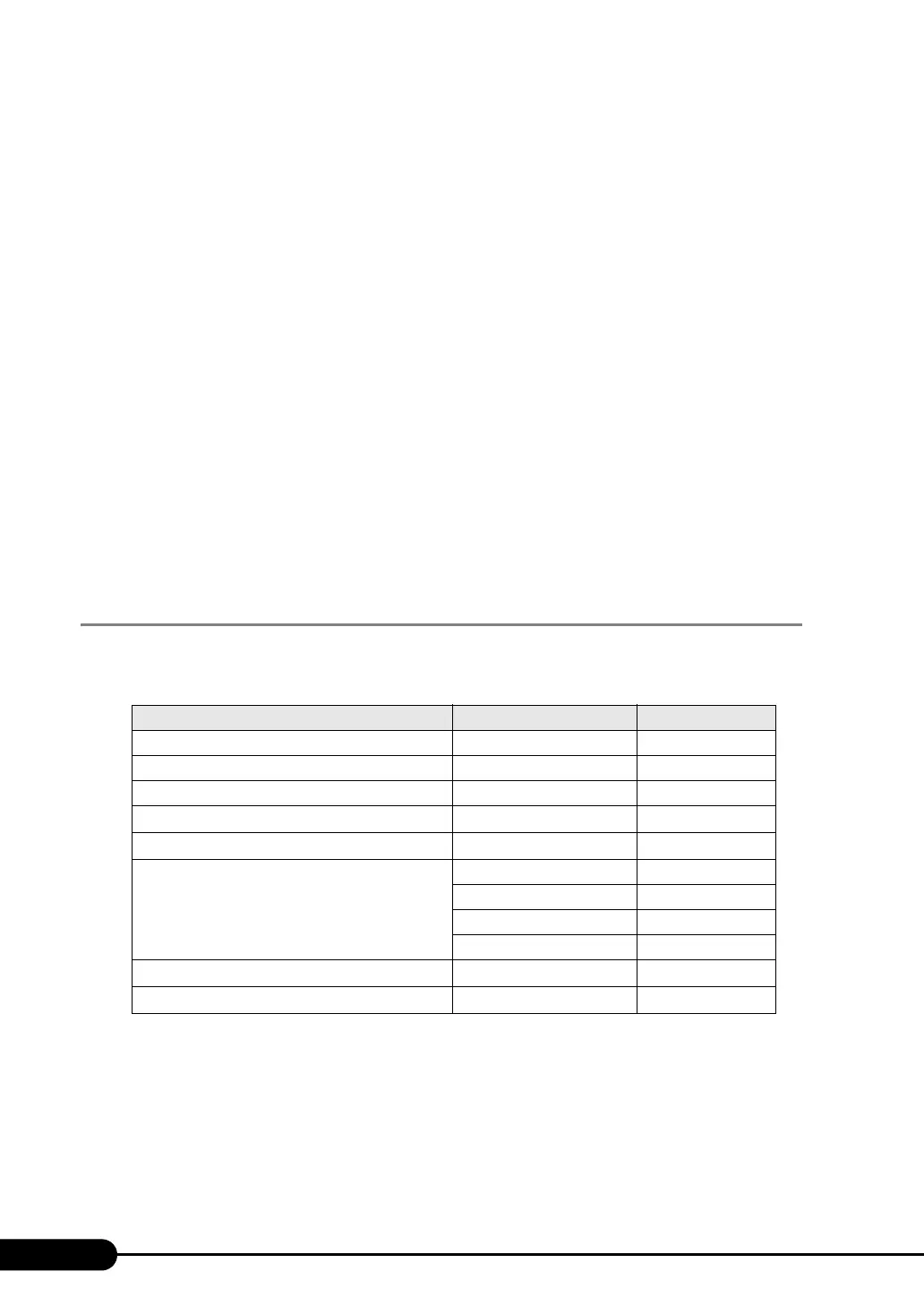
ServerStart supports automatic driver installation for the following expansion cards.
table: Automatic Expansion Card Driver Installation
Name Product ID Bus
Onboard FDD/IDE
--
Onboard LAN
-
PCI-E
Onboard VGA
-
PCI
SAS array controller card PG-140FL PCI
Fibre channel controller PG-FC202 PCI-E
LAN Card PG-1862 PCI-X
PG-1882 PCI-X
PG-1892 PCI-X
PG-2861 PCI-E
SCSI array controller card PG-142E3
PCI-X
SCSI card
PG-1281
PCI



 To Next Page