Orion Machine Manual
Revision 3.0 CTS Flex Stretchwrapper
25 July 2016 System Operation
Page 3-29
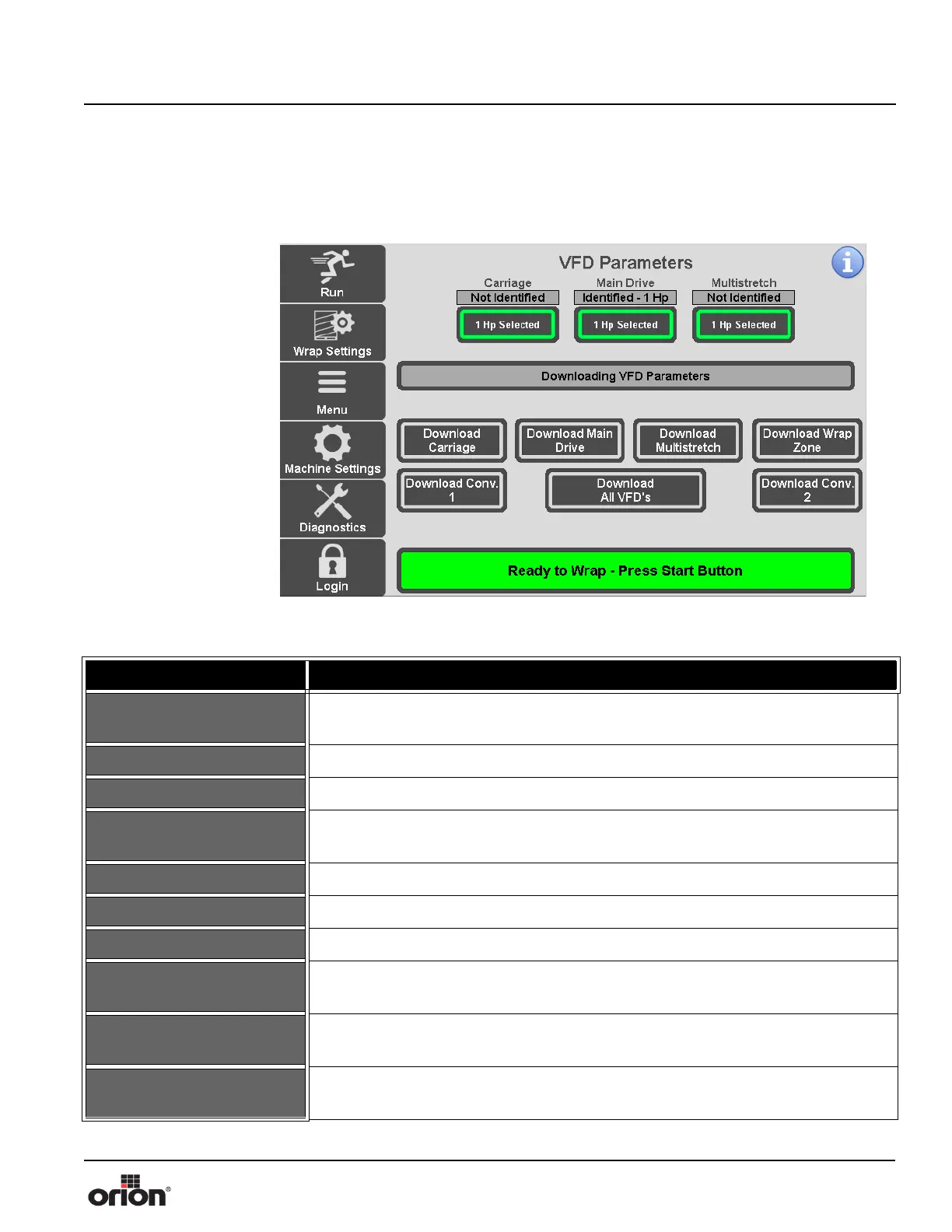
VFD Parameters Screen
This is the VFD Parameters screen. On this screen, you can identify the horsepower for
each drive or transfer VFD parameters from the PLC to the VFD’s.
Figure 3 - 22
The VFD Parameters
Screen
Table 3-21. The VFD Parameters Screen Button Descriptions
STATE 1 DESCRIPTION
NOT IDENTIFIED
Displayed if the machine cannot automatically identify the size of VFD currently
installed. In this case, the VFD size must be manually selected before downloading.
1/2 HP IDENTIFIED Displayed if the machine identifies the current VFD as half horsepower drive.
1 HP IDENTIFIED Displayed if the machine identifies the current VFD as a one horsepower drive.
SELECT VFD SIZE
If the machine cannot automatically identify the size of the VFD, press this button
to manually select the size of VFD currently installed.
1/2 HP SELECTED Displayed if the current VFD is manually selected as a half horsepower drive.
1 HP SELECTED Displayed if the current VFD is manually selected as a one horsepower drive.
DOWNLOAD CARRIAGE Downloads the default Carriage VFD parameters from the PLC to the VFD.
DOWNLOAD MAIN
DRIVE
Downloads the default Main Drive VFD parameters from the PLC to the VFD.
DOWNLOAD
MULTISTRETCH
Downloads the default Multistretch VFD parameters from the PLC to the VFD.
DOWNLOAD WRAP
ZONE
Downloads the default Wrap Zone VFD parameters from the PLC to the VFD.



 To Next Page