Orion Machine Manual
Revision 3.0 CTS Flex Stretchwrapper
25 July 2016 System Operation
Page 3-37
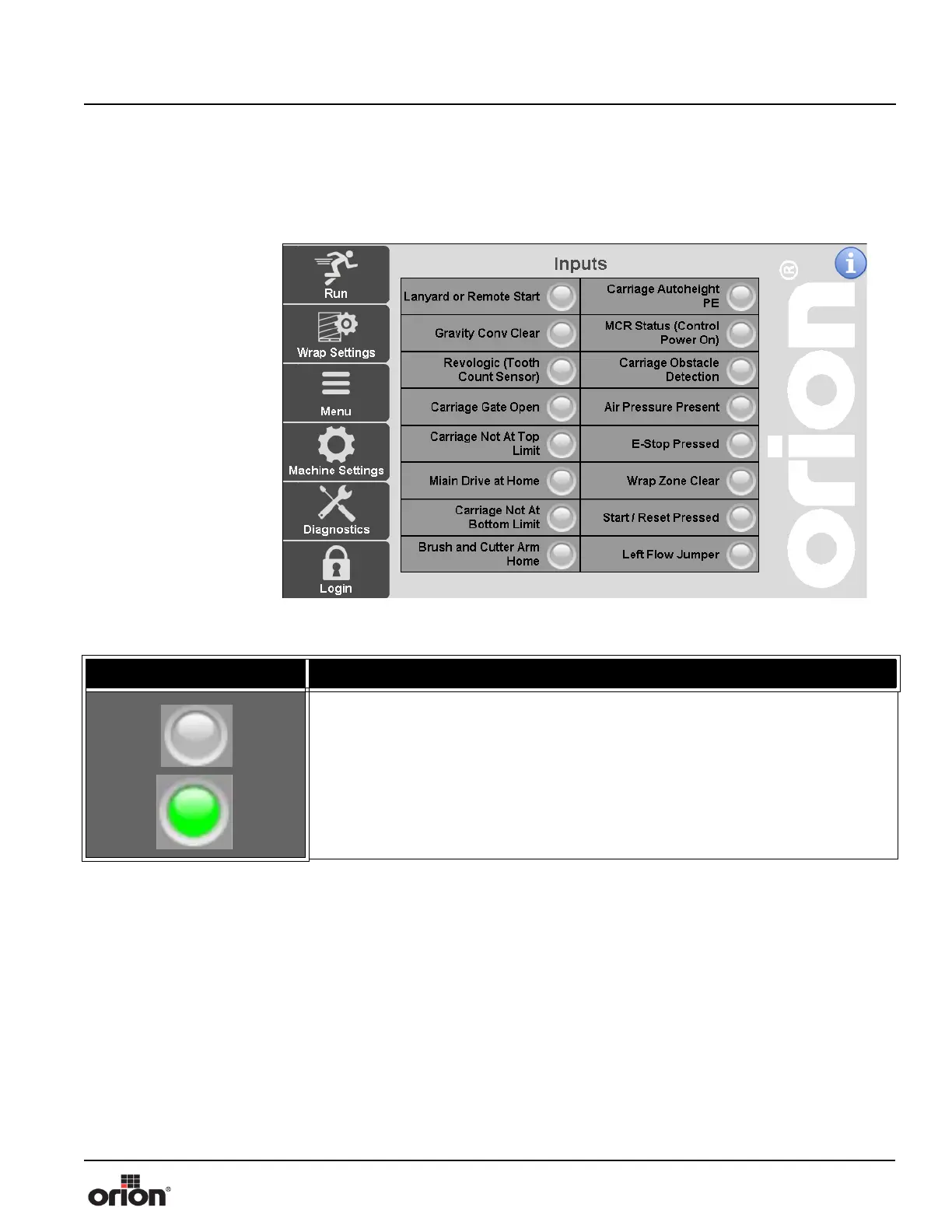
Inputs Screens
This is the Inputs screen. This screen shows the status of the machine inputs. There is
another screen similar to this for displaying output status.
Figure 3 - 27
The Inputs Screen
Table 3-26. The Input Screen Button Descriptions
STATE 1 DESCRIPTION
Grey represents an inactive input. Green represents an active input.



 To Next Page