23
M-43-25 LUF-Series Lufran Manual
Revision - Date 03-01-04-18 Standard outlet, Standard Interface
Engineering Information (Continued):
Operator Interface Panel (OIP) (Continued):
Configuration Menu:
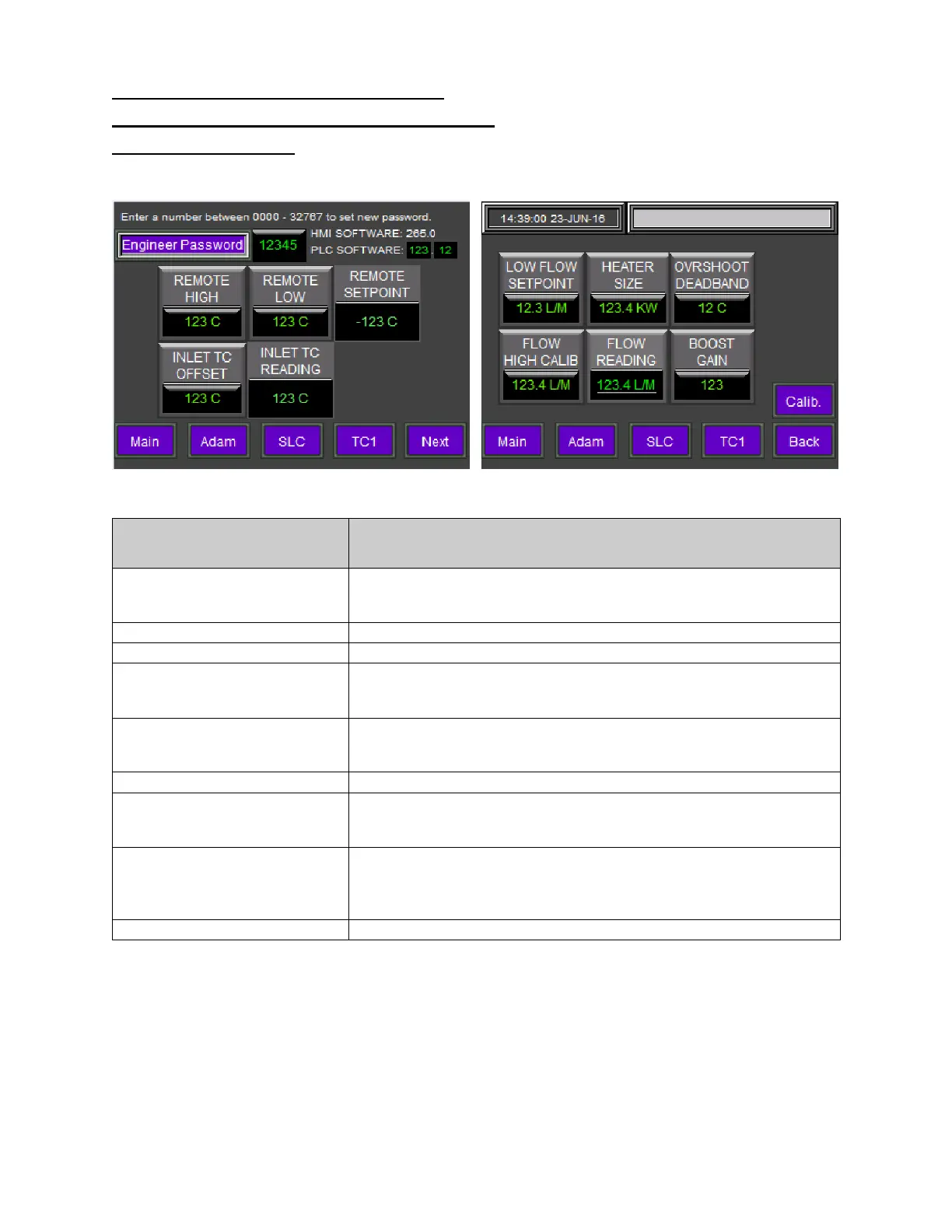
The configuration menu contains a number of internal calibration settings. A password must be entered
in order to access this menu. The factory default engineering password is 1234.
Figure 14: Configuration Menu (2 Screens)
Configuration Menu
Description
ENGINEERING
PASSWORD
Displays the current engineering password. Press the password
value to bring up a keypad to change the password.
The factory default password is 1234.
Displays the HMI software version installed in this unit.
Displays the PLC software version installed in this unit.
REMOTE HIGH
Upper scaling input value for the remote setpoint setting. This
setting corresponds to a 20mA input signal from the remote setpoint
REMOTE LOW
Lower scaling input value for the remote setpoint setting. This
setting corresponds to a 4mA input signal from the remote setpoint
Displays the remote setpoint value from the remote device.
INLET TC OFFSET
Inlet temperature sensor offset value. The range is -10 to +10.
Press the inlet TC offset value to bring up a keypad to change the
PROCESS DEVIATION
Displays the +/- range for the process outlet temperature. When the
process outlet temperature deviates from this
range, the process
deviation alarm is activated. Press the process deviation value to
bring up a keypad to change this setting.
Displays the value of the inlet temperature sensor.


 To Next Page