15
M-43-25 LUF-Series Lufran Manual
Revision - Date 03-01-04-18 Standard outlet, Standard Interface
Engineering Information (Continued):
Operator Interface:
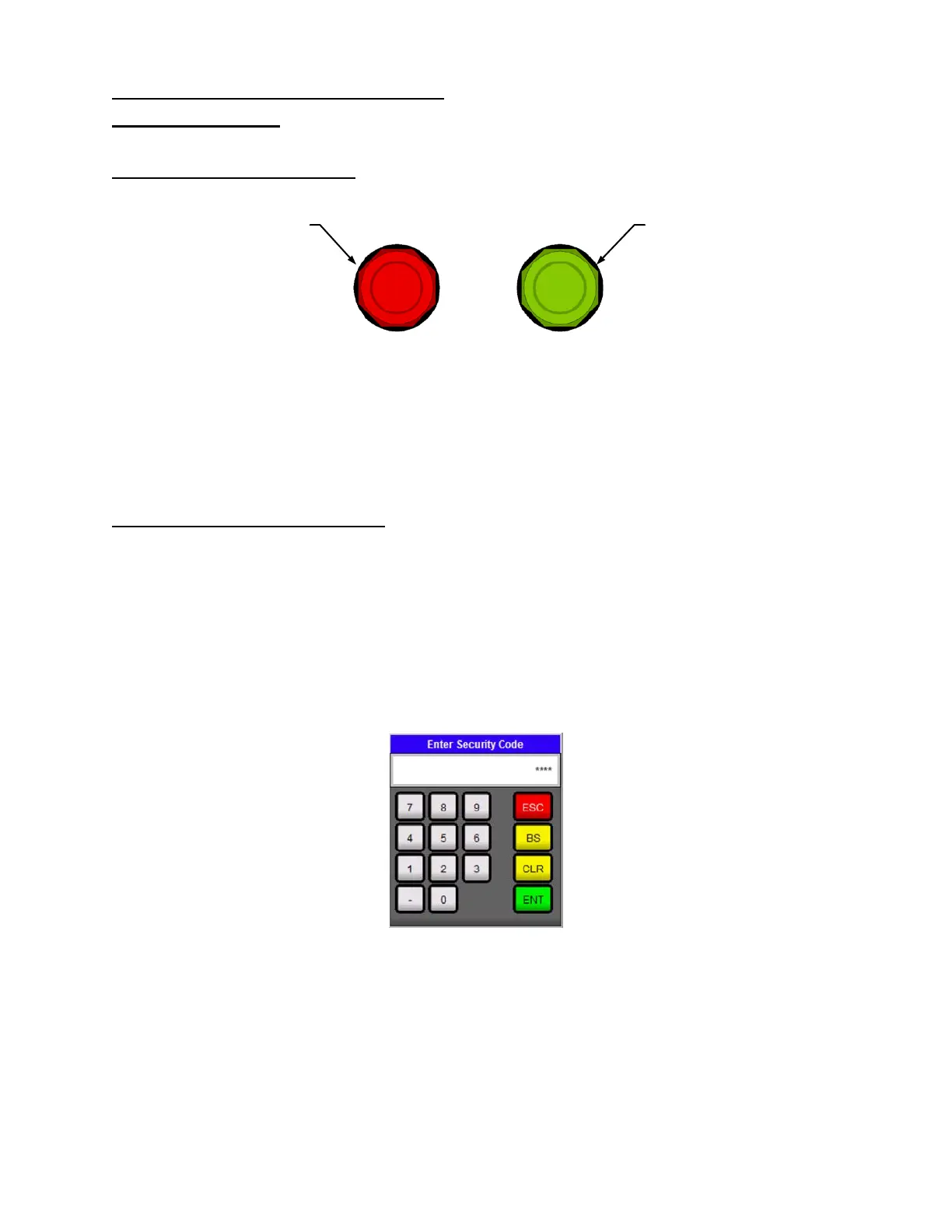
Operator Interface Buttons:
There are two push buttons are located on the front panel of the unit.
Power On Button: When depressed, this button enables the main power safety contactor (1CON) and
readies the system for operation. It illuminates to indicate the system is in an operational mode.
Power Off Button: When depressed this button disables heater operation by disengaging the main
power safety contactor (1CON). It illuminates to indicate the main power is off.
Operator Interface Panel (OIP):
The operator interface panel is an intelligent flat panel display. It is designed to interchange and display
graphical data from a PLC by merely viewing or touching the screen. To ensure the effectiveness of the
panel, it is important to take the following precautions:
Do not press sharp objects against the screen.
Do not strike the panel with hard objects.
Do not press the screen with excessive force.
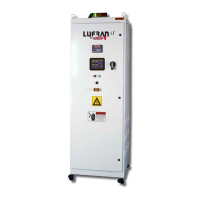
Many fields in the various displays can be adjusted by pressing the field value. This will
bring-up a keypad which will allow the operator to change the value.
Figure 7: OIP Keypad
Figure 6: Operator Interface Buttons


 To Next Page