13
M-43-25 LUF-Series Lufran Manual
Revision - Date 03-01-04-18 Standard outlet, Standard Interface
Engineering Information (Continued):
Optional Communications:
-C1 Option: Ethernet:
The –C1 communications option adds
Ethernet communications to the PLC
controller. The network can interface with
the Lufran heater through the RJ45
connector included with the unit.
The Lufran heater is provided with the
following default IP Address: 128.1.105.100.
The Ethernet card has a default module ID
of 14. Once connected to the network, the
customer may wish to change the IP
address. Adjusting the IP Address or
performing other networking tasks with the
Lufran heater will require the use of NetEdit
software (3.5 or later), available from Host
Engineering. This software along with the
instruction manual is available as a free
download through their website:
http://hosteng.com
-C2 Option: DeviceNet:
The –C2 communications option adds DeviceNet communications to the PLC controller. The network can
interface with the Lufran heater through the DeviceNet mini male connector included with the unit.
The Lufran heater is provided with the following default node assignment: 63. Once connected to the
network, the customer may assign a new node to the Lufran heater.
If necessary, the EDS file can be downloaded from this address:
http://support.automationdirect.com/downloads.html
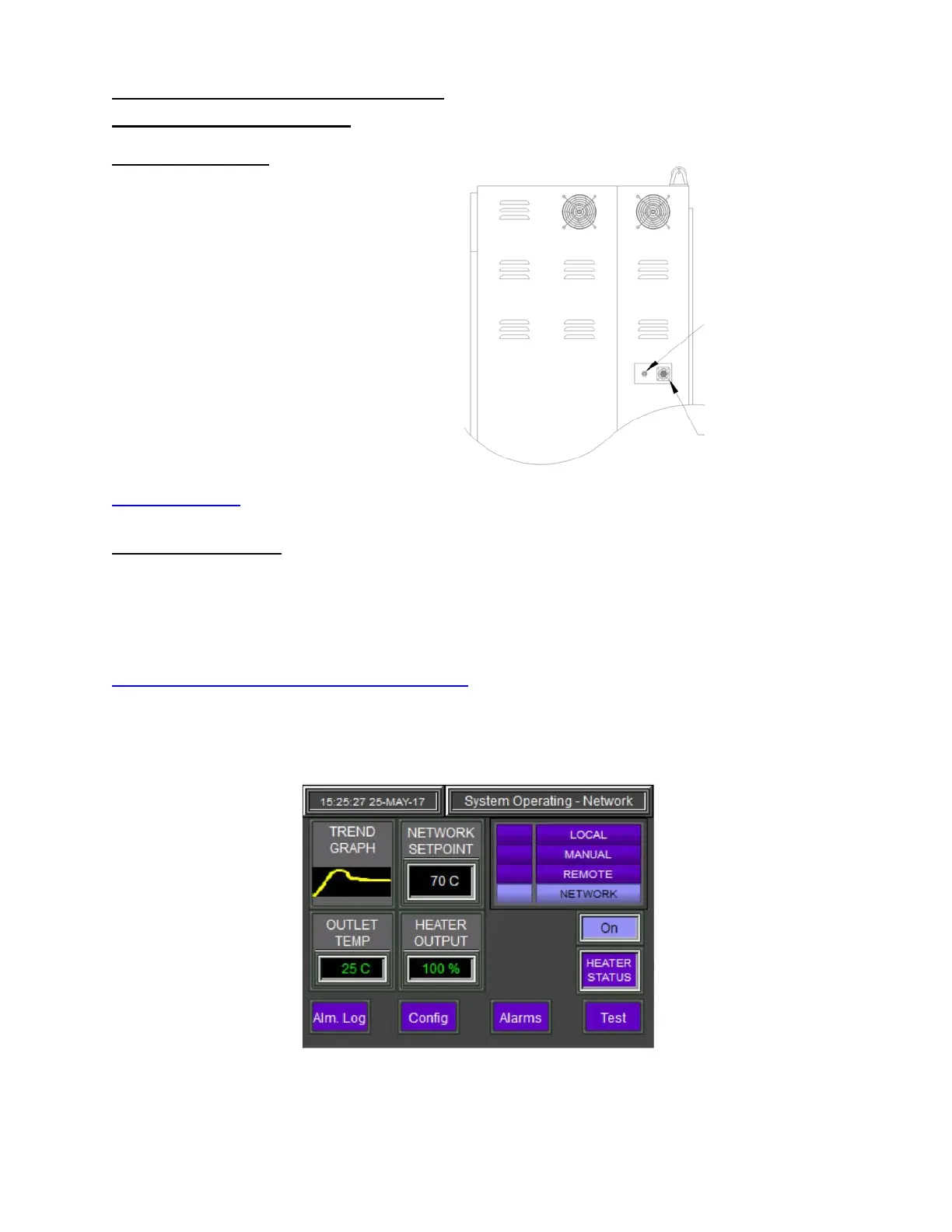
When one of the communications options are included with the heater, the main menu screen will be
modified to include a button to select this communication as the method for control of the unit.
Figure 5: Main Menu, with Communications Option Included
Figure 4: Communications connector plug
Remote
Interface
Connection
Ethernet RJ45 or
DeviceNet mini male
Connector



 To Next Page