Configuring Secure Shell (SSH)
Terminology
Note SSH in ProCurve switches is based on the OpenSSH software toolkit. For more
information on OpenSSH, visit
www.openssh.com.
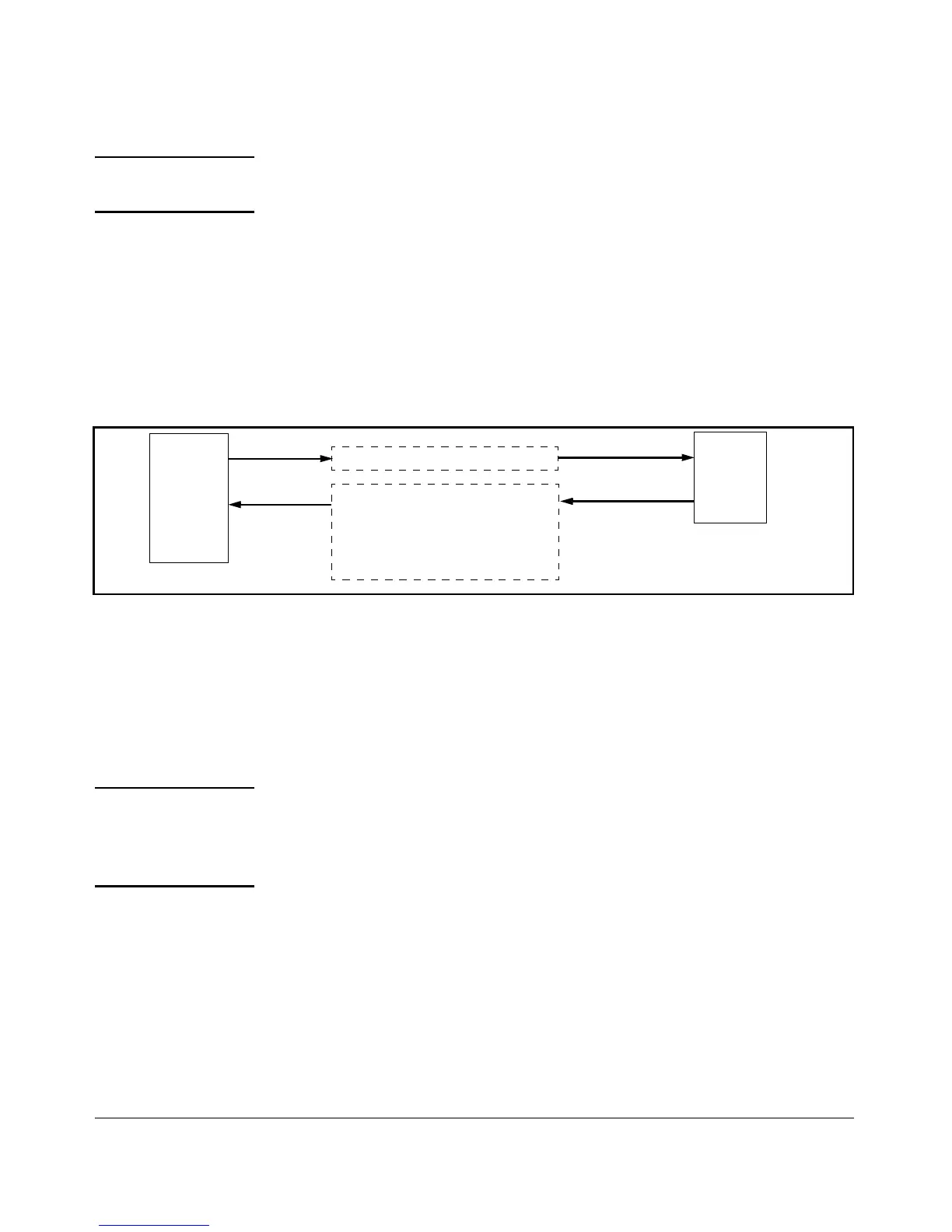
Switch SSH and User Password Authentication . This option is a subset
of the client public-key authentication shown in figure 6-1. It occurs if the
switch has SSH enabled but does not have login access (login public-key)
configured to authenticate the client’s key. As in figure 6-1, the switch authen-
ticates itself to SSH clients. Users on SSH clients then authenticate themselves
to the switch (login and/or enable levels) by providing passwords stored
locally on the switch or on a TACACS+ or RADIUS server. However, the client
does not use a key to authenticate itself to the switch.
ProCurve
Switch
(SSH
Server)
SSH
Client
Work-
Station
1. Switch-to-Client SSH
2. User-to-Switch (login password and
enable password authentication)
options:
– Local
– TACACS+
Figure 6-2. Switch/User Authentication
On the switches covered in this guide, SSH supports these data encryption
methods:
■ 3DES (168-bit)
■ DES (56-bit)
Note ProCurve switches use RSA keys for internally generated keys. The switch
supports both RSA and DSA/DSS keys for clients. All references to either a
public or private key mean keys generated using these algorithms, unless
otherwise noted
Terminology
■ SSH Server: An ProCurve switch with SSH enabled.
■ Key Pair: A pair of keys generated by the switch or an SSH client
application. Each pair includes a public key, that can be read by
anyone and a private key held internally in the switch or by a client.
6-3



 To Next Page