Configuring and Monitoring Port Security
Port Security
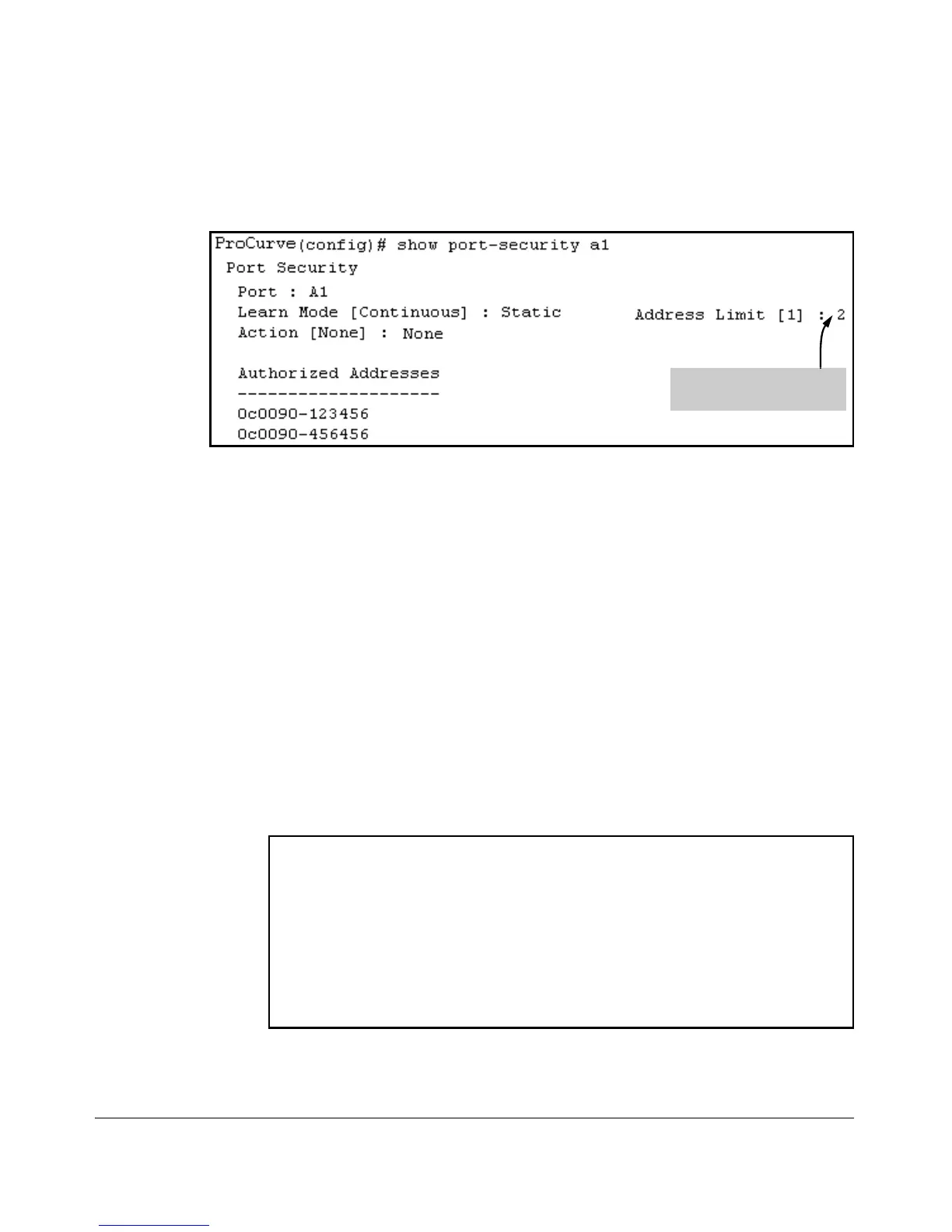
After executing the above command, the security configuration for port A1
would be:
Figure 10-6. Example of Adding a Second Authorized Device to a Port
The Address Limit has been
reached.
(The message Inconsistent value appears if the new MAC address exceeds the
current Address Limit or specifies a device that is already on the list. Note that
if you change a port from static to continuous learn mode, the port retains in
memory any authorized addresses it had while in static mode. If you subse-
quently attempt to convert the port back to static mode with the same
authorized address(es), the Inconsistent value message appears
because the port already has the address(es) in its “Authorized” list.)
If you are adding a device (MAC address) to a port on which the Authorized
Addresses list is already full (as controlled by the port’s current Address Limit
setting), then you must increase the Address Limit in order to add the device,
even if you want to replace one device with another. Using the CLI, you can
simultaneously increase the limit and add the MAC address with a single
command. For example, suppose port A1 allows one authorized device and
already has a device listed:
ProCurve(config) show port-security a1
Port Security
Port : A1
Learn Mode [Continuous] : Static Address Limit [1]:1
Action [None] : None
Authorized Addresses
--------------------
0c0090-20456
Figure 10-7. Example of Port Security on Port A1 with an Address Limit of “1”
10-19


 To Next Page
 Loading...





