3310F Series Operation Manual 37
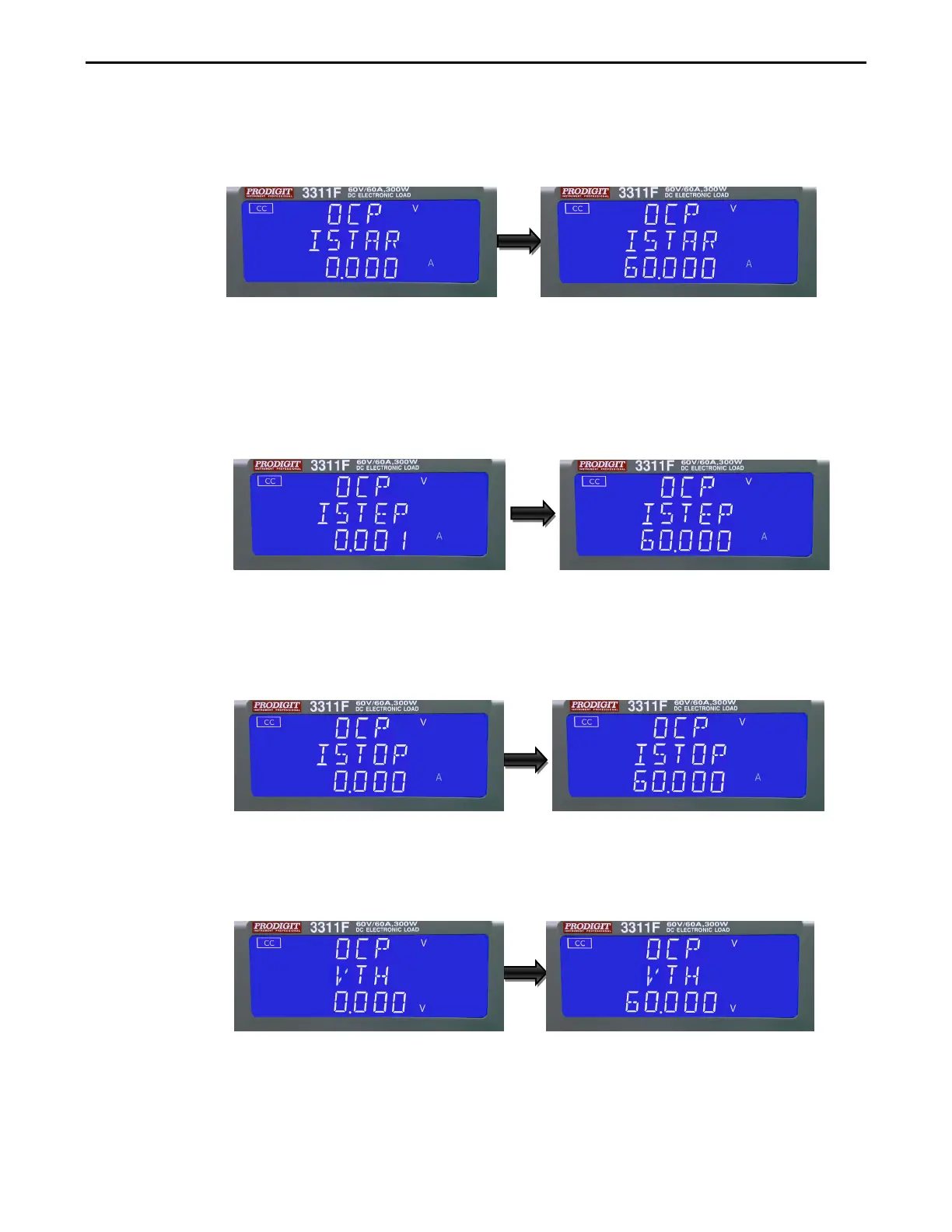
ISTAR: setting the start current point, The LCD display shows 「OCP」on
upper 5 digit LCD display, Middle 5 digit LCD display「ISTAR」,lower 5
digit LCD display setting
value, the unit is "A".
The setting range is 0.000A to the full scale of the CC mode specification.
The setting is by rotating the setting knob.
ISTEP: setting the increment step current point, The LCD display shows 「
OCP」on upper 5 digit LCD display, Middle 5 digit LCD display「ISTEP
」,lower 5 digit LCD display setting
value, the unit is "A".
The setting range is 0.001A to the full scale of the CC mode specification.
The setting is by rotating the setting knob.
ISTOP: setting the stop current point, The LCD display shows 「OCP」on
upper 5 digit LCD display, Middle 5 digit LCD display「ISTOP」,lower 5
digit LCD display setting value, the unit is "A", the setting range is 0.000A to
the full scale of the CC mode specification. The setting is by rotating the
setting knob.
Vth: Setting threshold voltage; The LCD display shows 「OCP」on upper 5
digit LCD display, Middle 5 digit LCD display「Vth」,lower 5 digit LCD
display setting value, the unit is "V", the setting range is 0.00V to the full
scale of the Voltage specification. The setting is by rotating the setting knob.
Once the test parameters have been entered the test is started by pressing
the red START/STOP button while the OCP PRESS START text is displayed.
During the Test the middle LCD will show run and the actual current being
Taken will be Displayed on the lower LCD



 To Next Page