PROLiNK® PRC2401U Wireless AC2600 MU-MIMO Dual-Band Gigabit Router
10
3 Getting Started
In the previous chapter, we have made a network hardware connection setup between Computer and
PRC2401U through LAN port. In this chapter, it guides user on how to check TCP/IP setup before
getting started, how to logging into the PRC2401U Web User Interface configuration and PROLiNK
mConnect Apps and guide on using Quick Setup Wizard.
3.1 TCP/IP Setup
By default PRC2401U IP address is 192.168.123.254 and Subnet Mask is 255.255.255.0. You are
allowed to change the setting base your network architecture. To change the PRC2401U network
setting refer to page 38 Network Configuration.
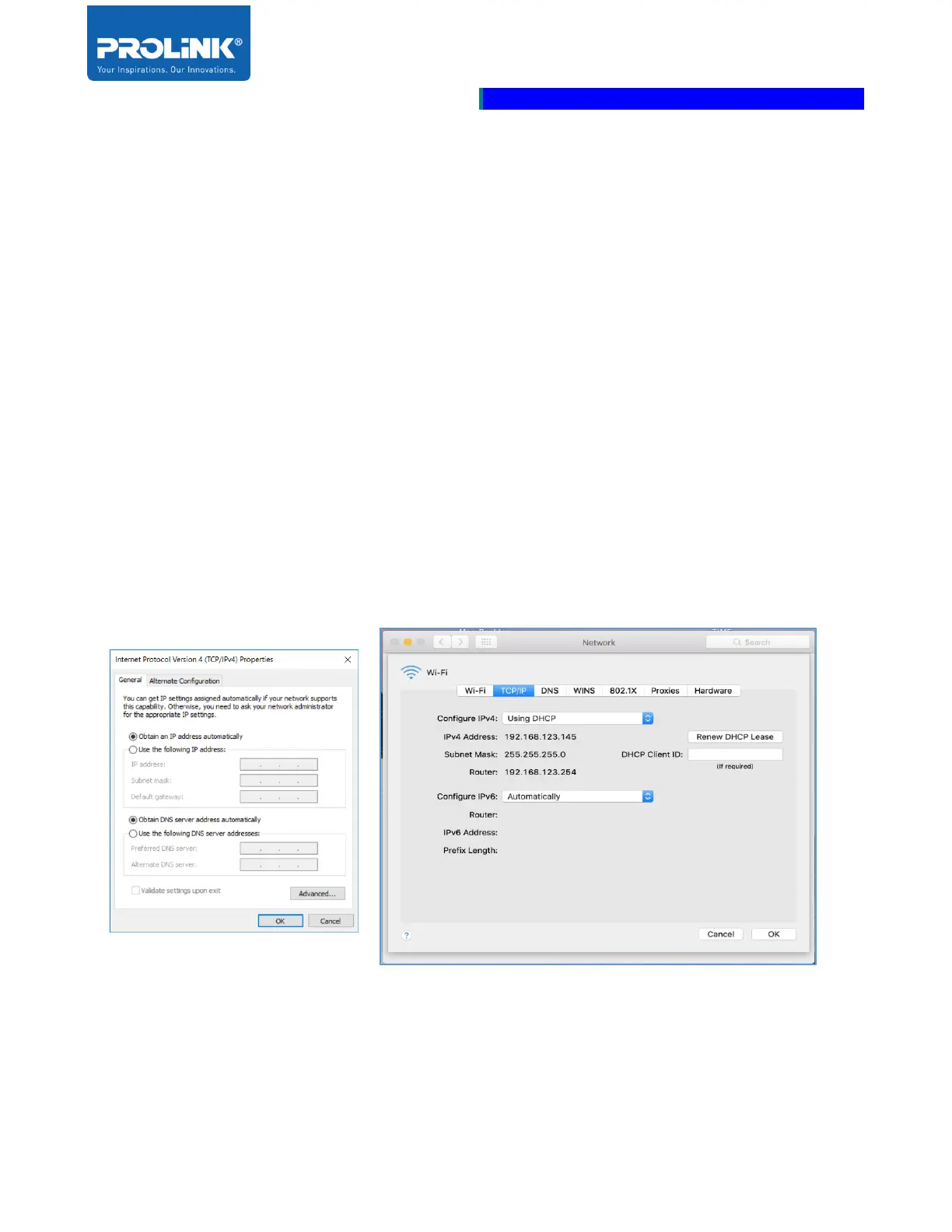
Ensure your TCP/IP Protocol is set to “Obtain an IP address automatically” for Windows OS or “Using
DHCP” for MAC OS. PRC2401U is assigned the IP Address to the connected Computer.



 To Next Page