PROLiNK® PRC2401U Wireless AC2600 MU-MIMO Dual-Band Gigabit Router
20
Access Point (AP) Mode
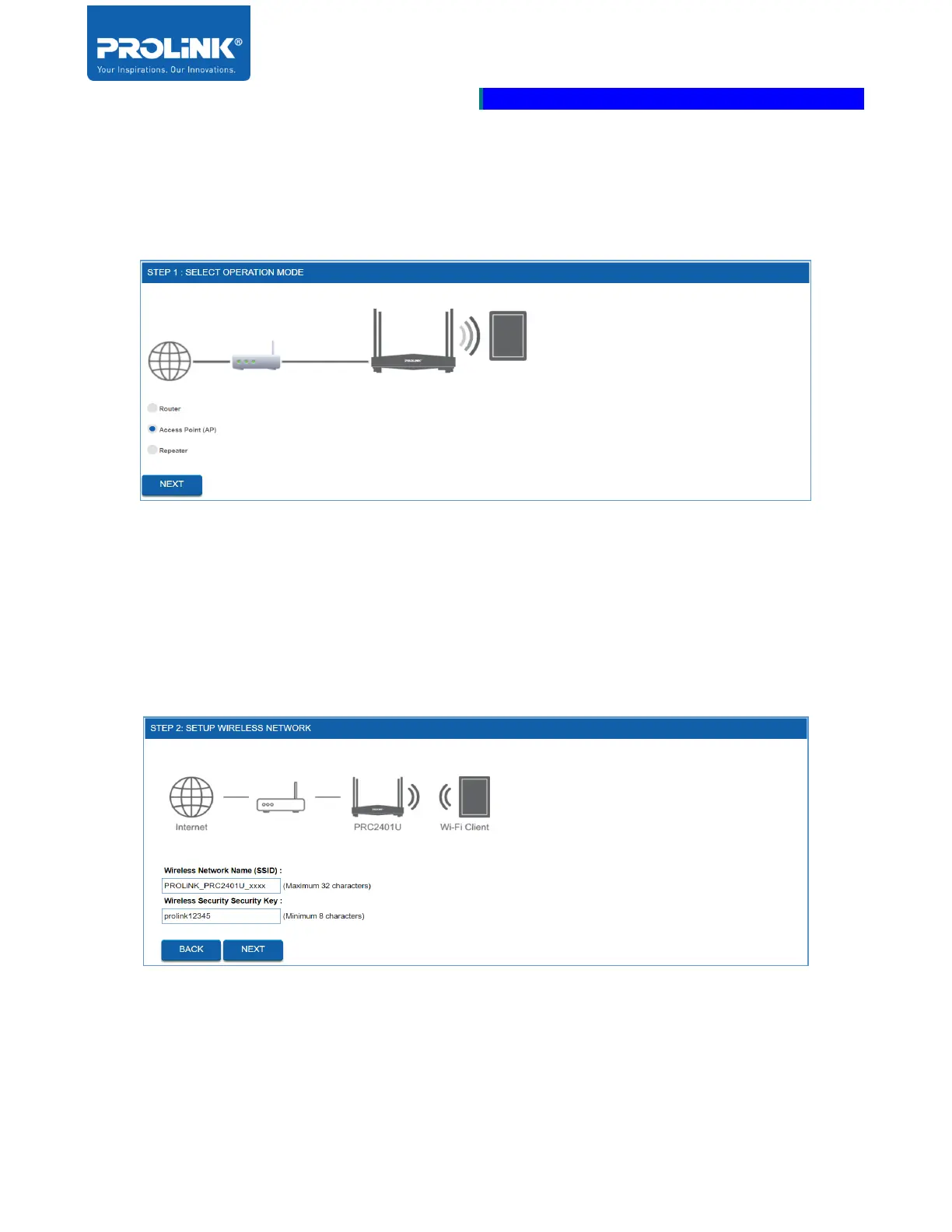
1. Select Access Point Mode as operation mode.
2. Set the Wireless Network detail. By default, the Wireless Network Name (SSID) is
“PROLiNK_PRC2401U_xxxx” (xxxx is the MAC Address of the Network Interface) and,
Wireless Security Key is “prolink12345”.



 To Next Page