PROLiNK® PRC2401U Wireless AC2600 MU-MIMO Dual-Band Gigabit Router
51
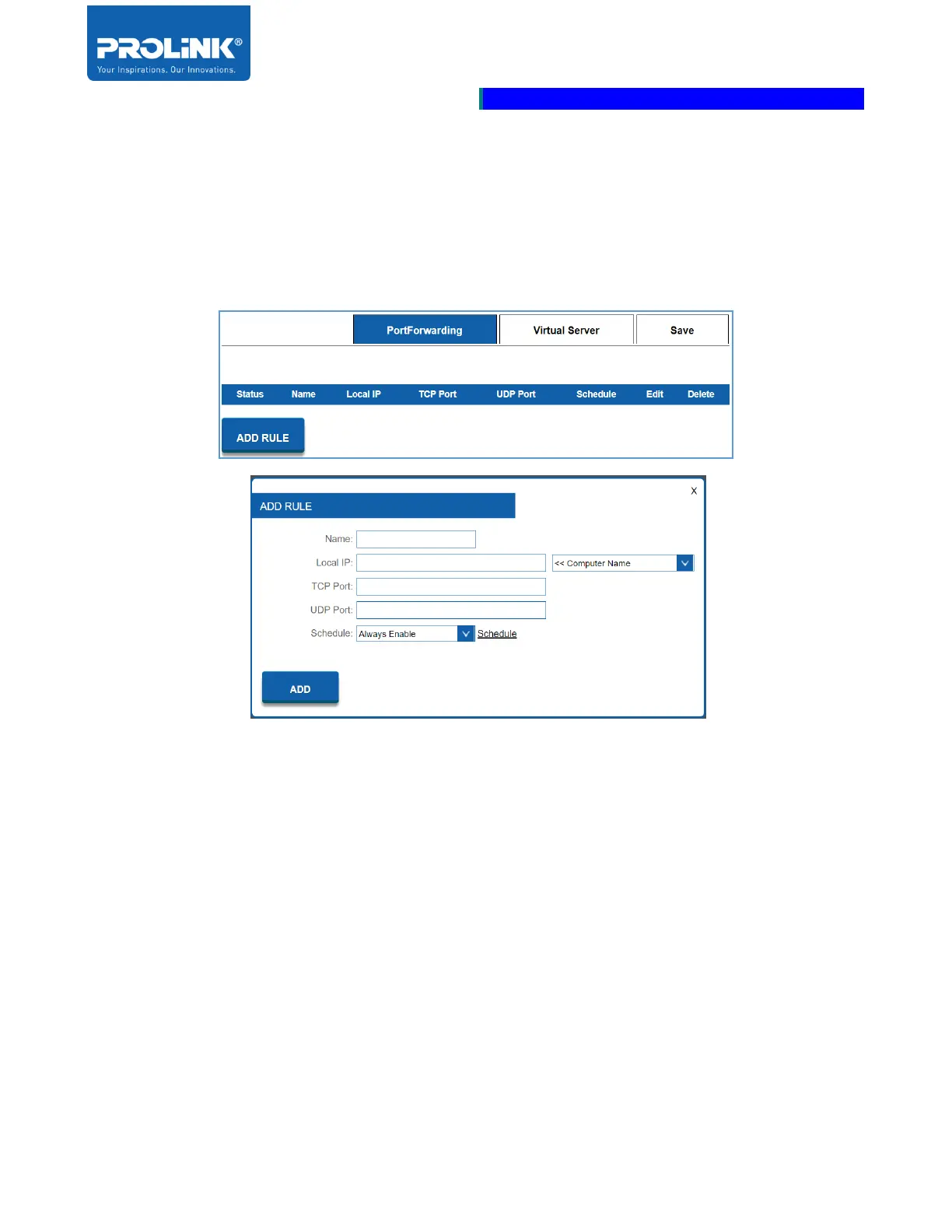
Port Forwarding
Port Forwarding allow you to automatically redirect common network services to a specific machine
behind the NAT firewall. Port Forwarding allows you to specify a specific port for a specific device on
the specific application to directed to a specific client.
• Name: Set the Name of the Port Forwarding rule.
• Local IP: Set the IP Address of the computer on your local network to allow the incoming
service. Or select the Computer Name from the drop-down menu.
• TCP Port: Enter a TCP Port (or a range of TCP ports) you want to open (for example: 24, 1009,
3000-4000).
• UDP Port: Enter a UDP Port (or a range of UDP ports) you want to open (for example: 24,
1009, 3000-4000).
• Schedule: Select the listed schedule from the drop-down menu for the rule to be enabled. By
default, the schedule will select as Always Enable. You could create a schedule from the
Schedule section.
• ADD: click on the ADD button when you are done.



 To Next Page