PROLiNK® PRC2401U Wireless AC2600 MU-MIMO Dual-Band Gigabit Router
52
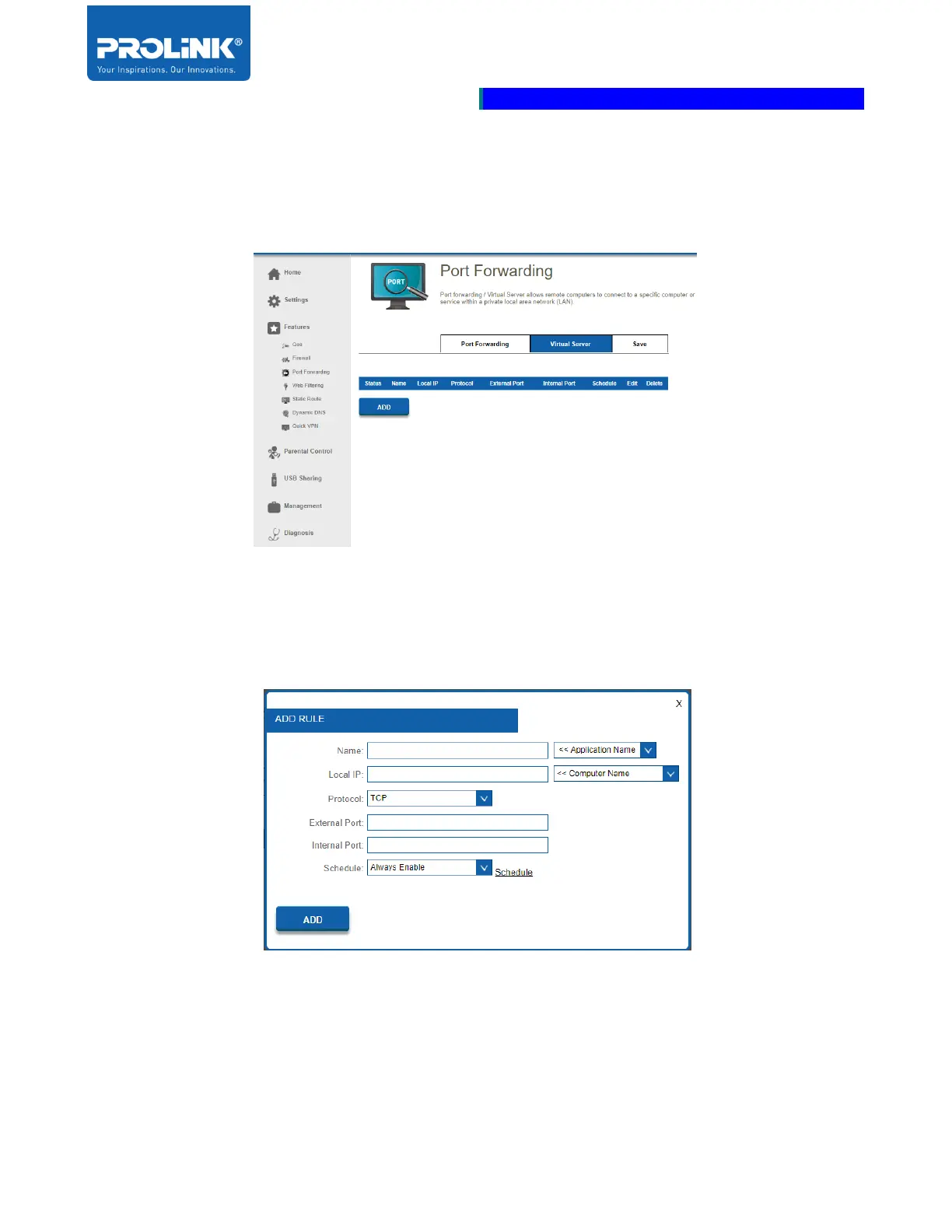
Virtual Server
The Virtual Server allows you to specify a single public port for redirection to an internal LAN IP
Address and Private LAN port.
When you click on Add Rule, the Create New Rule window will open. Enter the required information
into the fields described if you wish to remove a rule, click on its trash can icon in the Delete column.
If you want to edit a rule, click on its pencil icon in the Edit column. If you wish to create a new rule,
click Add Rule. Click Save when done.
• Name: Enter a Name for the new rule.
• Local IP: Enter the IP address of the computer on your local network that you want to allow
the incoming service to. Or, select the Computer Name from the drop-down menu.



 To Next Page