PROLiNK® PRC2401U Wireless AC2600 MU-MIMO Dual-Band Gigabit Router
46
4.3 Features
QoS
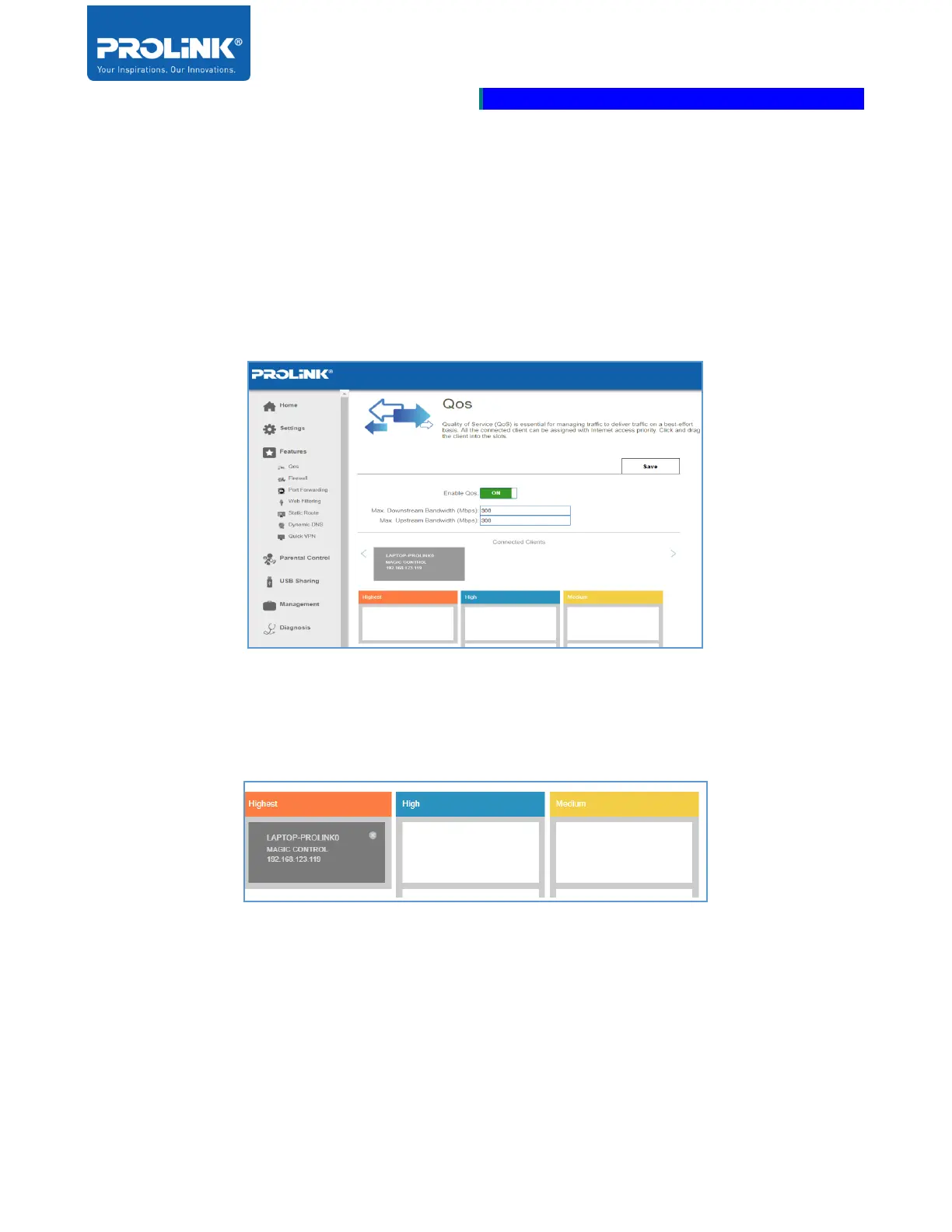
Quality of Service (QoS) function is to improve data flow. It allows you to prioritize clients so that
high-priority clients receive higher bandwidth compared to other clients. For example, if one client is
streaming a movie and another is downloading a non-urgent file, you might wish to assign the former
client a higher priority, so that the traffic network of the other devices does not disrupt.
Enable QoS: Enable and disable DMZ. Enable this feature will turn on the prioritize clients in the
networks.
• Max Downstream Bandwidth (Mbps): To limit the download speed for the prioritize clients.
• Max Upstream Bandwidth (Mbps): To Limit the upload speed for the prioritize clients.
To assign a priority level to a device, drag the device card from the Connected Clients list over an
empty slot. The card remains in the slot. If you want to remove a priority assignment from a device and
return it to the connected Clients list, click the cross icon in the top right corner of the device. If
connected clients are not assigned a priority, all devices treated with equal priority and if some devices
are assigned a priority, and others are not, the unassigned devices treated with the lowest priority.



 To Next Page