PROLiNK® PRC2401U Wireless AC2600 MU-MIMO Dual-Band Gigabit Router
45
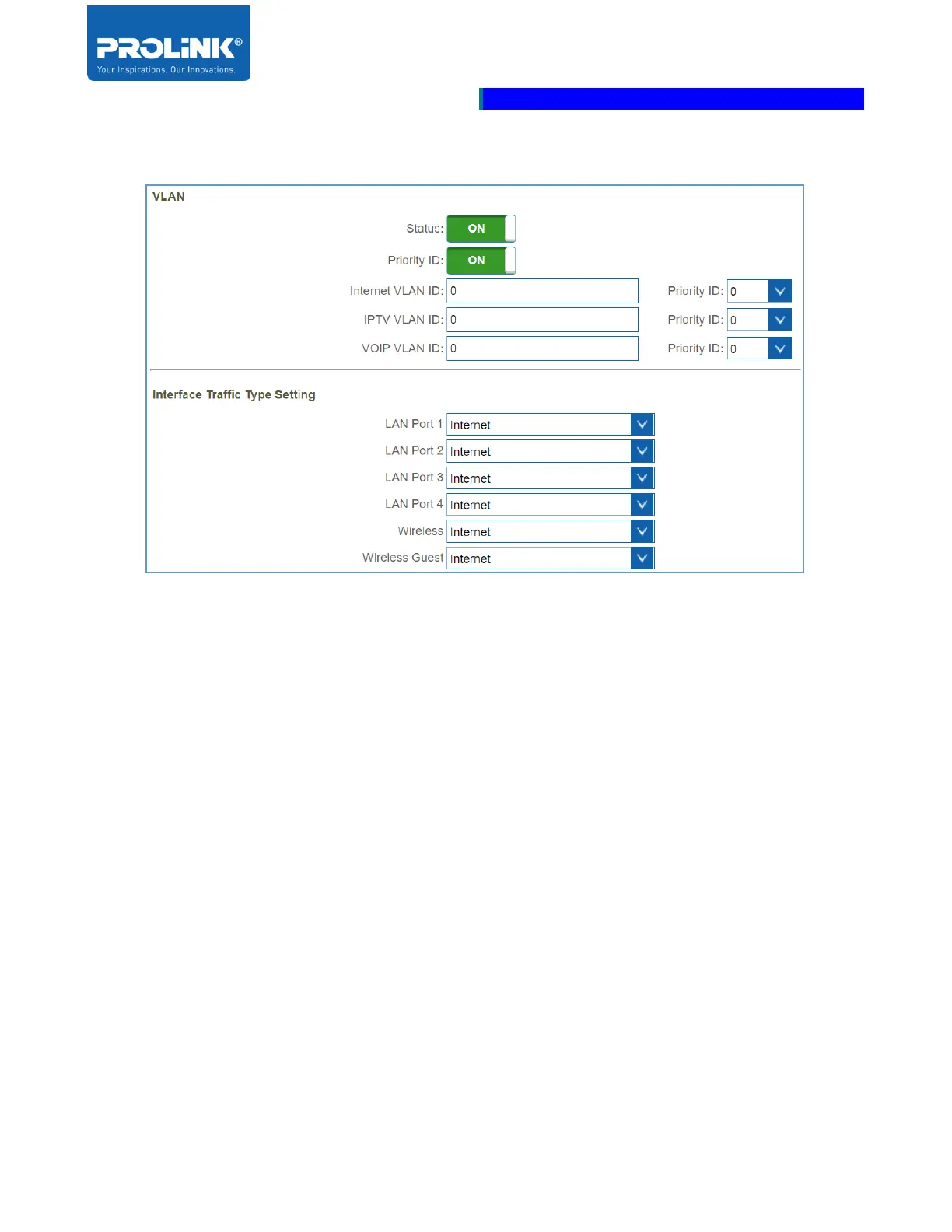
VLAN (Virtual LAN)
• Status: Select to Enable or disable the VLAN setting.
• Priority ID: Select to enable or disable the setting for the priority to each of the VLAN ID. If
enable, each of the VLAN ID service can be set with priority. Priority tag are between 0 until 7.
Priority ID 0 is for lowest priority and 7 is for the highest priority.
• VLAN ID: Set the VLAN ID for Internet, IPTV and VOIP service. VLAN ID detail can be
acquired from ISP.
• Interface Traffic Type Setting: Select which port/band you would like to specify for each
service from the drop-down menu.



 To Next Page