PROLiNK® PRC2401U Wireless AC2600 MU-MIMO Dual-Band Gigabit Router
57
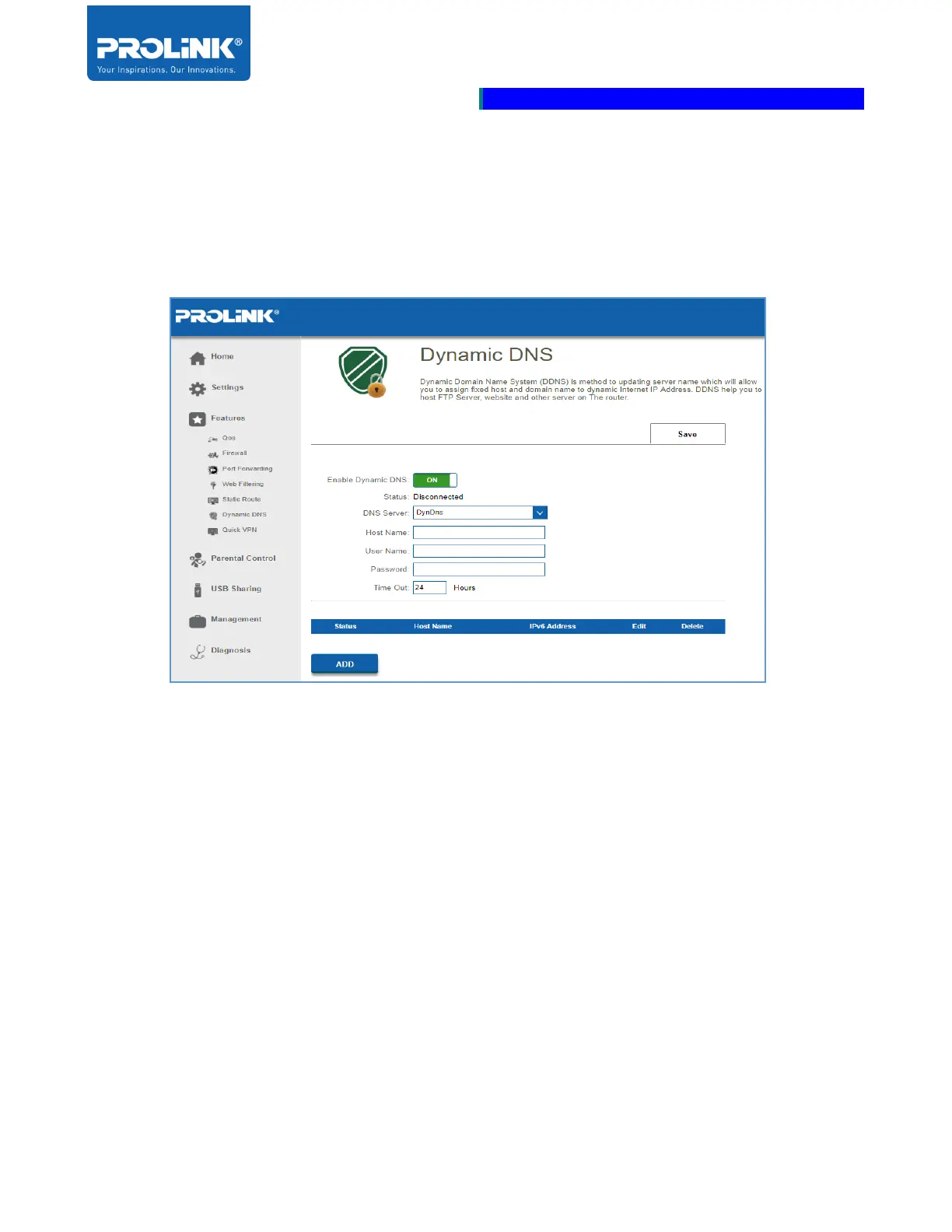
Dynamic DNS
Dynamic Domain Name System (DDNS) is method to updating server name which will allow you to
assign fixed host and domain name to dynamic Internet IP Address. DDNS help you to host FTP
Server, website and other server on the router.
• Enable Dynamic DNS: Slide to enable the DDNS. By default is OFF
• Status: Displays the current dynamic DNS connection Status.
• DNS Server: Select the address of your dynamic DNS server from the drop-down menu.
• User Name: Enter the Host Name that you registered with your dynamic DNS service
provider.
• User Name: Enter your dynamic DNS User Name.
• Password: Enter your dynamic DNS Password.
• Time Out: Enter a Time Out (in hours).
• Click Save when done



 To Next Page