PROLiNK® PRC2401U Wireless AC2600 MU-MIMO Dual-Band Gigabit Router
39
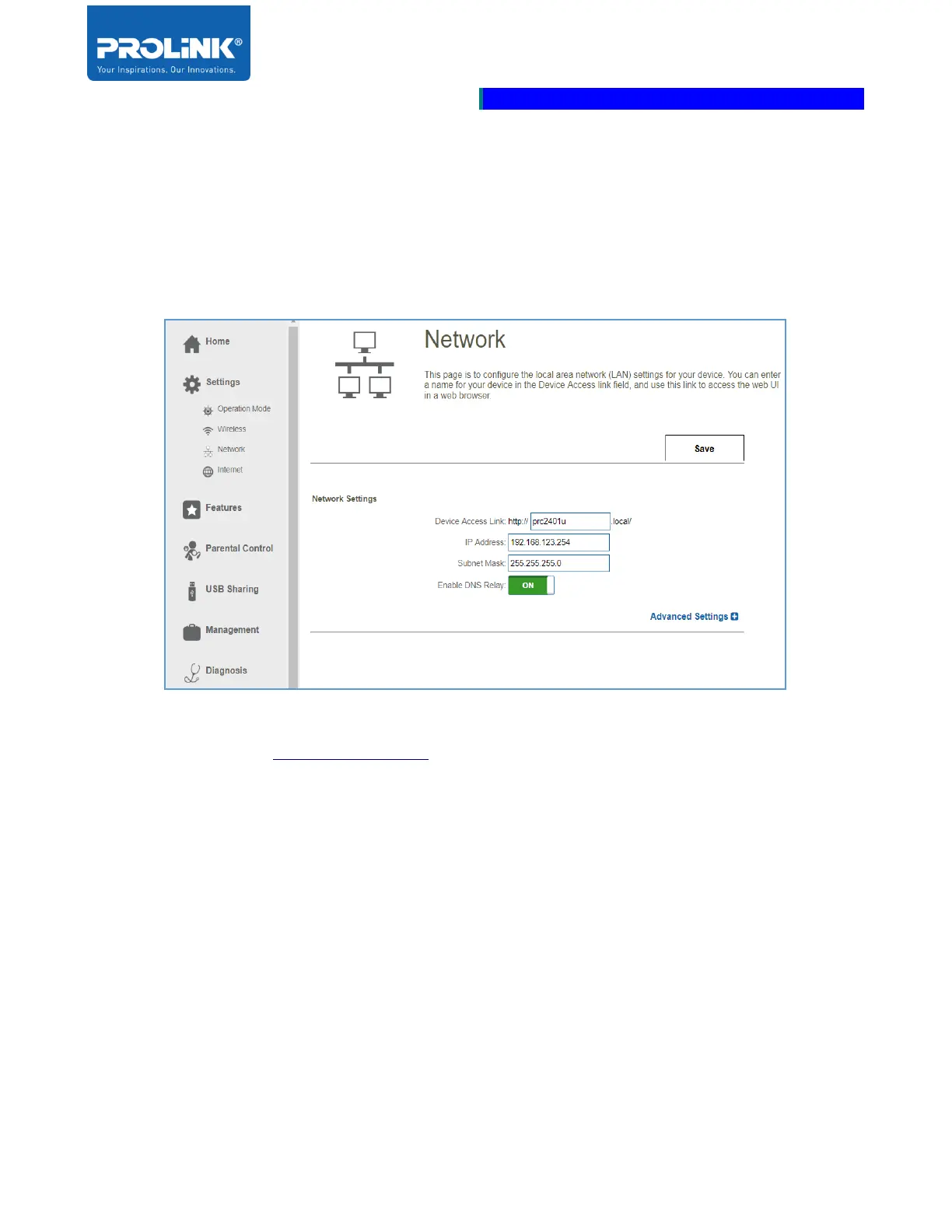
Network
Network Page setting allows the user to change the local network settings of the router and enable the
user to configure the Dynamic Host Control Protocol (DHCP) settings.
Network Settings
• Device Access Link: By default the device link to access the router’s configuration web utility
configuration is http://prc2401u.local. The Device Access Link may be change according to
user choice.
• IP Address: Enter the LAN IP Address of the router. By default the LAN IP Address is
192.168.123.254.
• Subnet Mask: Enter the Subnet Mask of the router. By default the subnet is set to
255.255.255.0.
• Enable DNS Relay: By default the DNS Relay is set to Enable. Enable the DNS Relay will
cause the computer to use the router as the DNS server.



 To Next Page