PROLiNK® PRC2401U Wireless AC2600 MU-MIMO Dual-Band Gigabit Router
38
Guest Configuration
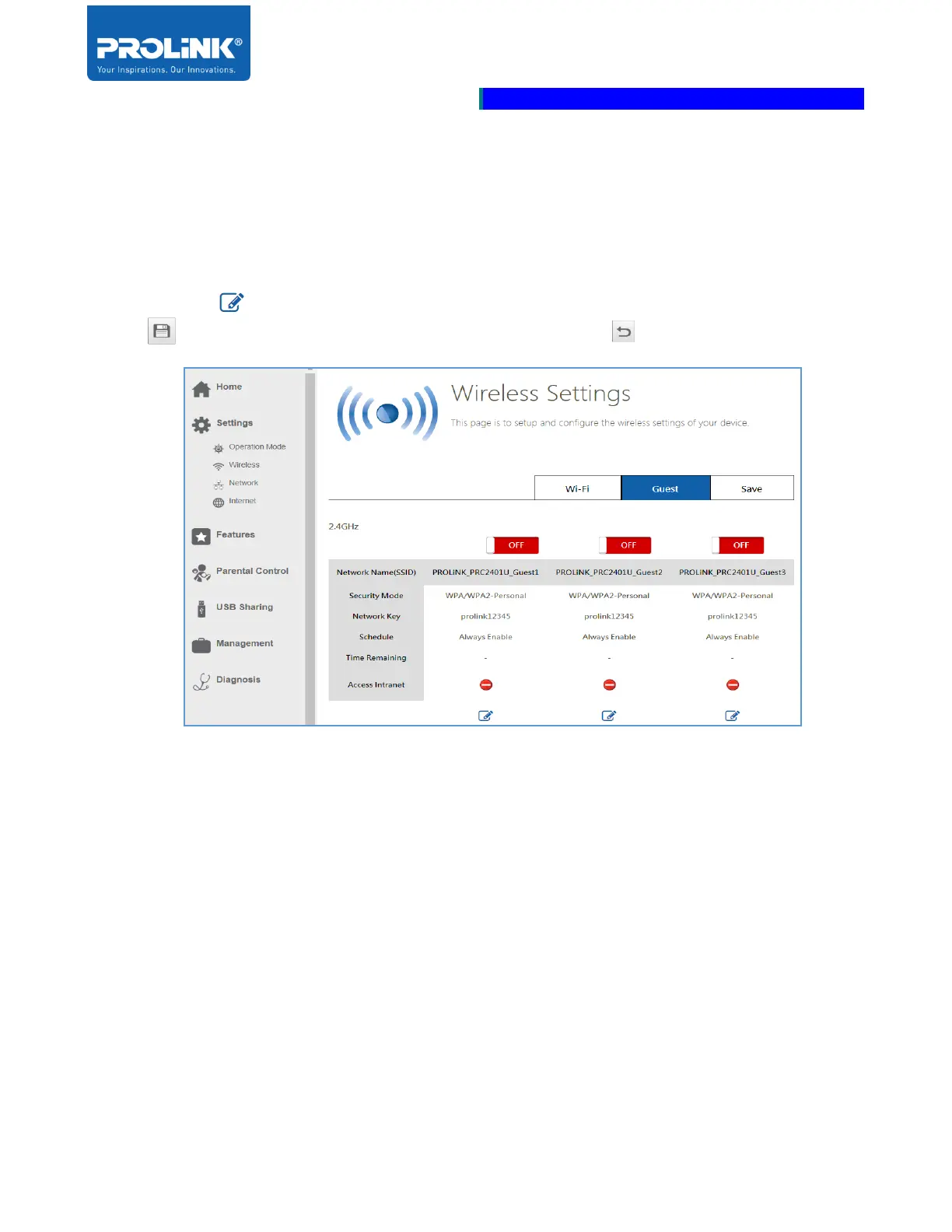
Click on the Guest tab to enter the Guest zone setting. Each band is allowed to enable 3 Guest wireless
for each of the frequency band. Both 2.4GHz and 5GHz Guest wireless have the same configuration
parameters.
Click the Edit button to configure the Guest setting. To save the Guest setting click SAVE
button . To cancel or back from Guest configuration click Back button.
• Network Name (SSID): Enter Guest Wi-Fi name for your wireless network to be discovered by
other clients.
• Security Mode: Select the type of security to be set. Select either Open or WPA/WPA2-
Personal.
• Network Key: Enter unique wireless security for other users to connect with the network.
• Schedule: Select Schedule then click the drop-down menu to select available schedule.
• Time Remaining: Select Access time then set the access time limit. Click the drop-down menu
to select the hour and minute of Access Time.
• Access Intranet: By default Access Intranet is Disable. Enable the Access Intranet to allow the
connected client on Guest SSID have an access to the internet.



 To Next Page