PROLiNK® PRC2401U Wireless AC2600 MU-MIMO Dual-Band Gigabit Router
37
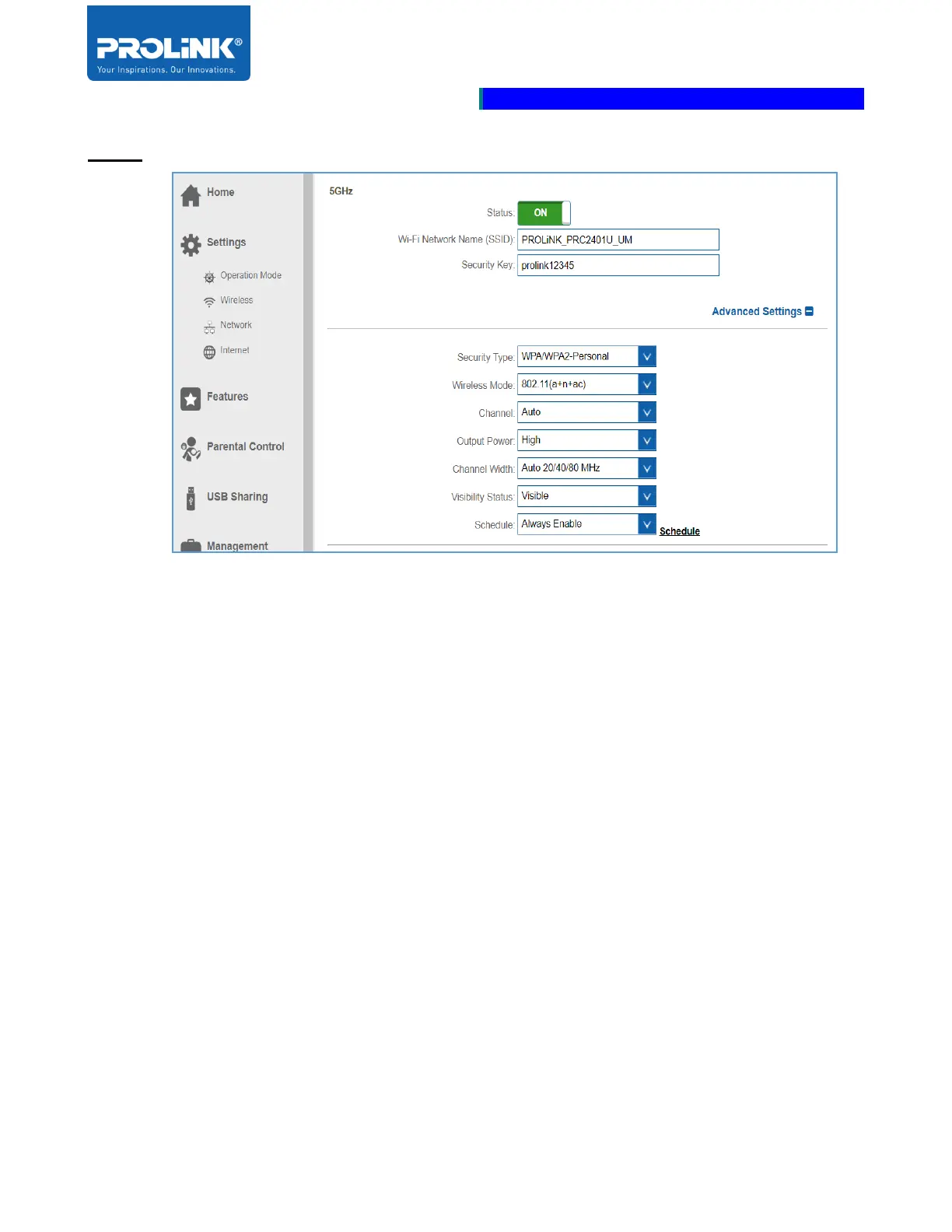
5GHz
• Status: Click the slider switch to enable and disable 5GHz wireless signal.
• Wi-Fi Network Name (SSID): Enter Wi-Fi name for your wireless network to identify by other
clients.
• Security Key: Enter a unique wireless security for other user to connect with the network.
• Security Type: Select type of security to be set. Select either Open or WPA/WPA2-Personal.
• Output Power: Select the desired wireless transmission power. Select from High, Medium, or
Low.
• Channel Width: Select channel width according to the 5GHz wireless client receiving type.
Select either Auto 20/40/80 MHz or Auto 20/40 MHz.
• Visibility Status: Select Invisible to hide the SSID from being discovered in the wireless
network. By default, the setting is configure as Visible.
• Schedule: By default this option is set Always Enable. From the drop-down menu, select one of
the Schedule either pre-configure Schedule or create your Schedule. To create your Schedule,
click on the Schedule.



 To Next Page