PROLiNK® PRC2401U Wireless AC2600 MU-MIMO Dual-Band Gigabit Router
49
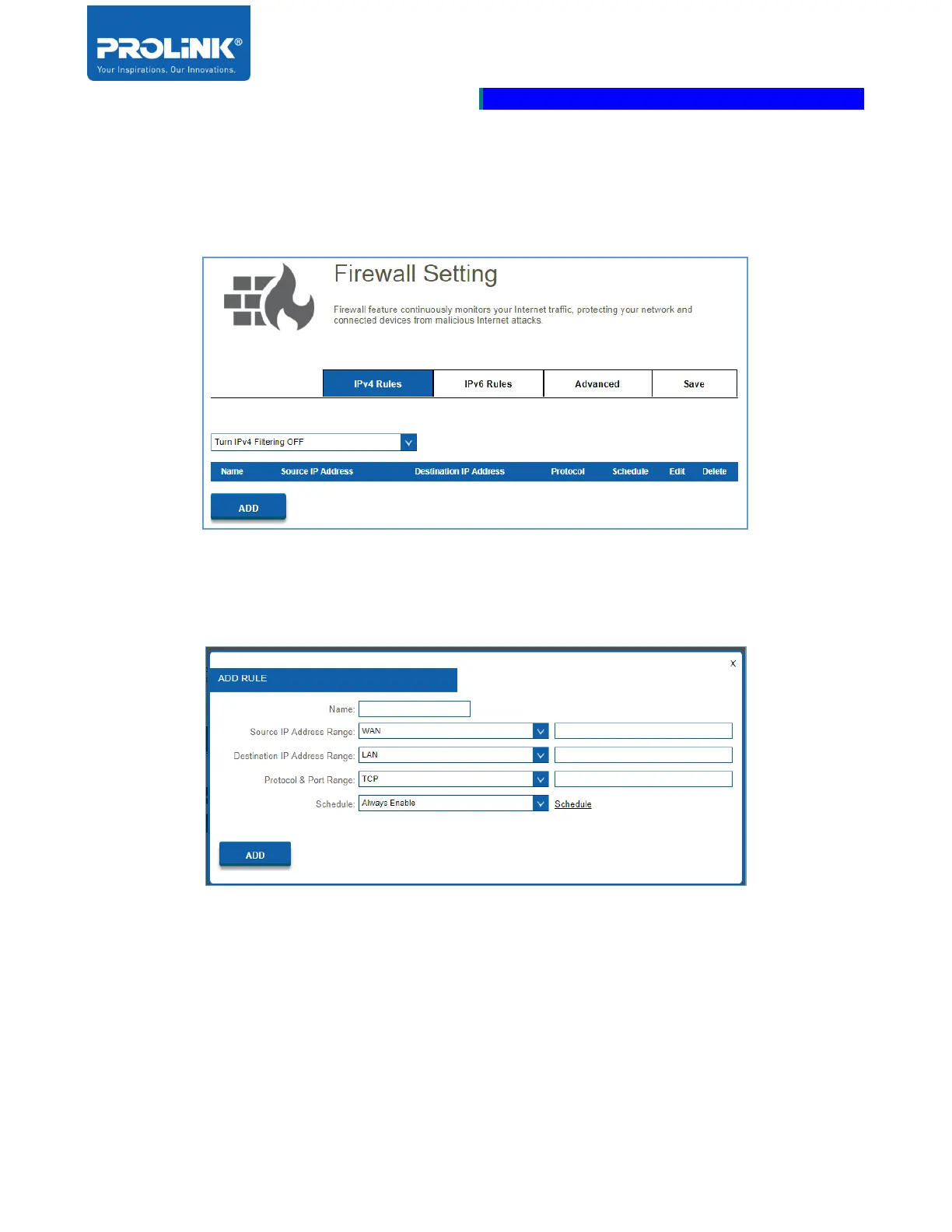
IPv4 and IPv6 Rules
The IPv4and IPv6 Rules section allows you to specify the kind of traffic that is allowed to pass through
the network. From the Tab you can select which rule to be setting.
Use the drop-down menu to select whether you want to Turn IPv4/IPv6 Filtering ON and ALLOW or
DENY the rules you create. Or you may choose to Turn IPv4/IPv6 Filtering OFF.
• Name: Enter a Name for the new rule.
• Source IP Address Range: Enter the Source IP Address Range that the rule applies to. Using
the drop-down menu, specify whether it is a WAN or LAN IP address.
• Destination IP Address Range: Enter the Destination IP Address Range that the rule applies
to. Using the drop-down menu, specify whether it is a WAN or LAN IP address.



 To Next Page