PROLiNK® PRN3006L 4G LTE Wireless Router
Connection Setting
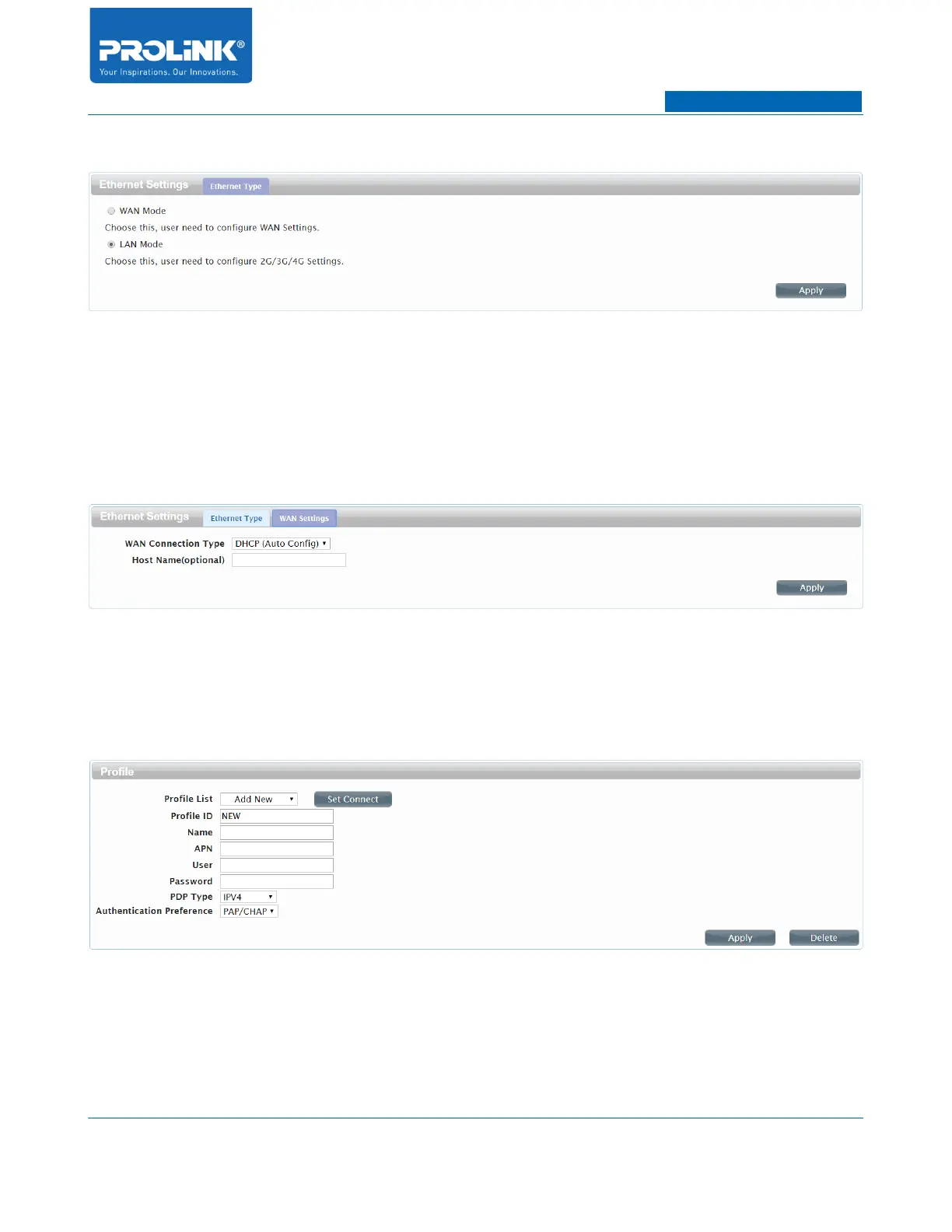
• WAN Mode: WAN Mode allowed you to have alternative WAN Access from LAN Port. If you
selected for WAN Mode, LAN 2 will change as a WAN Port and your WAN Access will be
change to WAN Port.
• LAN Mode: By default PRN3006L is on LAN Mode. LAN Mode disable WAN Access through
the WAN Port. You WAN access is coming from Cellular Network of the inserted SIM Card.
• WAN Connection Type: It is consists of DHCP (Auto Config), STATIC and PPPOE (ADSL).
By default PRN3006L is on DHCP (Auto Config).
APN Setting
• Profile List: A list of profile for you to select. After selecting one profile from the list, you can
further modify its parameters.
• Profile ID: Show the name of the profile you've selected here.
• Name: Name of Profile you have selected from Profile List.
19



 To Next Page