PROLiNK® PRN3006L 4G LTE Wireless Router
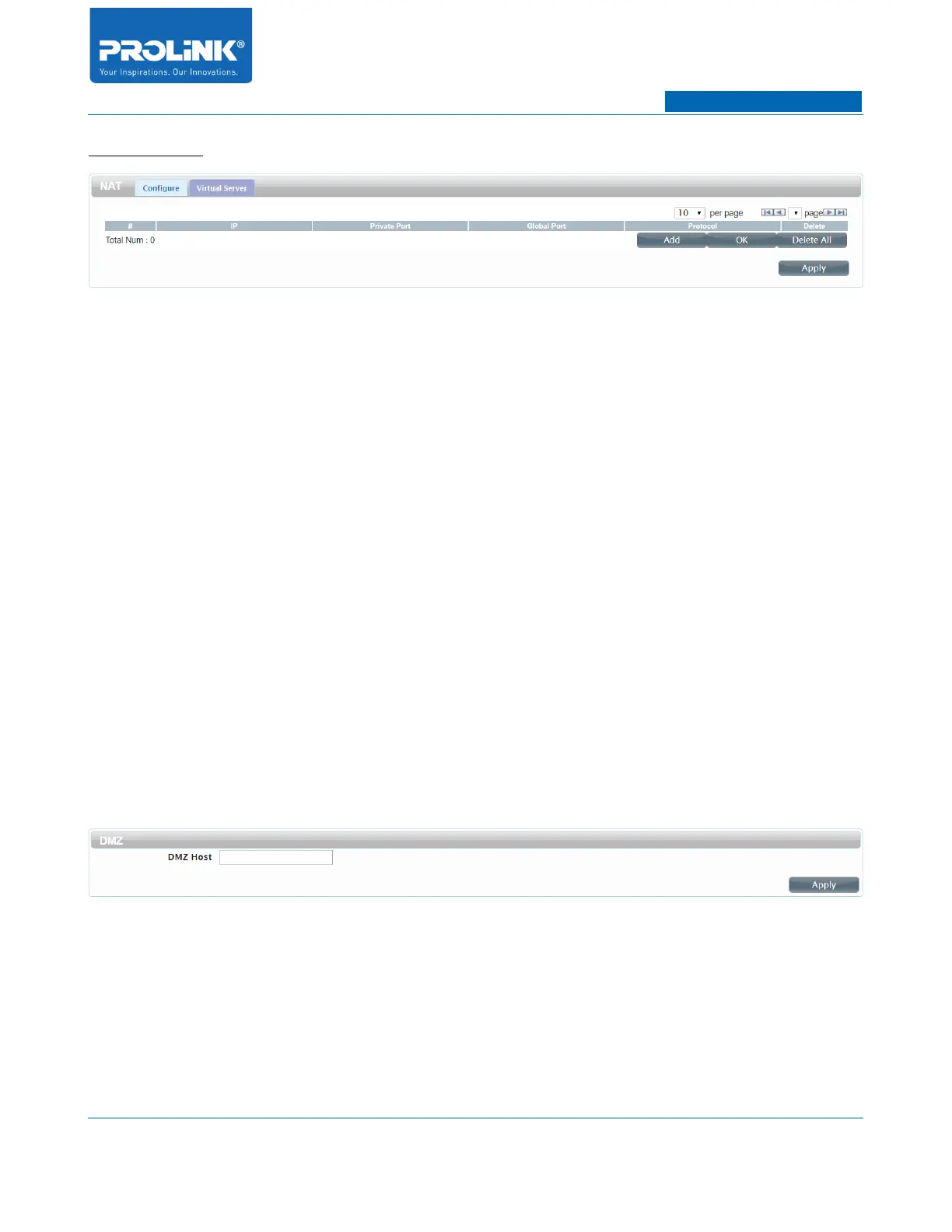
Virtual Server
PRN3006L can be configured as a virtual server so that users can access services such as Web or FTP
via the public (WAN) IP address of the router.
• #: To identifies the rule.
• IP: Enter IP Address of the computer on your local network that host the service.
• Private Port: Enter Port number of the computer on your local network that you want to
forward the service port.
• Global Port: Enter the global ports you want to open.
• Protocol: Select the service protocol type for ICMP, TCP or UDP.
• Delete: Click to remove the virtual service entry from the list.
• Add: To add current Virtual Server entry.
• OK: To store current entry of Virtual Server into the list.
• Delete All: To delete the entire list of Virtual Server.
• Apply: To save and apply current Virtual Server configuration.
DMZ
DMZ host allows one local host to be exposed to the Internet for a special-purpose service. To assign
the local host with DMZ simply enter the IP Address of the local host into the box.
33



 To Next Page