PROLiNK® PRN3006L 4G LTE Wireless Router
3.4 Setup Wizard
PRN3006L by default is plug and play. You do not need to configure the PRN3006L. If you would like
to configure the PRN3006L, you can configure using PRN3006L’s Setup Wizard.
The following steps is to configure PRN3006L using Setup Wizard.
1. Login into PRN3006L’s Web Configuration as explain on page 9 “Enter Into Web
Configuration”.
2. Enter the Account and Password correctly. You will be redirect to Home page of PRN3006L.
3. In the Home page click the “Wizard” icon to enter the Setup Wizard.
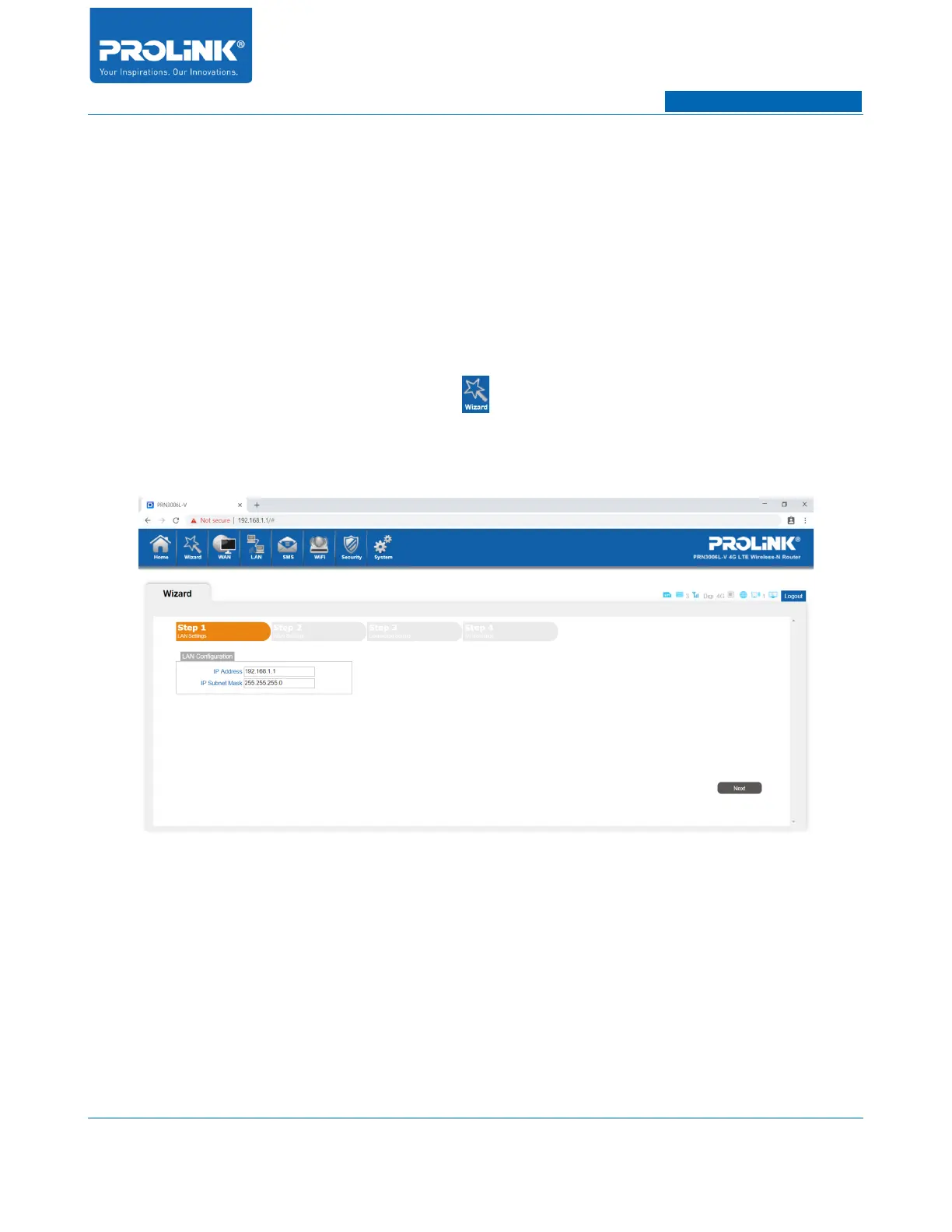
4. After click on the Wizard icon you will enter the Setup Wizard page
5. Setup Wizard consist of 4 steps. The 1
st
step is LAN Settings.
• IP Address: Enter the LAN IP Address of the router. By default the LAN IP Address is
192.168.1.1.
• IP Subnet Mask: Enter the Subnet Mask of the router. By default the subnet is set to
255.255.255.0.
6. 2
nd
Step for Setup Wizard is WAN Settings. PRN3006L will automatically detect your SIM Card
service provider settings. To change the settings, consult with your service provider or leave the
setting with default settings.
13



 To Next Page