PROLiNK® PRN3009 Wireless-N 300 Routers
16
3.4 Setup Wizard
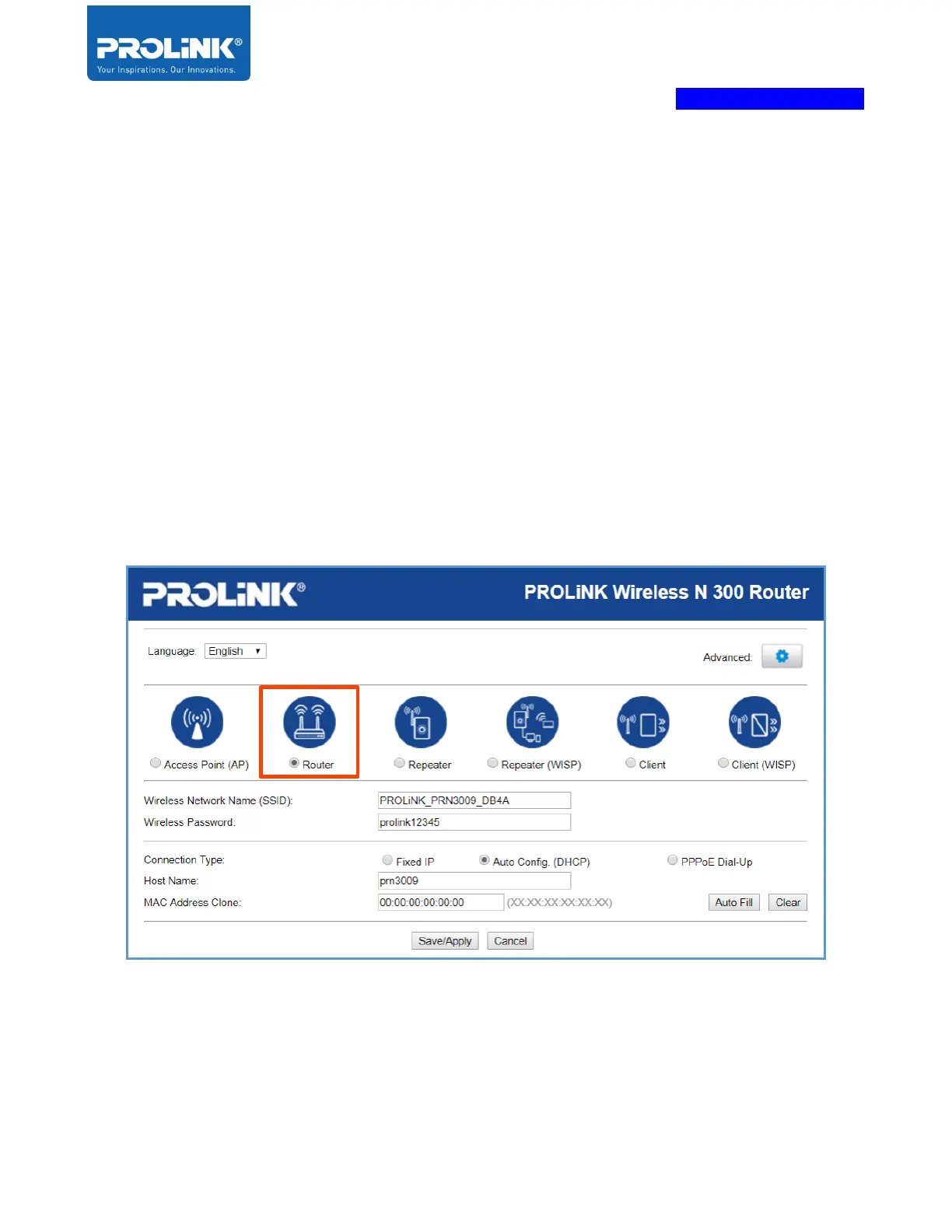
PROLiNK PRN3009 come with six operations. All this mode is available for user choose base on
network infrastructure. Operation mode available is Router Mode, Access Point (AP), Repeater Mode,
Repeater WISP Mode, Client Mode and Client WISP Mode. For the first time entering the PRN3009
web utility, by default, the PROLiNK PRN3009 is setup as Router Mode. It’s recommended to
complete the Setup Wizard for the first time login..
Router Wizard
1. Select Operation Mode as Router. By Default, the PRN3009 is already in Router Mode. For
Hardware Setup, please follow “Router Mode Setup”.



 To Next Page