PROLiNK® PRN3009 Wireless-N 300 Routers
62
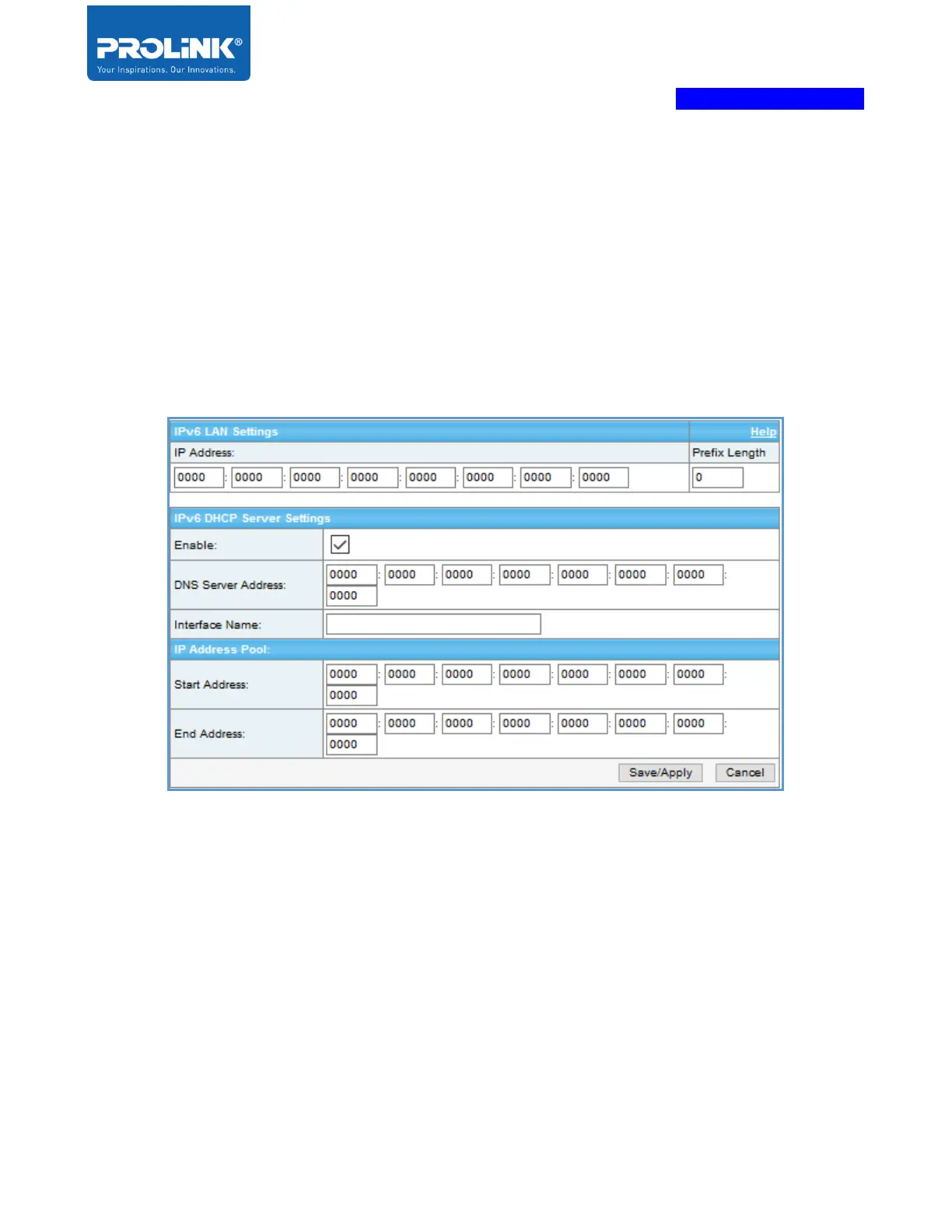
LAN Setting
This page is to set up the LAN settings for IPv6.
DHCP Server - can be used to offer IPv6 address and DNS server address for the hosts, but is not able
to provide default gateway. Please set router advertisement for a gateway if necessary.
DNS Server Address - DNS address should be the link-local address of LAN if works as a DNS proxy.
Otherwise, it should be the remote DNS server global IP address..



 To Next Page