PROLiNK® PRN3009 Wireless-N 300 Routers
54
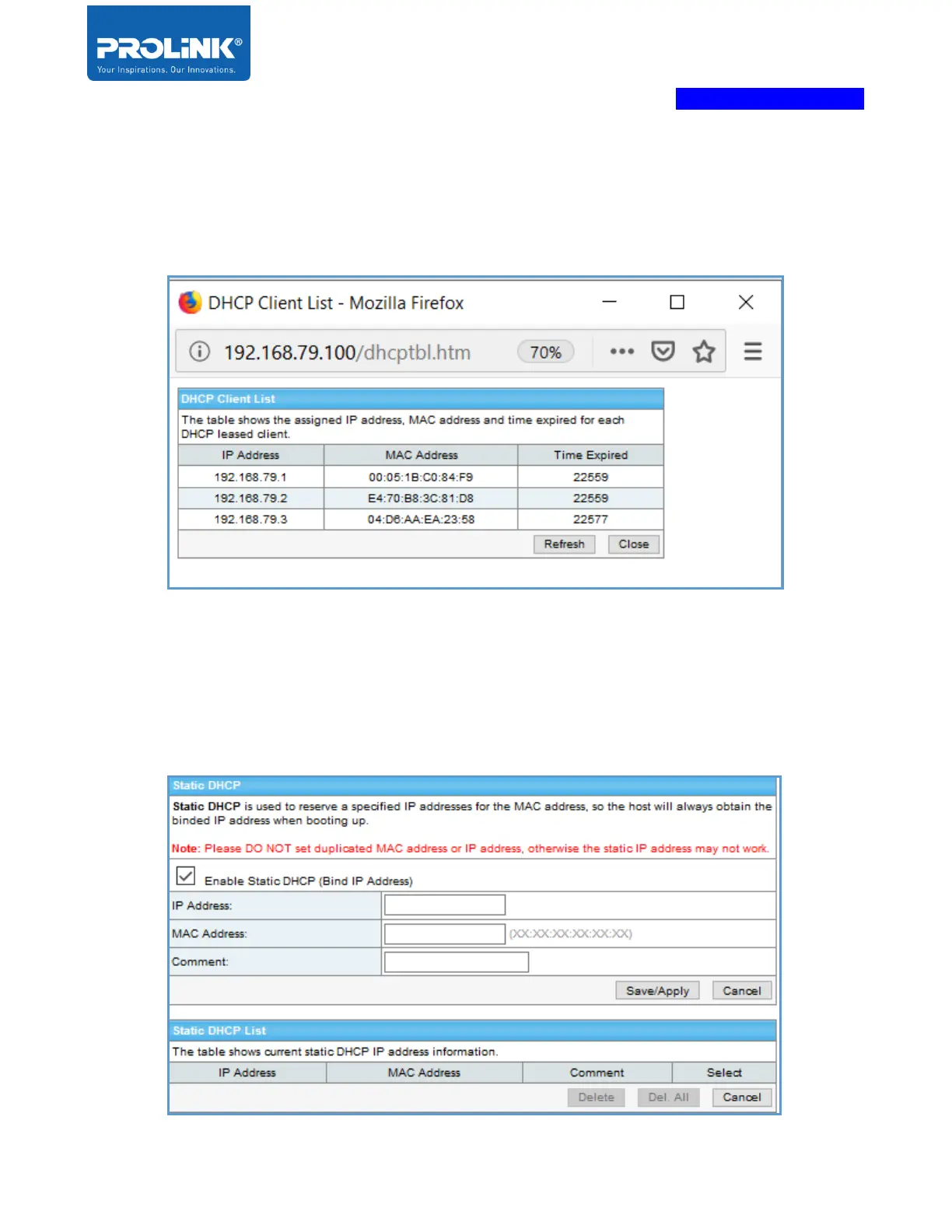
Show Client – DHCP Client Range
Click on “Show Client” the table DHCP client list will popup. It will list all the DHCP connection to
the router.
Set Static DHCP
Static DHCP is used to reserve a specified IP address for the MAC address, so the host will always
obtain the bound IP address when booting up. Please DO NOT set duplicated MAC address or IP
address, otherwise the static IP address may not work.



 To Next Page