PROLiNK® PRN3009 Wireless-N 300 Routers
49
Security Settings
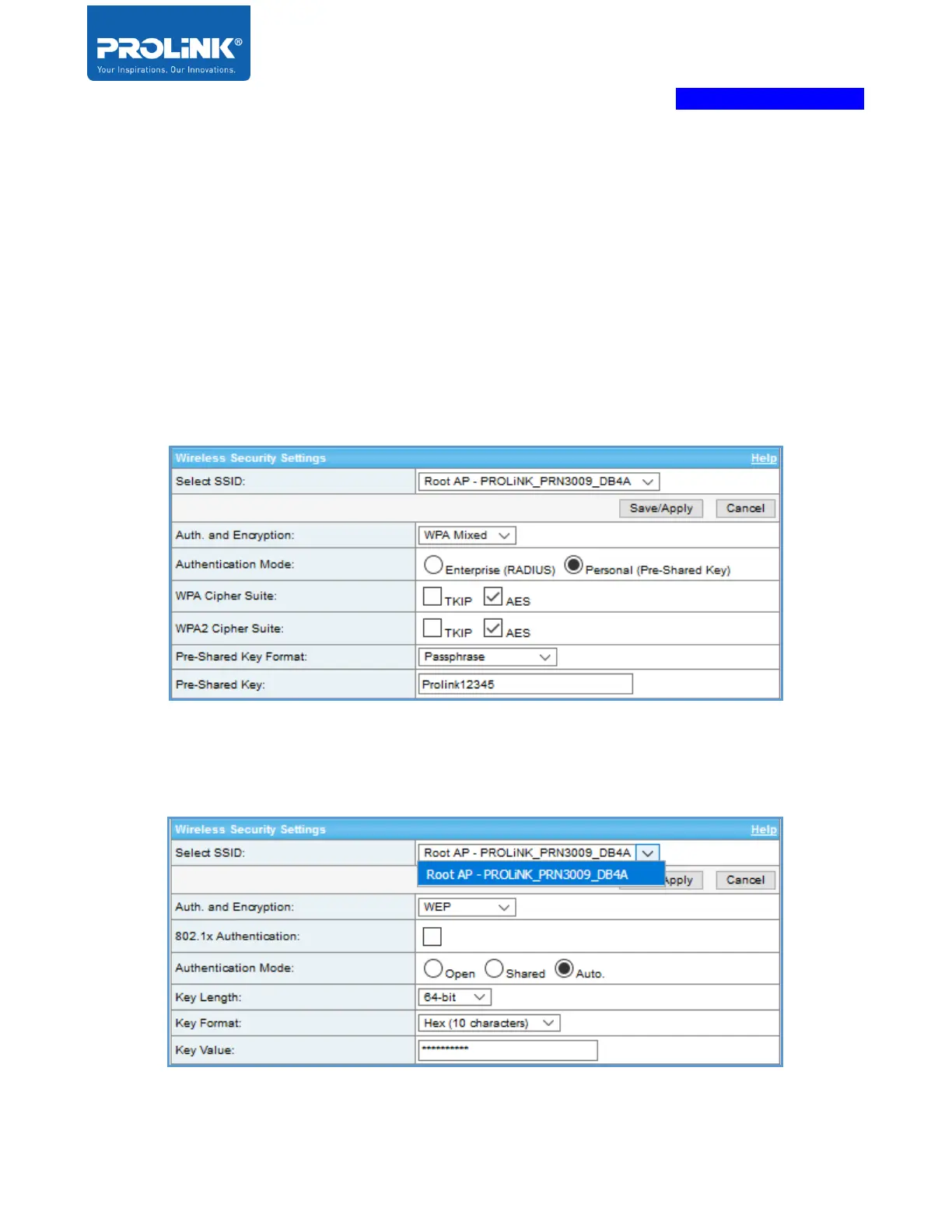
This setting is manually set up the wireless security settings to prevent any unauthorized access to your
wireless network.
WEP - Wired Equivalent Privacy, old encryption introduced by IEEE 802.11. It supports 64-bit and
128-bit keys and has two security methods: Open and Shared.
WPA - Wi-Fi Protected Access, is developed for Wi-Fi to replace the weak secured WEP. It's next-
generation WPA2 is the most secured auth. method by now. Both WPA and WPA2 support the radius
authentication server
By Select SSID user can choose with SSID need to configure. The option only available when enable
the Multiple AP.



 To Next Page