PROLiNK® PRN3009 Wireless-N 300 Routers
71
4.8 Administration
On the Administration page, there is eleven main option for the user to configure for PRN3009. The
eleven option is Statistics, DDNS, Time Zone Settings, DoS Settings, System Log, Diagnostics,
Upgrade Firmware, Settings, TR069 Settings, Password and Others Settings.
Statistics
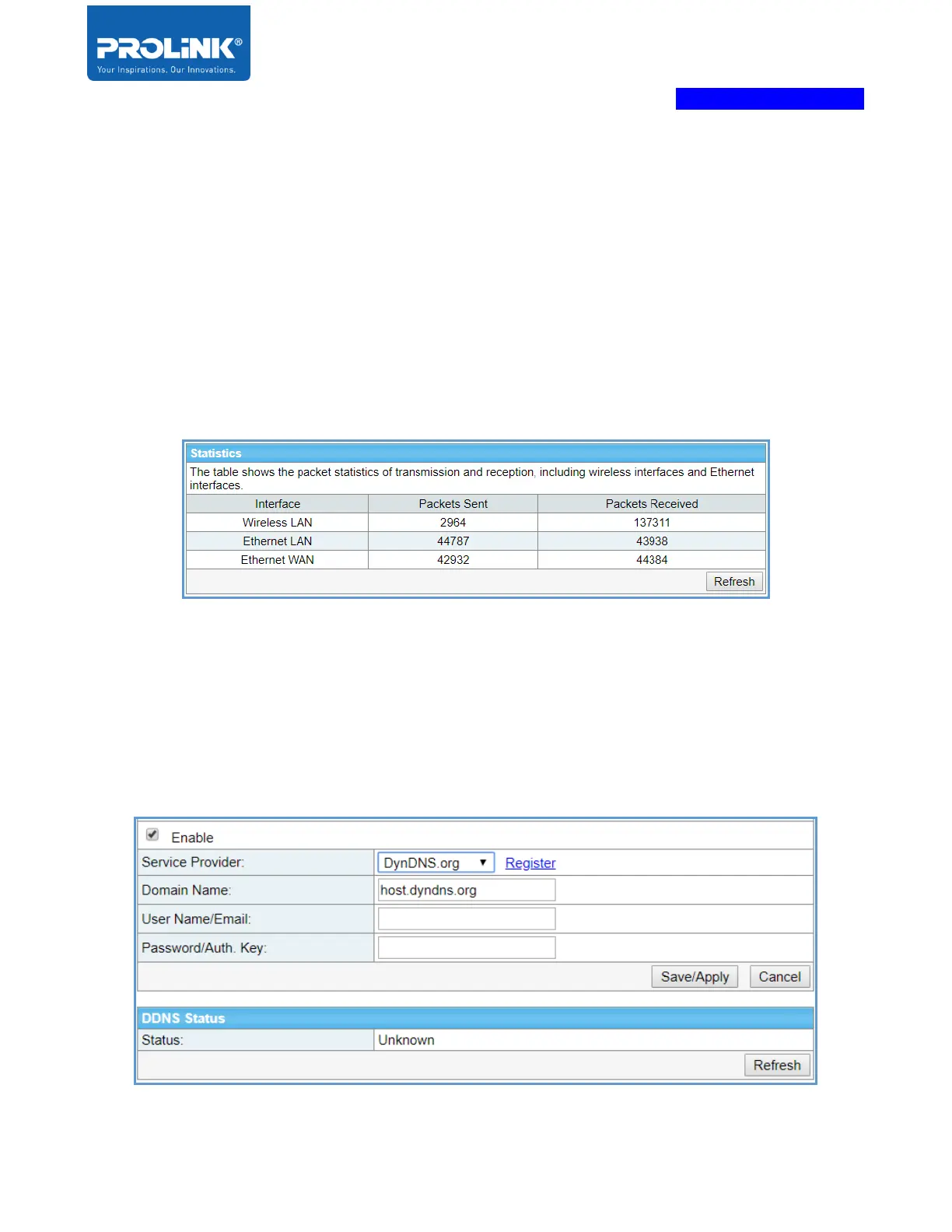
On the Statistic page, you can view the number of the packet that passes through the router on the
WAN, LAN and wireless segments. The table shows the packet statistics of transmission and reception,
including wireless interfaces and Ethernet interfaces.
DDNS
Dynamic DNS is a service, which provides a valid, unchanging, internet domain name (a URL) to go
with the (possibly ever changing) IP address. Please note, the device may obtain an IP address
dynamically, so the IP address may be changed after reboot. The PRN3009 is support DynDNS. User
can configure and the DDNS status will display either the connection is successful or unsuccessful.



 To Next Page