PROLiNK® PRN3009 Wireless-N 300 Routers
72
Time Zone Settings
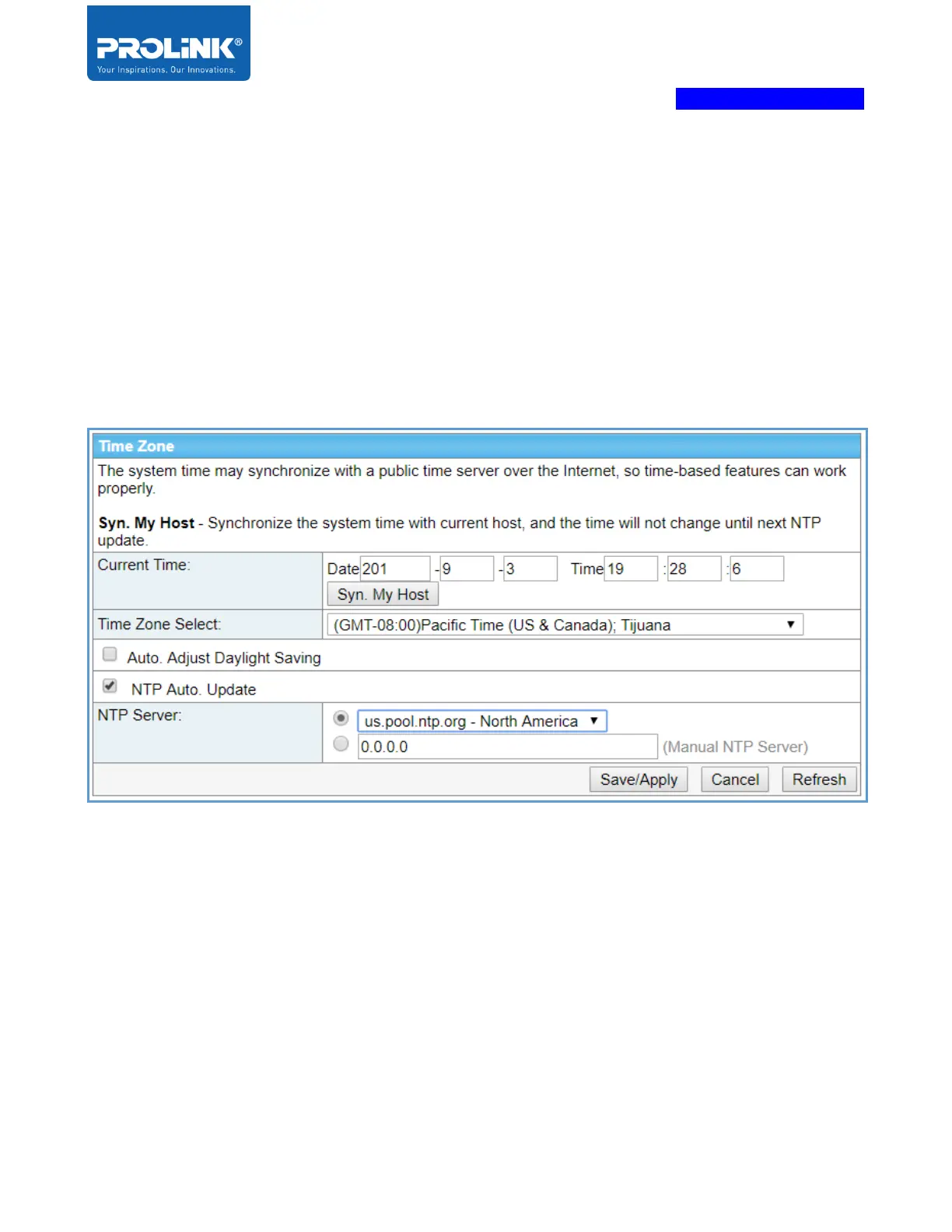
Time Zone Settings allow the user to change PRN3009 time and date. You could manually insert the
time and date or automatically sync with the server (Syn. My Host). Please note, the system time may
synchronize with a public time server over the Internet by choosing NTP server. By default, the NTP
server is “us.pool.ntp.org – North America”.
Syn. My Host - Synchronize the system time with the current host, and the time will not change until
next NTP update.



 To Next Page