PROLiNK® PRN3009 Wireless-N 300 Routers
37
4.1 Router Status
For PRN3009 has six different modes and each Mode has a different status. For the first time setup, by
default, the PRN3009 will in Router Mode. Shown below is the Status info and status for each Mode.
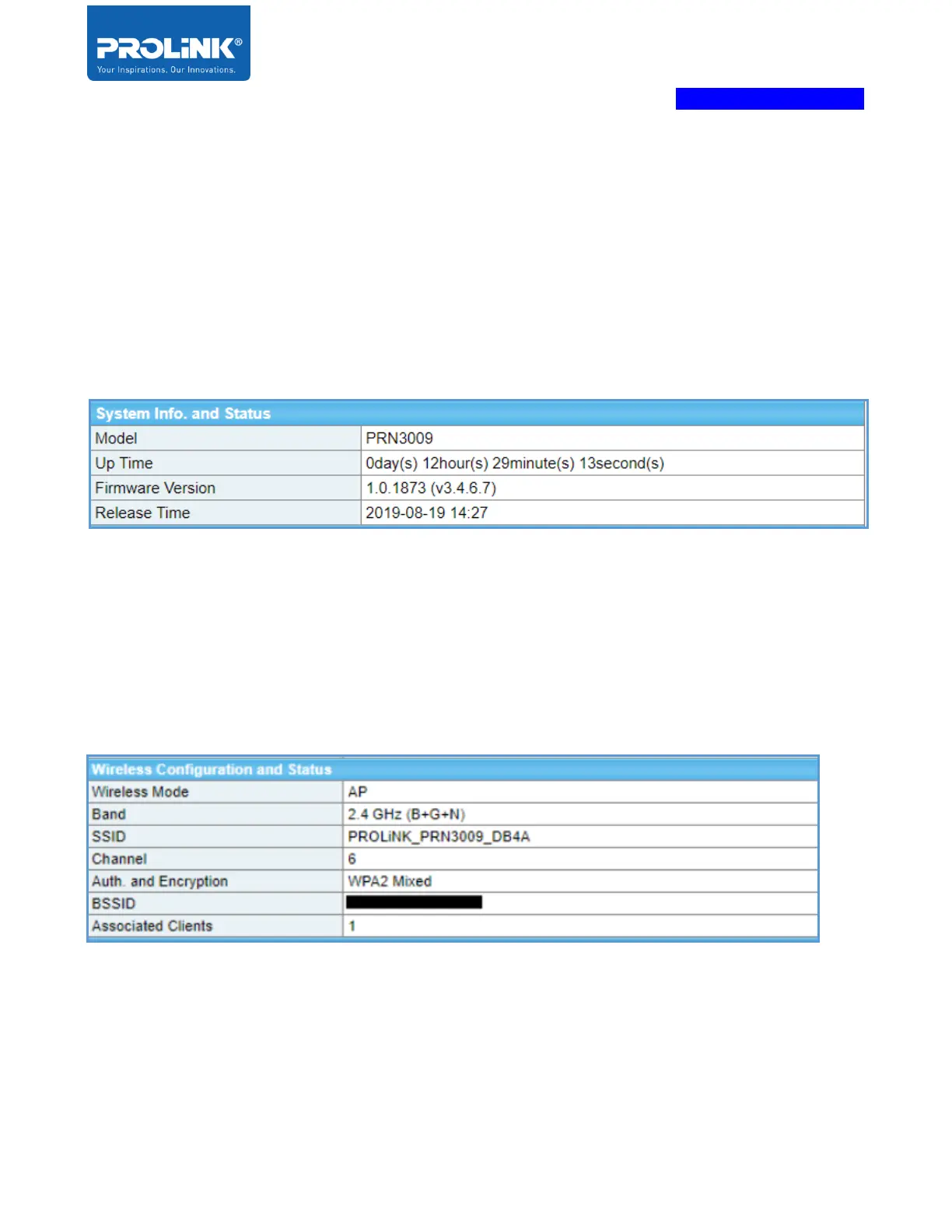
System Info and Status
The table shows the model of the router, router up-time from the last router reboot, and Firmware
Version installs on router and Firmware release date. This information is available for all mode.
Wireless Configuration and Status
The table shows the current wireless mode, which depends on which mode is select. Only it changes to
“Infrastructure Client” on Client and Client (WISP) Mode as the wireless in this mode is not broadcast.
Band of wireless use, SSID information set for the router, the wireless channel used, type of
authentication and encryption, BSSID or wireless MAC address, and Associated Clients connected.



 To Next Page