PROLiNK® PRN3009 Wireless-N 300 Routers
20
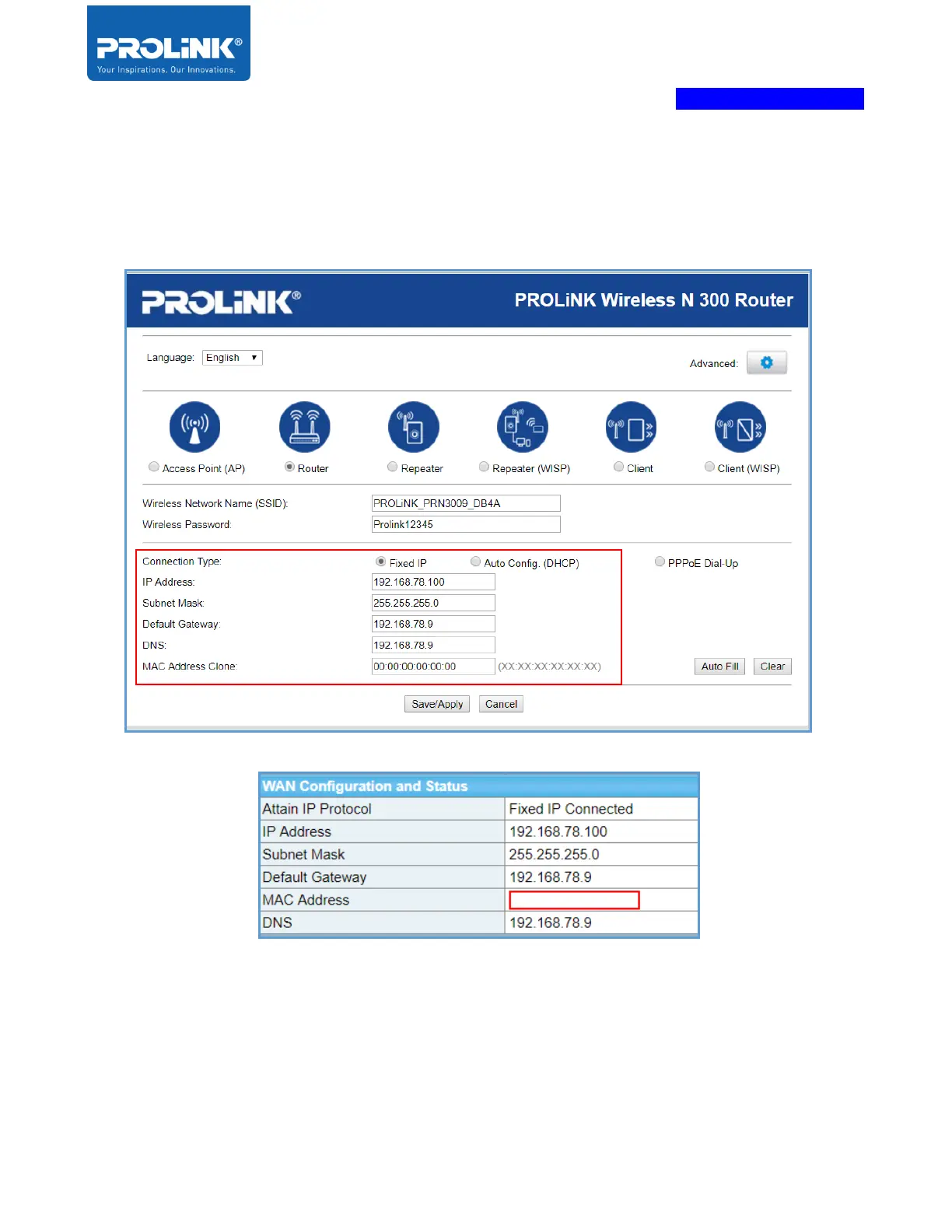
c) Fixed IP – is a Static IP setting by entering the IP Address, Subnet Mask, Default Gateway,
DNS Address and MAC Address Clone (optional) based on information provided by ISP.
Click “Save/Apply” when finished. At the homepage, if the configuration is correct, the
connection status shows “Fixed IP Connected” in the status.
4. After Click “Save/Apply”, the PRN3009 will auto reboot and need to login, it shows the
wizard page with the “Router” configuration set earlier.



 To Next Page