PROLiNK® PRN3009 Wireless-N 300 Routers
22
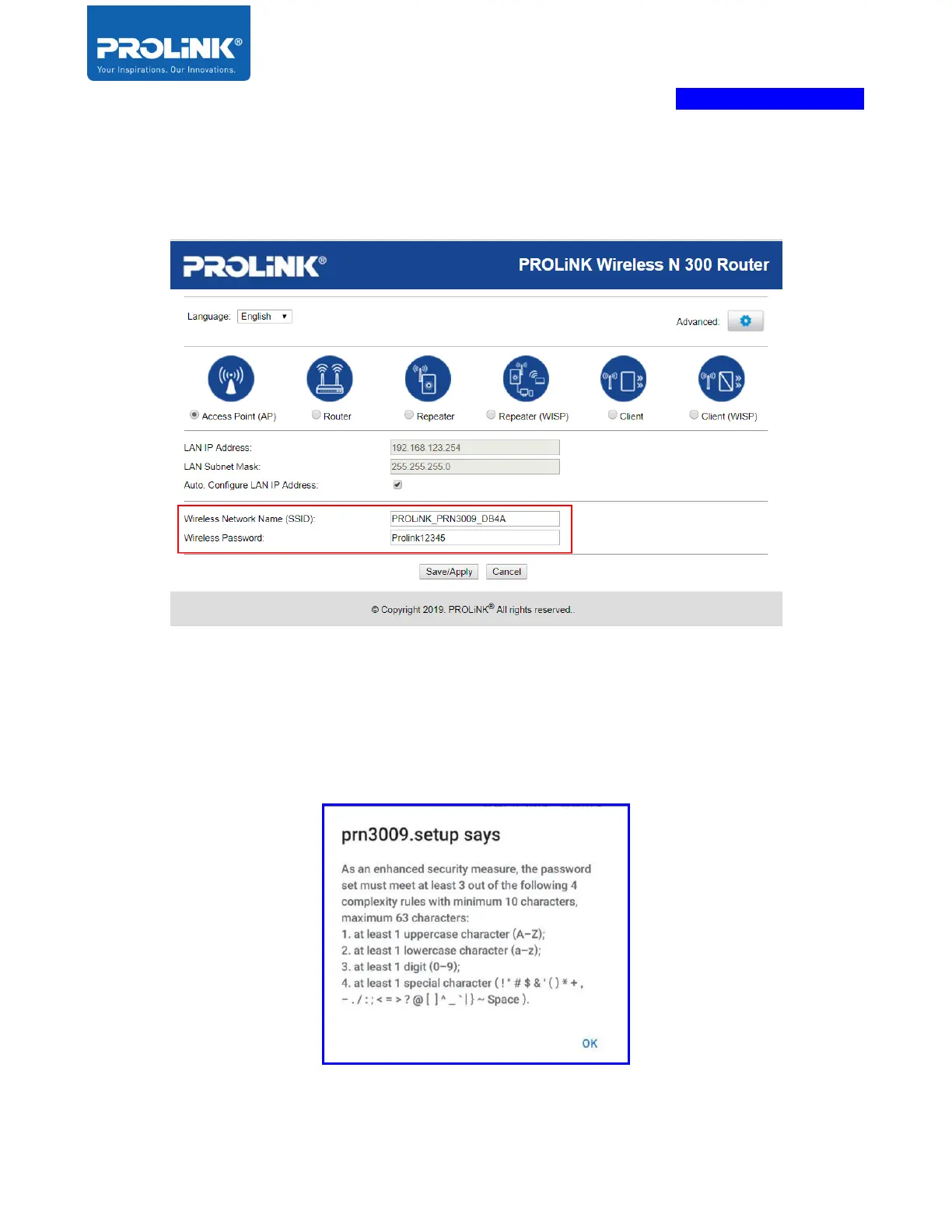
3. Set the Wireless Network detail. By default, the Wireless Network Name (SSID) is
“PROLiNK_PRN3009_xxxx” (XXXX is the last 4 LAN MAC address), and Set Wireless
Security Key. Click “Save/Apply”.
For Wireless password/Security Key, as an enhanced security measure, the user needs to
create a new password, and the requirement must meet at least 3 out of the following 4
complexity rules with minimum 10 characters and maximum 63 characters. Below is popup if
the wireless password not meets the requirement.



 To Next Page